Lights Out Solver row chasing
For each possible first-row click pattern, the solver forces clicks in lower rows whenever the cell above still differs from the target. This covers all legal solutions for the selected board size.
Free Online Lights Out Solver
This Lights Out Solver combines Toggle Puzzle Solver and Light Switch Puzzle Solver workflows on one page. Enter the abstract board manually, choose whether the target is every light off or every light on, then inspect the click order, click count, every step, final board, and no-solution result.
Logic Puzzles Free Browser-based
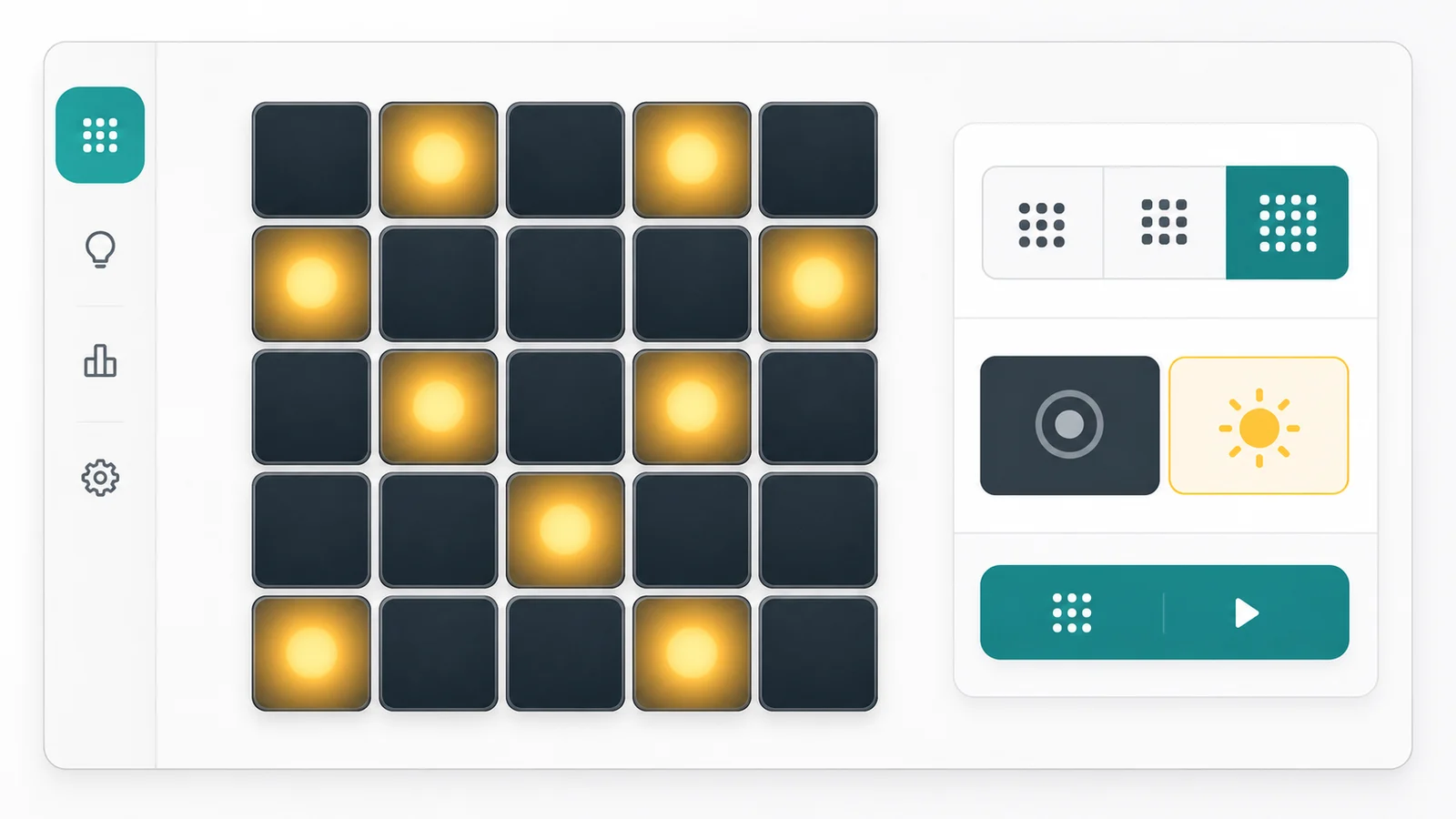
Click cells to mark which lights are currently on. The Lights Out Solver tries every first-row click pattern, follows the forced row-by-row toggle rules, and returns the shortest click solution when one exists.
Tap a cell to switch its starting state. Yellow cells are on; dark cells are off.
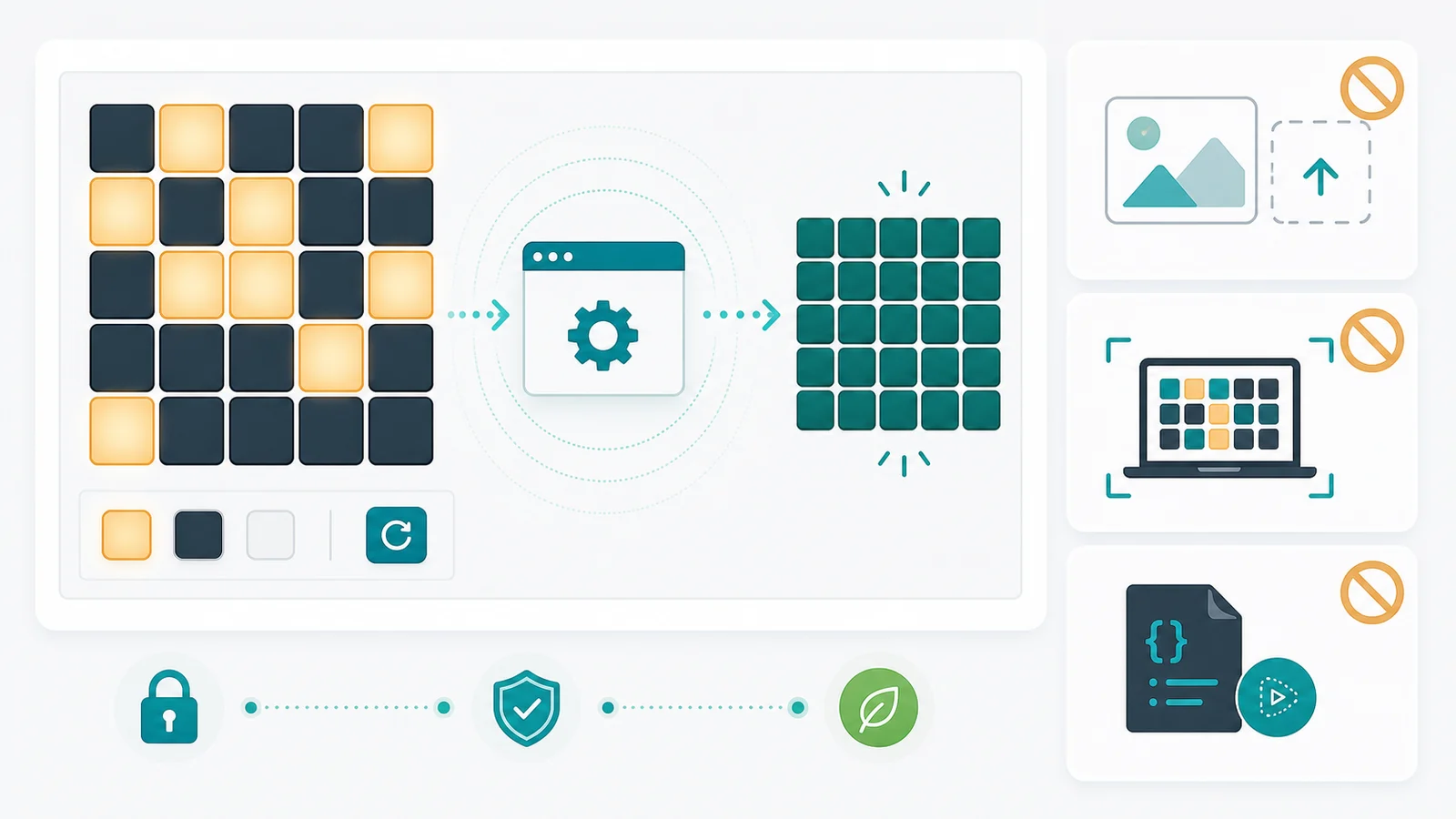
This Lights Out Solver does not do screenshot recognition, game-screen recognition, camera input, image uploads, OCR, or automatic clicking scripts. It only solves an abstract board after you enter the light states by hand.
One Lights Out Solver page covers Lights Out, Toggle Puzzle Solver, and Light Switch Puzzle Solver use cases without splitting the same board logic into separate tools.
Choose 3×3, 4×4, or 5×5, then tap each cell to match the lights you see in the abstract puzzle. No image upload or screen reading is involved.
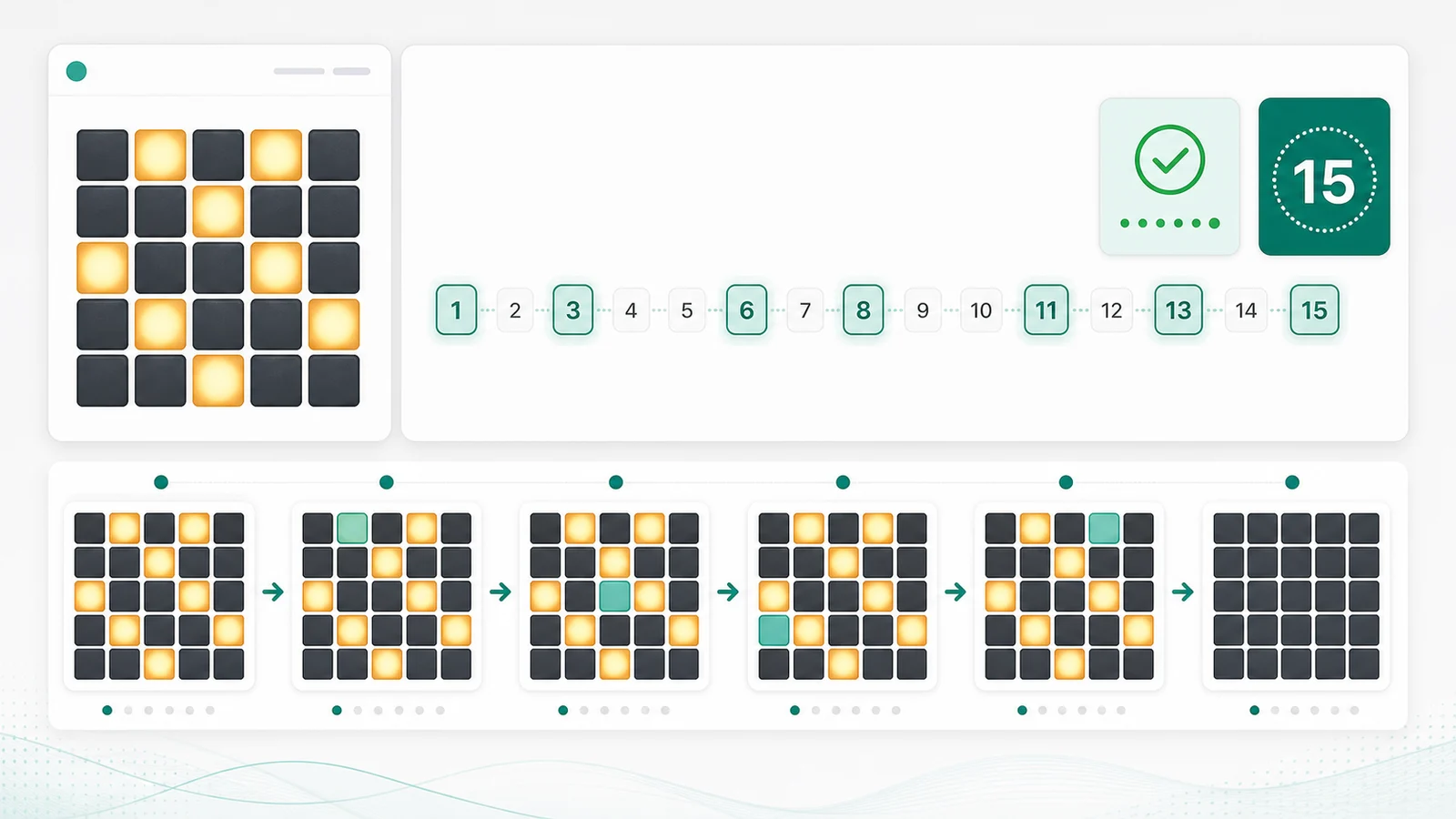
The result area shows the initial board, click order, click count, every board after a click, and the final board for the selected all-off or all-on target.
The Lights Out Solver stays focused on abstract toggle math. It does not recognize screenshots, identify game graphics, or run automatic click scripts.
The Lights Out Solver uses the standard plus-shaped rule: clicking a cell toggles that light plus its up, down, left, and right neighbors.
For each possible first-row click pattern, the solver forces clicks in lower rows whenever the cell above still differs from the target. This covers all legal solutions for the selected board size.
You can solve toward all lights off or all lights on. The same click toggles are applied, but the final board check compares every cell with the selected target state.
Some toggle boards cannot reach the requested target. When no first-row pattern produces a valid final row, the Lights Out Solver reports no solution instead of inventing clicks.
Use these tips to prepare a Lights Out, Toggle Puzzle Solver, or Light Switch Puzzle Solver board before solving.
Select 3×3, 4×4, or 5×5 to match the abstract puzzle you want to solve. The board immediately resizes while keeping the input fast on mobile.
Tap each cell until the pattern matches your puzzle. Yellow means the light is on; dark means the light is off. The tool does not read screenshots or game windows.
Read the click order, then inspect the step timeline to see how each click changes the board. If the result says no solution, the entered board cannot reach the chosen target under the standard toggle rule.
Click order is shown as row and column coordinates. Because Lights Out toggles commute, the same set of clicks can usually be pressed in any order, but the displayed order makes the step timeline easy to verify.
Common questions about Lights Out Solver board sizes, click rules, no-solution results, privacy, and screenshot-recognition boundaries.
Yes. This single Lights Out Solver handles the common toggle-puzzle rule where clicking a cell flips itself and its orthogonal neighbors. It also covers Light Switch Puzzle Solver searches that use the same abstract board logic.
The Lights Out Solver supports 3×3, 4×4, and 5×5 boards. Those sizes cover small tutorial boards, many mobile toggle puzzles, and the classic Lights Out-style grid.
Yes. Use the target selector to solve toward all lights off or all lights on. The click order and step timeline update for the selected target.
Some starting patterns cannot reach the chosen target under the standard plus-shaped toggle rule. The Lights Out Solver checks every possible first-row pattern and reports no solution when none reaches the final board.
For the supported 3×3, 4×4, and 5×5 boards, the Lights Out Solver evaluates all first-row patterns and chooses the valid solution with the smallest click count.
No. This Lights Out Solver does not perform screenshot recognition, game-screen recognition, image upload, OCR, camera input, or automatic click scripting. Enter the abstract board manually.
No. Board input, row-chasing search, click sequence generation, no-solution checks, and step rendering all run in front-end browser JavaScript after the page loads.
SolverBox keeps the Lights Out Solver focused on abstract toggle boards, while other tools handle Sudoku, Nonogram, Hashi, Minesweeper, and word puzzles.
After using this Lights Out Solver, browse all free puzzle solvers for more logic, number, word, and game helpers.
No account required — enter a Lights Out board and solve it in your browser.