Physics Problem Solver Hub reads the prompt
It looks for motion, forces, constraints, collisions, energy, momentum, friction, geometry, and interaction language in the problem statement.
Free Physics Modeling Entry Point
Paste a physics problem, add any known values, and let the Physics Problem Solver Hub classify the system, flag missing information, recommend a SolverBox path, and outline the reasoning route before any calculation.
Logic Puzzles Free Browser-based
The Physics Problem Solver Hub does not compute a numeric answer. It reads your problem description and optional known values, then returns a modeling summary: problem type, recommended SolverBox module, known quantities, missing variables, a reasoning roadmap, and whether Newton, Energy, or Momentum methods look usable.
Add values you already see in the prompt. Units are optional because this hub only classifies and guides modeling.
The Physics Problem Solver Hub acts as the modeling layer before calculation, so you can decide what kind of physics problem you have and what information is still missing.
The hub separates mechanics, constraints, and interaction problems so you can stop guessing which solving path applies.
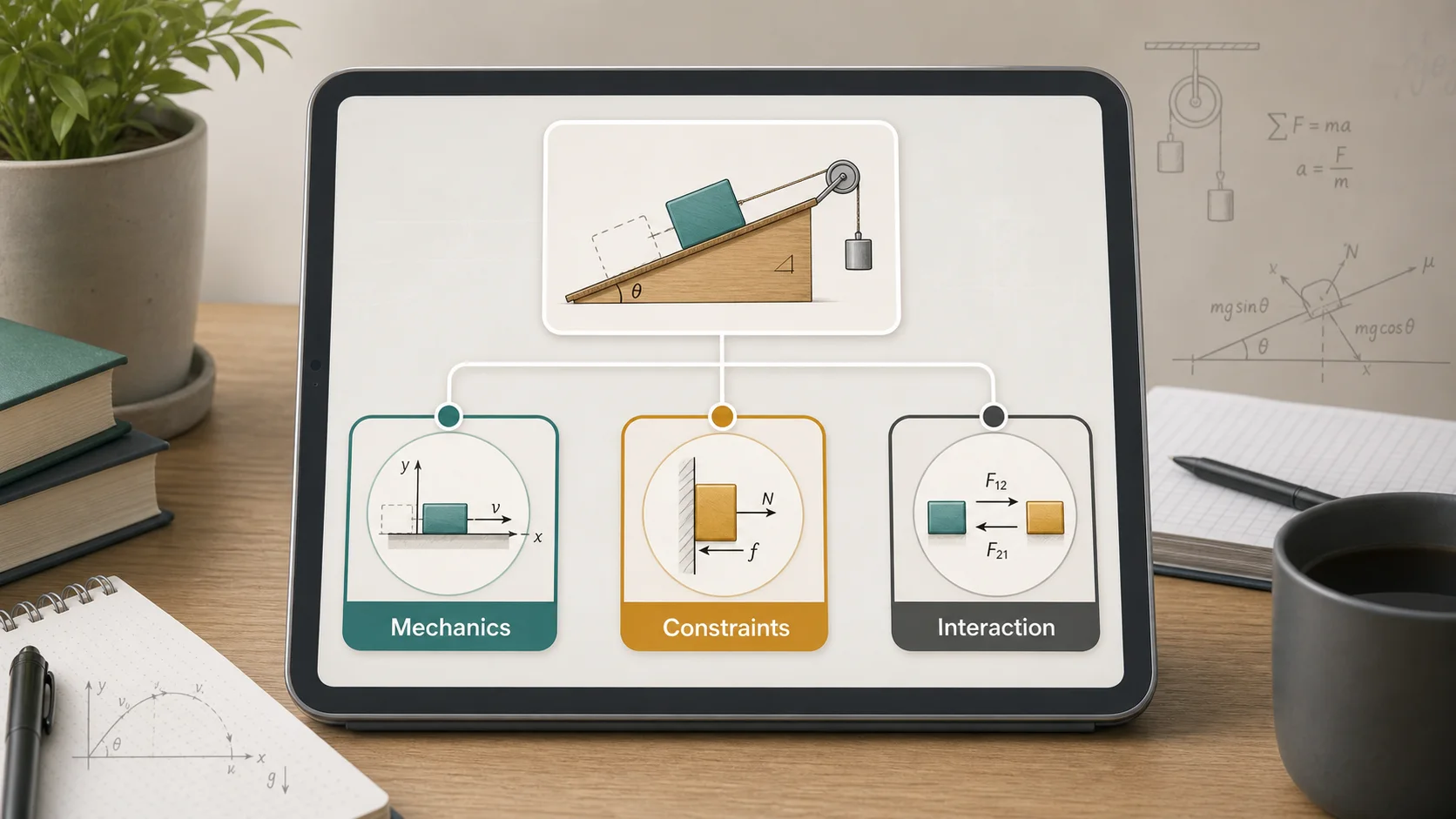
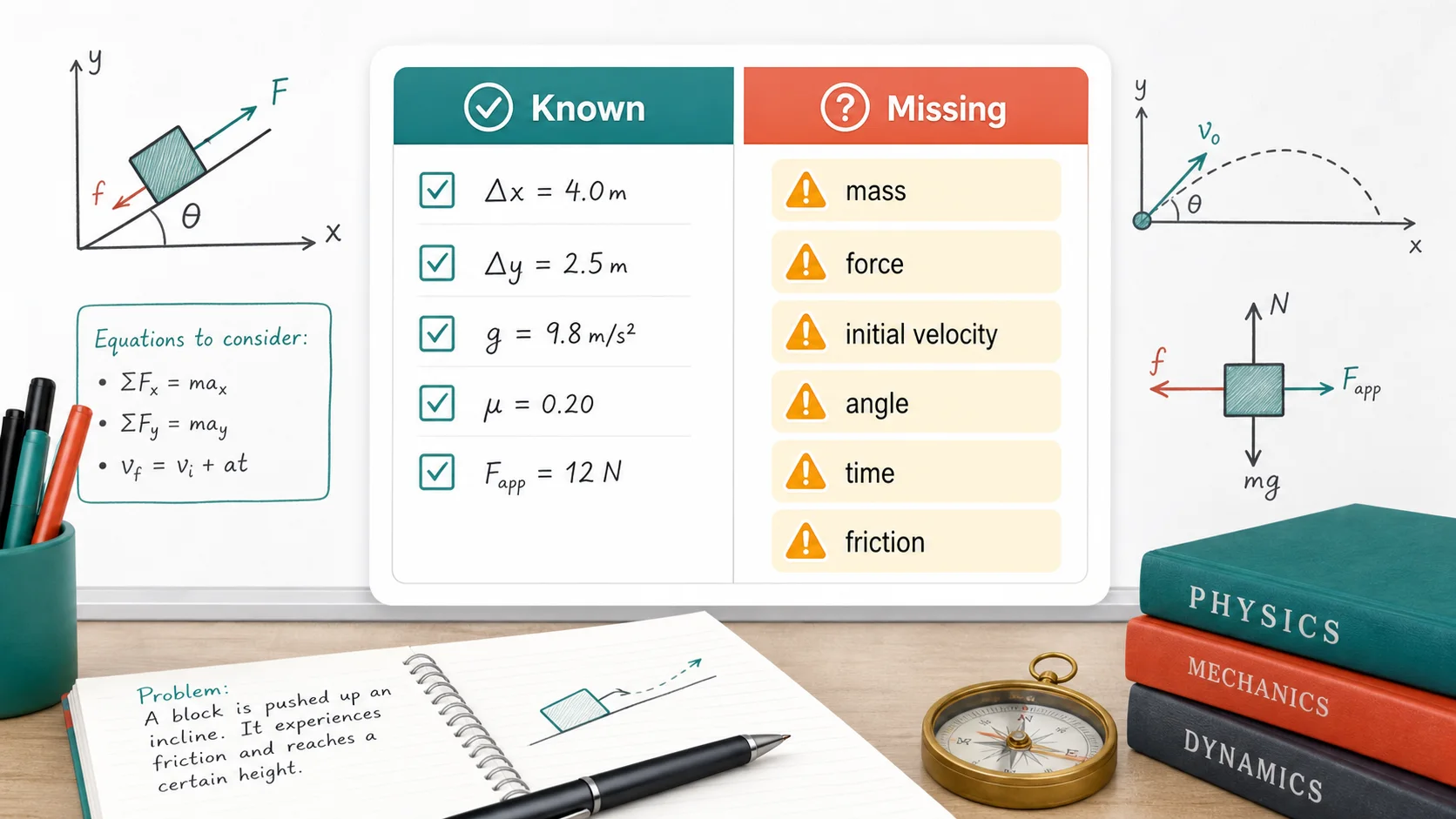
Known quantities are summarized and common gaps such as mass, forces, initial velocity, angle, friction, or interaction type are highlighted.
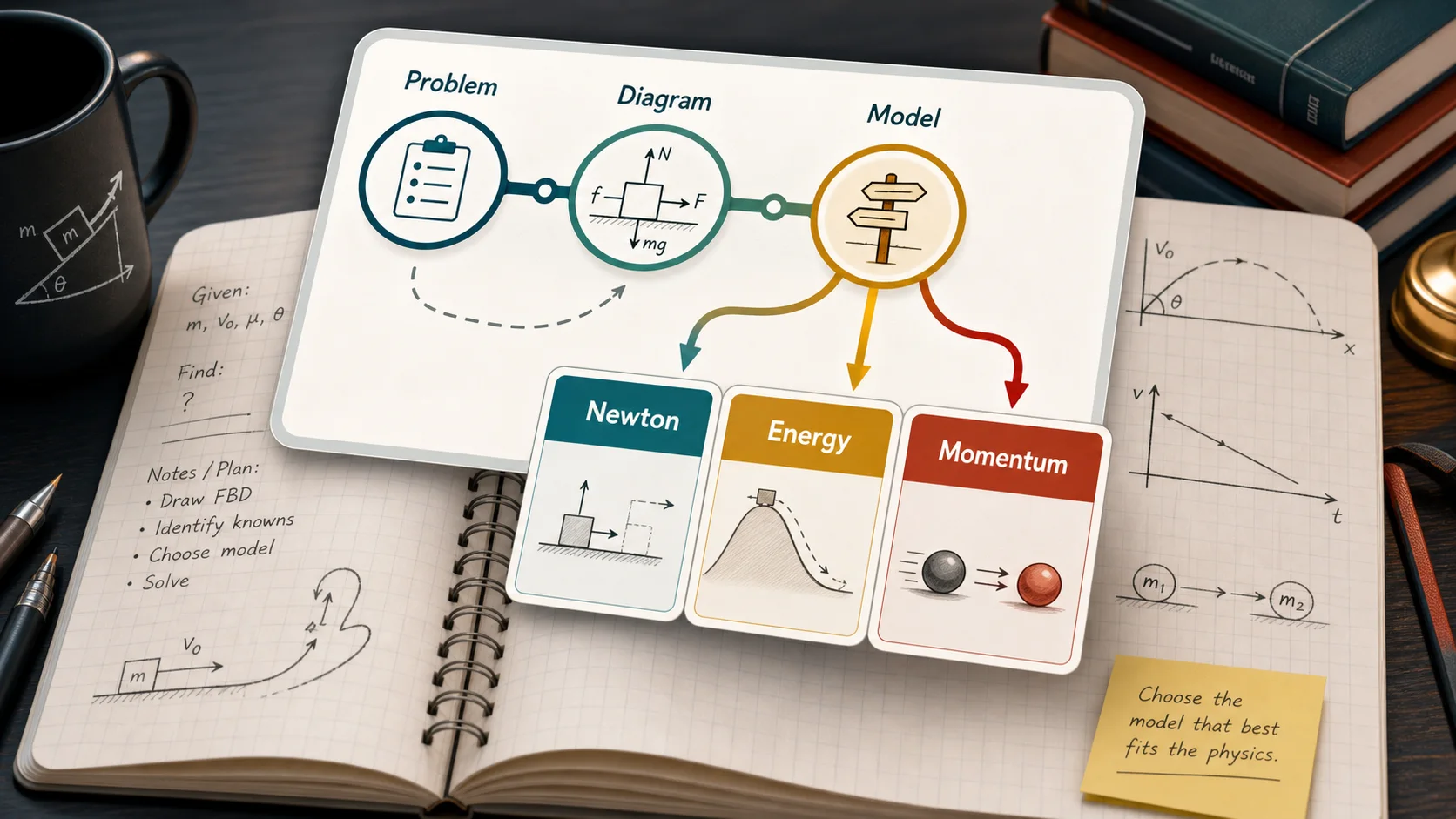
Instead of giving a final answer, the hub outlines the thinking route and checks whether Newton, Energy, or Momentum models fit.
The Physics Problem Solver Hub uses lightweight browser-side text signals and your structured inputs to guide modeling, not to calculate answers.
It looks for motion, forces, constraints, collisions, energy, momentum, friction, geometry, and interaction language in the problem statement.
The result groups the problem as Mechanics, Constraints, or Interaction, then recommends a practical SolverBox entry for the next calculation stage.
The roadmap helps you decide what diagram, known values, missing variables, and classical physics model should come before formulas.
Use the Physics Problem Solver Hub when the hard part is deciding how to model the problem, not punching numbers into a formula.
Include the objects, surfaces, forces, motion, collision, rope, pulley, spring, or field details. The more context you include, the better the classification.
Use the structured fields for mass, force, velocity, time, distance, angle, friction, constraints, or interaction type. These fields strengthen the missing-variable check.
Read the classification, missing prompts, recommended module, and Newton, Energy, or Momentum fit before moving into an equation solver.
If the Physics Problem Solver Hub flags many missing variables, rewrite the givens before trying to solve. That usually reveals which diagram or conservation statement is needed.
Common questions about what the Physics Problem Solver Hub does, what it intentionally avoids, and how to use it for physics homework planning.
No. The Physics Problem Solver Hub intentionally does not do numerical calculation, final-answer output, formula substitution, or equation solving. It only classifies the physics model and gives modeling guidance.
The Physics Problem Solver Hub classifies common prompt signals into Mechanics, Constraints, or Interaction. Mechanics covers motion, forces, energy, ramps, friction, and kinematics. Constraints covers ropes, pulleys, connected bodies, tension, and shared motion. Interaction covers collisions, impulse, springs, explosions, and two-body forces.
The recommendation depends on the classification. Mechanics often points to Equation Solver, constrained systems often point to System of Equations Solver, and interaction or conservation relationships may point to Ratio and Proportion Solver or Equation Solver after the model is written.
Yes. The Physics Problem Solver Hub summarizes detected known quantities and prompts for typical missing information such as mass, force direction, initial velocity, time, displacement, angle, friction, constraint relation, collision type, or system isolation.
No. The Physics Problem Solver Hub is a modeling guide. It helps organize the problem before calculation, but it does not verify every physics assumption or provide an authoritative graded solution.
No. The current Physics Problem Solver Hub classifier runs in your browser after the page loads. It uses simple local text and field checks rather than sending your homework prompt to a server.
Physics word problems often mix models, such as a ramp with friction and energy, or a pulley with acceleration. The Physics Problem Solver Hub chooses the strongest category and still shows Newton, Energy, and Momentum fit notes so you can refine the path.
The Physics Problem Solver Hub keeps the first step focused: classify the system, organize the givens, find the missing variables, and choose the method.
When the modeling route is clear, move to the recommended SolverBox module for the calculation stage.
This hub is built for classification and modeling guidance only, not final-answer generation.