Logic Grid Puzzle Solver builds pair matrices
For every pair of categories, the tool tracks whether each item pair is unknown, confirmed, or excluded.
Free Online Logic Grid Puzzle Solver
Create people, colors, places, objects, times, or any other equal-sized categories, then add manual clue rules. The Logic Grid Puzzle Solver updates the matrix, flags contradictions, and shows exactly which clues created each deduction in your browser.
Logic Puzzles Free Browser-based
This Logic Grid Puzzle Solver is a structured Zebra Puzzle Solver, Einstein Puzzle Helper, and Logic Puzzle Grid Helper in one page. Define people, object, place, order, or custom categories first, then add precise yes/no clue rules instead of pasting a whole story paragraph.
Use equal-sized categories. The first category becomes the row anchor for the final answer table.
Add one relation at a time. Natural-language puzzle parsing is intentionally out of scope for this first version.
| # | Clue | Action |
|---|
This first version does not parse a pasted English story or infer meaning from full puzzle text. To keep the browser-only Logic Grid Puzzle Solver accurate, enter categories and clue rules yourself.
This first version does not parse a pasted English story or infer meaning from full puzzle text. To keep the browser-only Logic Grid Puzzle Solver accurate, enter categories and clue rules yourself.
Confirmed relations
0
Excluded relations
0
Candidate relations
0
Conflict clues
0
Logged changes
0
Click a matrix cell to cycle it from unknown to Yes, then No, then back to unknown. Each manual mark is saved as a structured clue rule.
The Logic Grid Puzzle Solver keeps Zebra Puzzle Solver, Einstein Puzzle Helper, and Logic Puzzle Grid Helper workflows together because they all rely on the same exclusion matrix.
Create people, colors, places, objects, times, or custom categories with the same number of items before adding any clue rules.
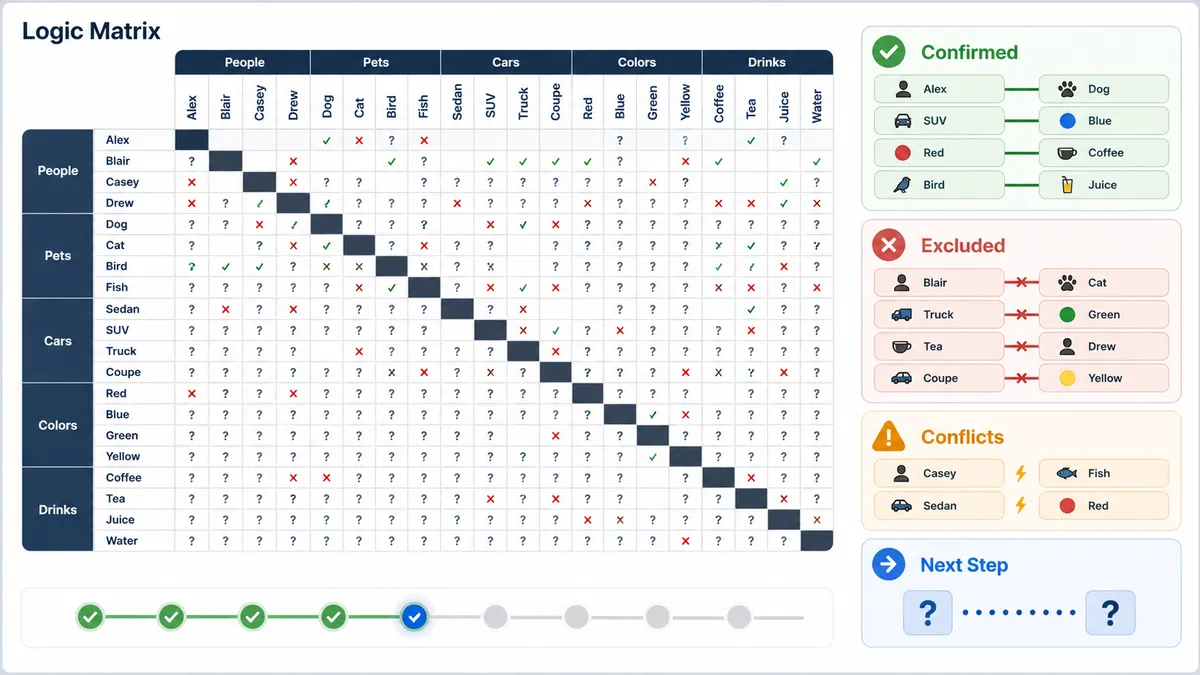
Each yes/no clue updates the logic matrix, removes impossible row and column matches, and flags contradictions before they spread.
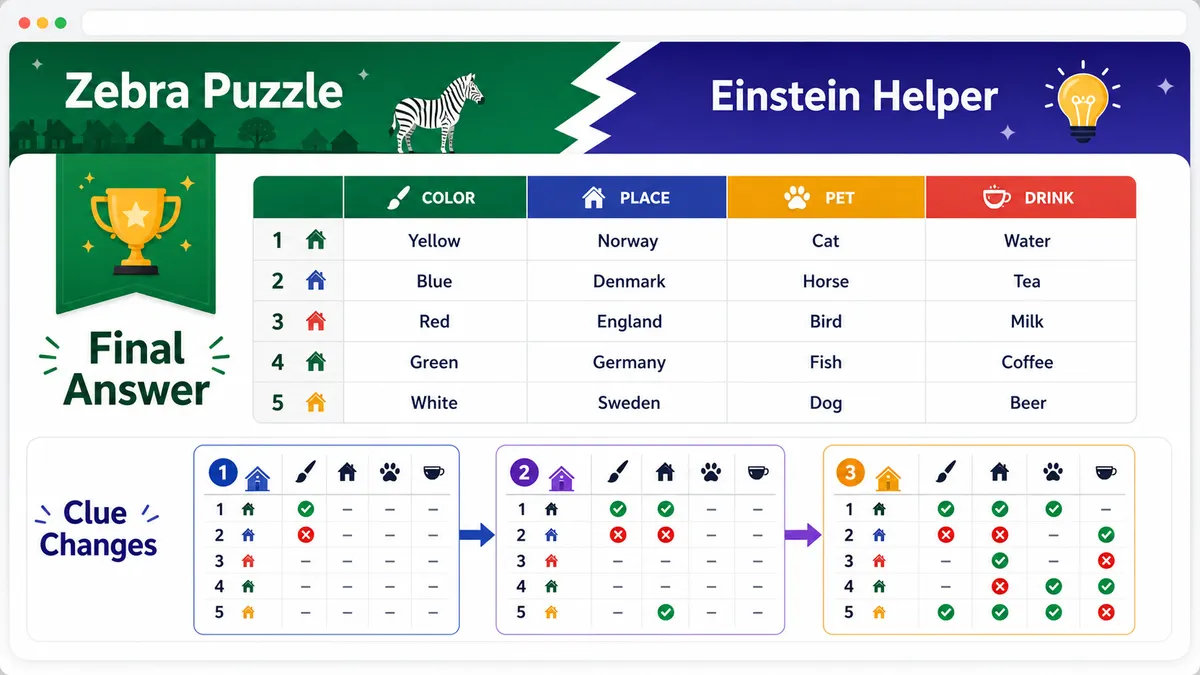
Inspect the final answer table and the clue-by-clue change log so you can see which clue produced each deduction.
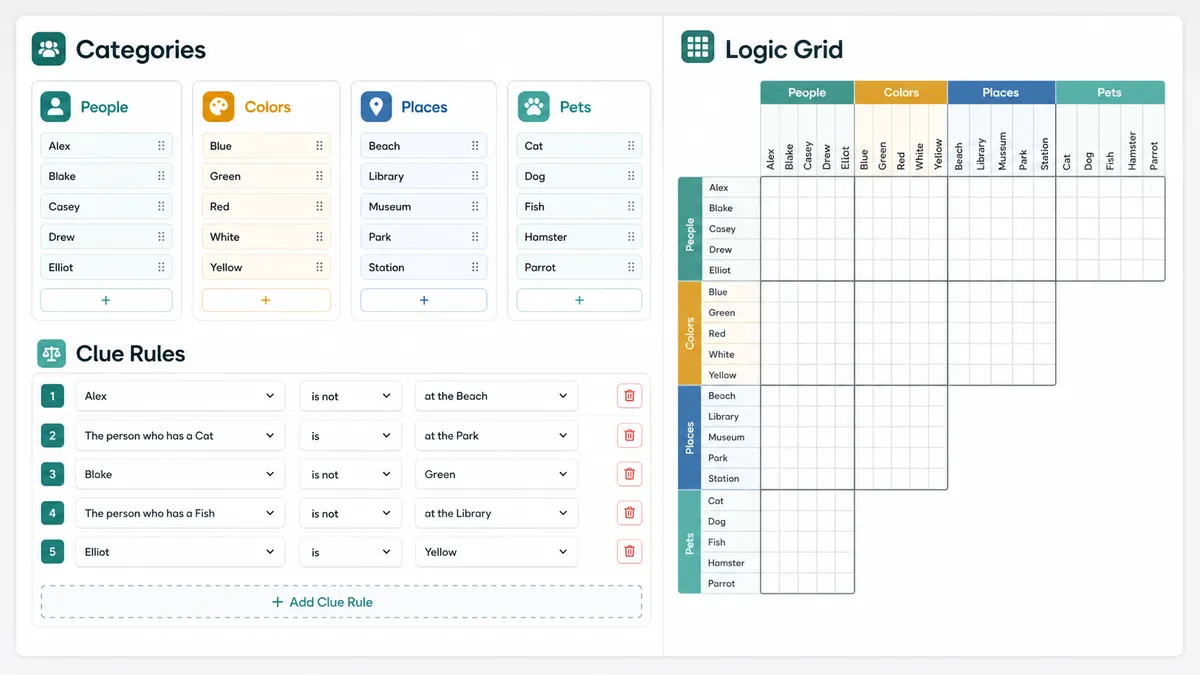
This Logic Grid Puzzle Solver uses deterministic matrix constraints, not AI text interpretation.
For every pair of categories, the tool tracks whether each item pair is unknown, confirmed, or excluded.
A confirmed relation removes competing choices in the same row and column, then transfers compatible yes/no facts through linked items.
If a clue asks for a relation already ruled out, or forces two different matches in one category, the conflict panel names the problem.
Use these tips to turn a printed Zebra puzzle or Einstein puzzle into structured clue rules.
Most logic grid puzzles match one item from each category into a single solution row. Keep every category the same size, such as five people, five colors, five houses, five pets, and five times.
Translate each clue into one or more structured relations: an item is paired with another item, or an item is not paired with another item. Add only what the clue says directly.
Do not paste a whole English puzzle story and expect automatic understanding. This is a pure front-end logic helper, so structured input keeps results predictable and auditable.
The first version intentionally avoids NLP and AI parsing; all deductions come from your explicit clue rules.
Common questions about using the Logic Grid Puzzle Solver as a Zebra Puzzle Solver, Einstein Puzzle Helper, and Logic Puzzle Grid Helper.
Yes. Zebra puzzles are a classic kind of logic grid puzzle. Create the categories from the Zebra puzzle, enter each clue as a structured relation, and the Logic Grid Puzzle Solver will update the matrix locally.
Yes. Einstein-style house puzzles use the same category-to-category matching model, so this combined page works as an Einstein Puzzle Helper when you provide structured clues.
No. This first version does not promise natural-language parsing. Pasting a whole English story would require NLP or AI interpretation, which is outside the reliable pure front-end scope of this Logic Grid Puzzle Solver.
The first version supports structured is paired with and is not paired with rules between two categories, including manual Yes / No marks inside the matrix. For a clue such as A is left of B, create an order category and enter the resulting possible or impossible pairings yourself.
A conflict means one clue contradicts an existing confirmed or excluded relation. Check whether an item was matched to two different values in the same category, or whether a later clue tried to confirm something already excluded.
No. Categories, clue rules, the logic matrix, conflicts, next-step deductions, and answer tables are computed in browser JavaScript after the page loads.
It works best for equal-sized category matching puzzles. It does not automatically interpret ordering clues, adjacency, before/after time relations, arithmetic constraints, or natural-language clue text; convert those into explicit yes/no relations before using the Logic Grid Puzzle Solver.
SolverBox keeps puzzle helpers free, browser-based, and focused on transparent solving steps.
After this Logic Grid Puzzle Solver, explore more logic, number, word, and game solvers.
No account required — structured clue solving runs locally in your browser.