Color Puzzle Solver color cycle
Each click advances affected cells from color 1 to color 2, then color 3 or 4 when enabled, and finally back to color 1. The solver models those changes modulo the selected color count.
Free Online Color Puzzle Solver
This Color Puzzle Solver is a focused toggle color grid solver, not a catch-all for every color game. Enter the color blocks, choose the color cycle and neighbor impact rule, set the target state, then review the clicks, every step, rule explanation, supported board size, and no-solution result.
Logic Puzzles Free Browser-based
Build a small grid where each click advances affected color blocks by one step in the color cycle. The Color Puzzle Solver searches click counts for the supported rules and returns the shortest sequence it can prove.
Tap a cell to cycle through the available colors. The initial grid and target grid can be edited separately.
This Color Puzzle Solver does not identify screenshots, extract colors from images, read a phone game screen, or generate automatic gameplay scripts. It only solves explicit toggle color grid puzzles after you enter the states and rules yourself.
The Color Puzzle Solver focuses on explicit grid states and rules, so the output is inspectable instead of pretending to solve every color-based mobile game.
Enter the initial color blocks and target color blocks by tapping the grid. Pick 2, 3, or 4 colors so the cycle matches the puzzle rule.
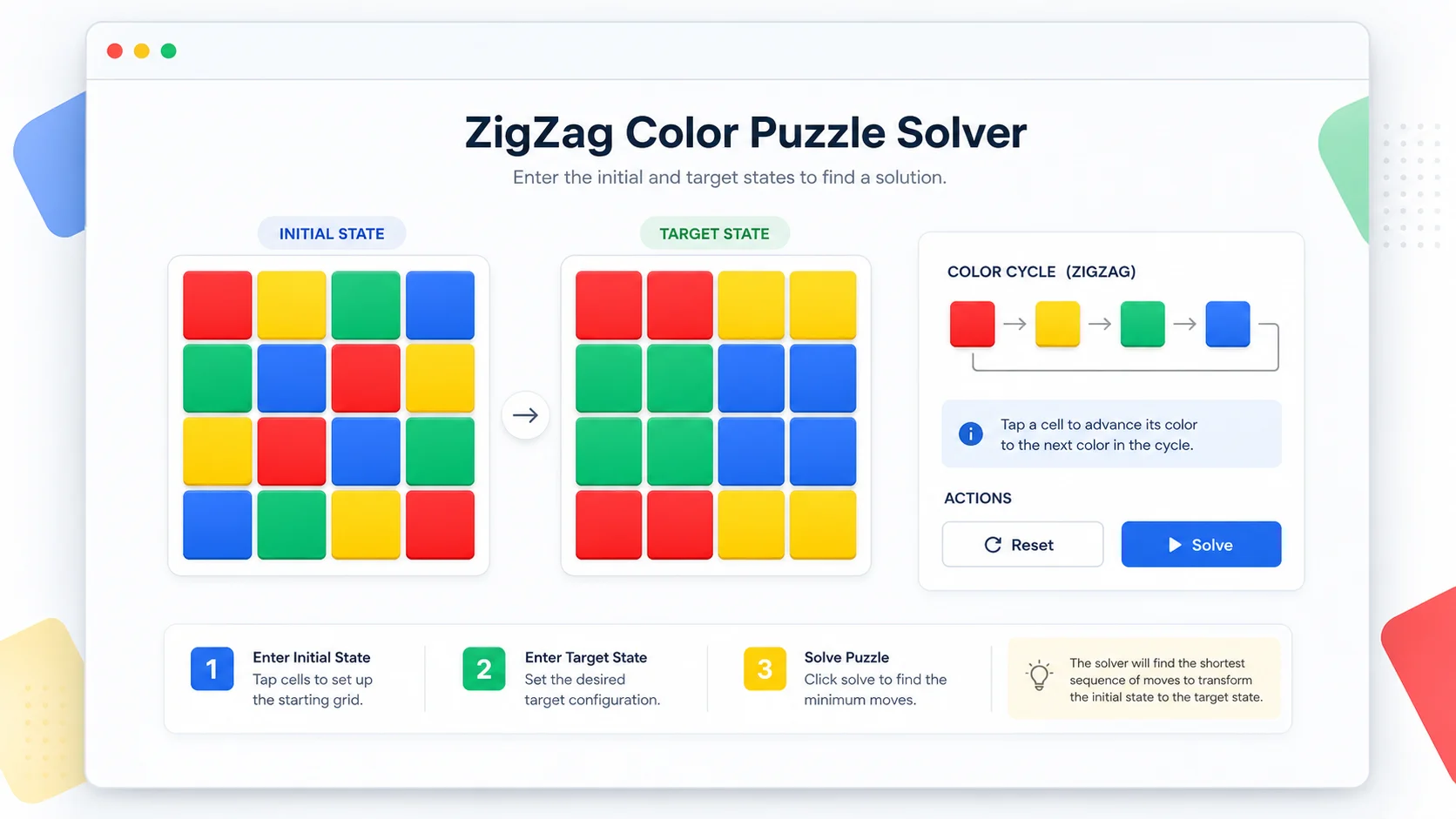
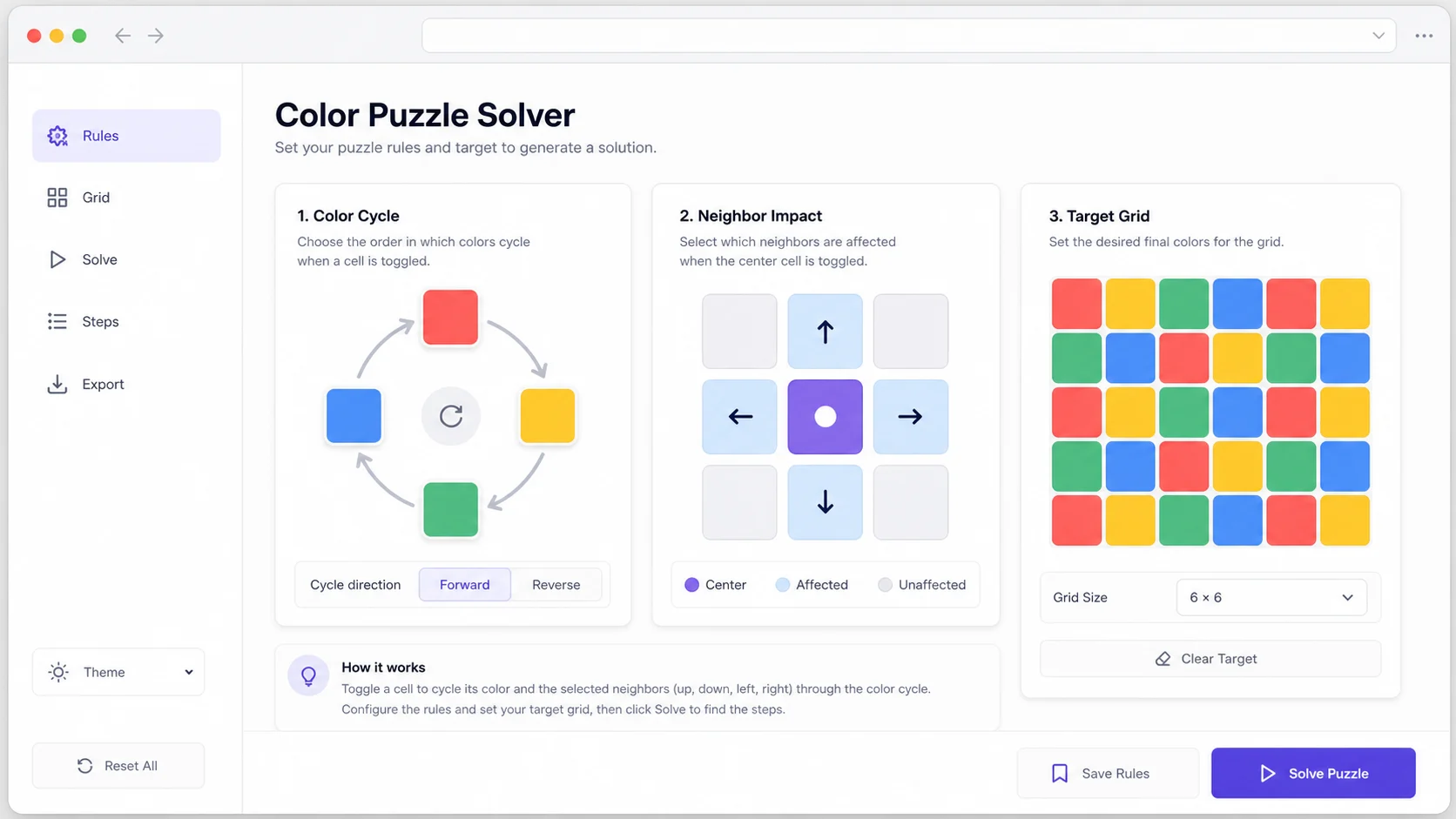
Choose exactly how a click changes nearby blocks: plus shape, orthogonal neighbors, vertical strip, horizontal strip, or self only.
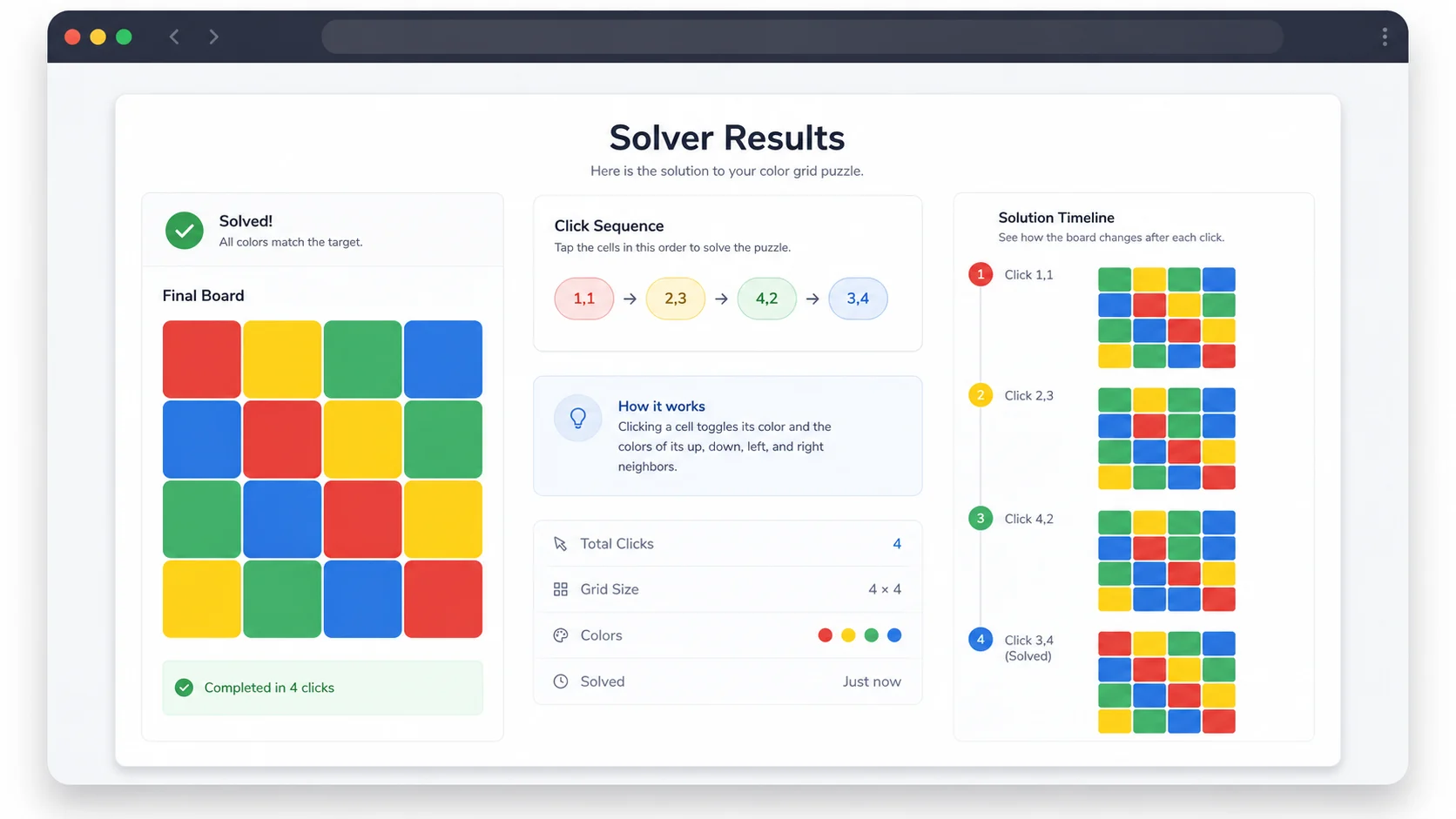
Review the click sequence, final grid, no-solution status, and every intermediate color state before applying the steps to your puzzle.
The Color Puzzle Solver treats each color as a number in a cycle, then searches for clicks that transform the initial grid into the target grid.
Each click advances affected cells from color 1 to color 2, then color 3 or 4 when enabled, and finally back to color 1. The solver models those changes modulo the selected color count.
The selected rule determines which cells change on every click. The first version supports explicit toggle-grid rules only, with no image recognition or hidden game-specific mechanics.
If no click-count combination reaches the target under the chosen cycle and impact rule, the Color Puzzle Solver reports no solution instead of inventing a path.
Use these steps when your puzzle is a clear toggle color grid with known rules.
Select 3×3, 4×4, or 5×5, then choose whether the puzzle cycles through 2, 3, or 4 colors. These are the supported board sizes and color counts for this first version.
Switch between the initial grid and target grid, then tap cells until both states match your puzzle. The solver does not infer colors from a screenshot.
Check the rule explanation, click list, and every color change. A click may need to be repeated two or three times when the color cycle has three or four colors.
For these toggle-grid rules, the order of clicks usually does not change the final state, but the displayed order makes the step-by-step color changes easy to audit.
Common questions about Color Puzzle Solver inputs, supported rules, no-solution results, browser-only solving, and boundaries.
This Color Puzzle Solver supports explicit toggle color grid puzzles: small square grids where each click advances selected cells through a known color cycle. It is intentionally narrower than all possible color games.
The Color Puzzle Solver supports 3×3, 4×4, and 5×5 grids with 2, 3, or 4 colors. The result area repeats the supported size rule so you can confirm the puzzle fits before using the steps.
Yes. Edit the initial grid and target grid separately. The Color Puzzle Solver searches for clicks that transform the initial color state into your exact target color state.
Some initial and target states cannot be connected under a chosen color cycle and neighbor impact rule. When the search proves that no supported click combination reaches the target, it reports no solution.
No. This Color Puzzle Solver does not do image recognition, color extraction, OCR, game-screen reading, or automatic tapping scripts. You enter the abstract color states and rules manually.
It overlaps with Lights Out when the puzzle has two colors and plus-shaped toggles, but this Color Puzzle Solver adds explicit target colors and 3- or 4-color cycles. A future Lights Out or Toggle Puzzle system could absorb this page if the tools are consolidated.
No. Grid editing, rule handling, click search, no-solution checks, and step rendering all run in front-end browser JavaScript after the page loads.
SolverBox keeps the Color Puzzle Solver focused on explicit toggle color grids, while other tools handle Lights Out, logic grids, Sudoku, Minesweeper, and word puzzles.
After using this Color Puzzle Solver, browse all free puzzle solvers for more logic, number, word, and game helpers.
No account required — enter a color grid and solve it in your browser.