Physics Interaction Solver reads interaction clues
It looks for collision, explosion, separation, sticking, rebound, deformation, spring release, friction, wall impulse, and isolated-system language.
Free qualitative interaction physics helper
Paste a physics prompt where two or more objects interact. The Physics Interaction Solver identifies the physical process, classifies the interaction as elastic, inelastic, or partial, checks when momentum conservation is reasonable, explains energy changes, maps direction logic, and recommends whether to use a momentum, energy, or hybrid model.
Logic Puzzles Free Browser-based
The Physics Interaction Solver is a qualitative reasoning tool. It does not compute final speeds or masses. It helps you decide what kind of interaction happened, which conservation laws are safe to use, where energy may go, and what trend to expect after the interaction.
Fill only what you know. Object names, before and after motion, whether objects stick or bounce, and external force clues make the Physics Interaction Solver more specific.
The Physics Interaction Solver keeps collision and separation questions focused on physical process, conservation assumptions, energy behavior, direction changes, and model choice.
Start by naming the interaction: collision, explosion, separation, momentum exchange, or another energy-changing event.

Decide whether momentum conservation applies, whether kinetic energy is lost, and why elastic, inelastic, or partial reasoning fits.
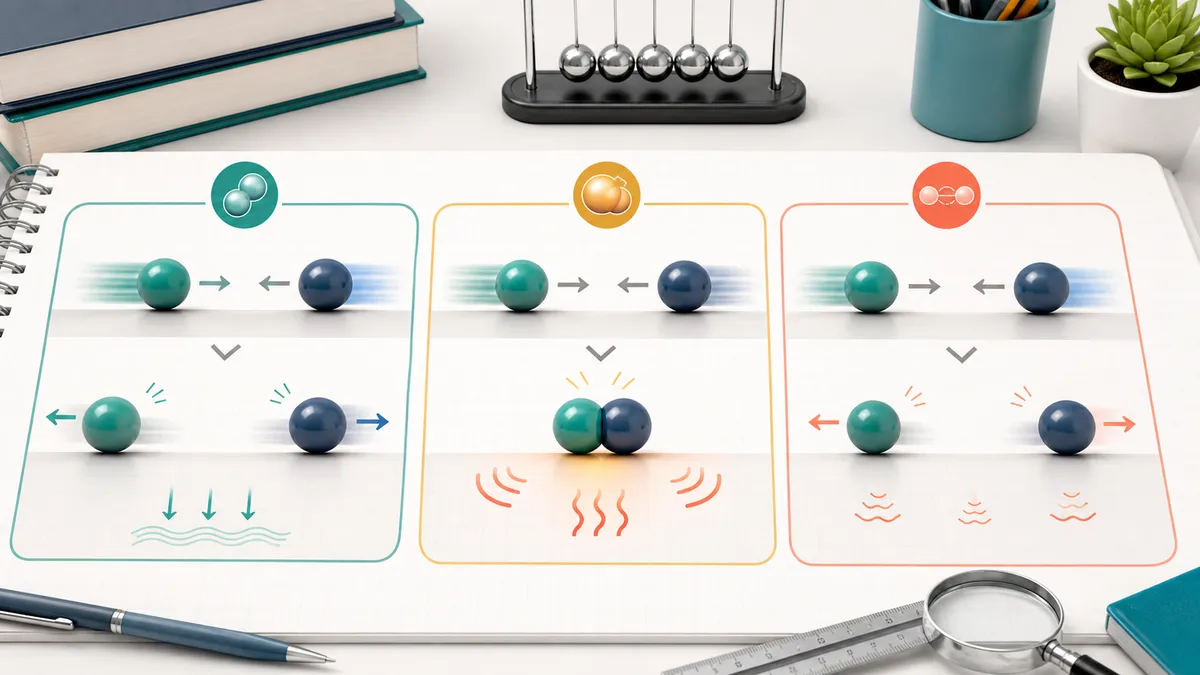
Explain direction changes and post-collision tendencies before choosing a momentum, energy, or hybrid model.
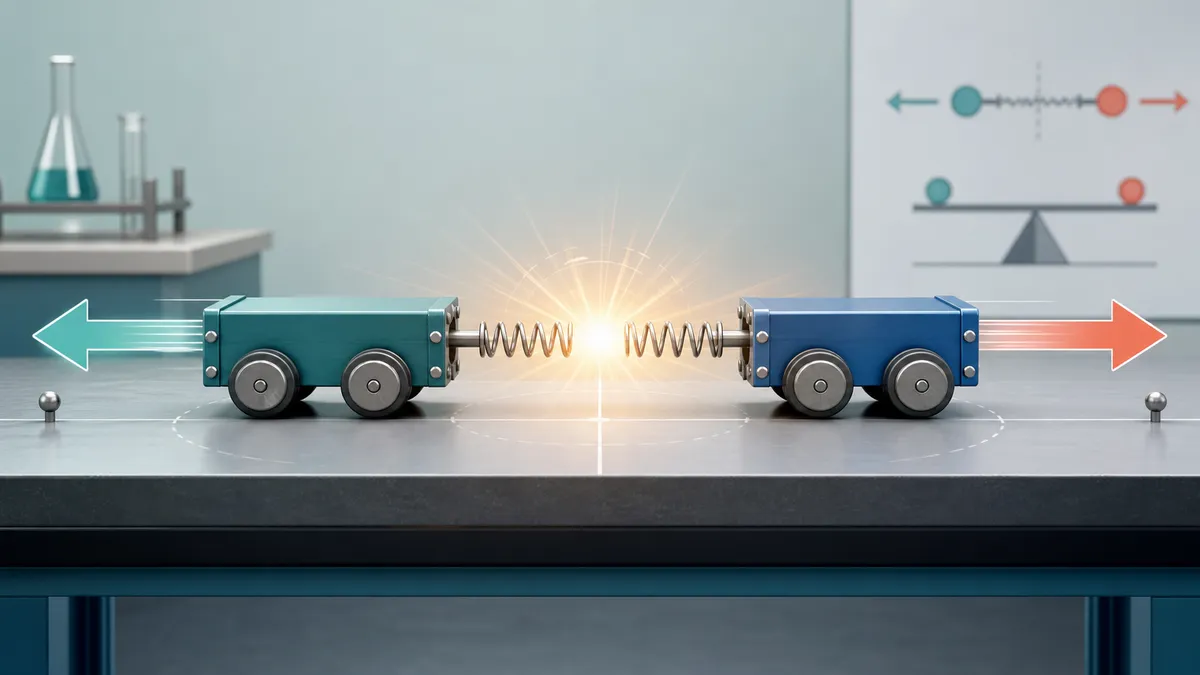
The Physics Interaction Solver uses browser-side text signals and your marked clues to produce a qualitative interaction analysis.
It looks for collision, explosion, separation, sticking, rebound, deformation, spring release, friction, wall impulse, and isolated-system language.
The result keeps momentum conservation, kinetic-energy conservation, and mechanical energy transformation as separate checks instead of mixing them.
It recommends momentum, energy, or hybrid reasoning based on whether the interaction is sticking, rebounding, separating, or releasing stored energy.
Use the Physics Interaction Solver when the hard part is deciding what happened and which conservation law is allowed before doing algebra.
Include the objects, their motion before contact, what happens during the interaction, and what the problem asks you to decide.
Mark the process signals you are confident about. Manual signals help the solver avoid over-reading a short or ambiguous prompt.
Use the result as a model-selection and reasoning checkpoint before doing any numerical speed, mass, impulse, or energy calculation.
Common questions about using the Physics Interaction Solver for collision, explosion, separation, momentum, and energy reasoning.
No. The Physics Interaction Solver intentionally avoids velocity, mass, impulse, and energy numerical calculation. It tells you what physical process is happening and which model to use before calculation.
Yes, qualitatively. The Physics Interaction Solver checks whether the interaction can be treated as an isolated system with negligible external impulse. If a wall, friction impulse, outside push, or unclear system boundary matters, it marks momentum conservation as unsafe or conditional.
The Physics Interaction Solver treats bounce-apart ideal collisions as elastic candidates, sticking or deformation as inelastic, and unclear rebound or energy-loss cases as partial. It keeps kinetic-energy conservation separate from momentum conservation.
Yes. For explosions, spring release, or separation from rest, the Physics Interaction Solver emphasizes total momentum balance and notes that kinetic energy may increase because stored internal energy is released.
No. The Physics Interaction Solver does not animate collisions or simulate trajectories. It only produces process reasoning, conservation checks, direction logic, qualitative trends, and a recommended physics model.
Yes. The Physics Interaction Solver runs its qualitative checks in your browser using the prompt and signals you enter. It is designed for fast study reasoning, not server-side numerical physics.
Classify the interaction, check conservation assumptions, and choose the right model first.
Then move to numerical physics only after the process logic is clear.
Free, browser-based, and focused on qualitative physics reasoning.