Queens and Star Battle Solver counts rows, columns, and regions
Queens mode fixes the count at one piece per row, column, and region. Star Battle mode lets you choose the shared count, such as one or two stars per row, column, and region.
Free Online Queens and Star Battle Solver
Draw or choose puzzle regions, switch between Queens and Star Battle mode, set row, column, and region counts, add known Queen or Star positions, and let the Queens and Star Battle Solver search no-adjacent solutions in your browser.
Logic Puzzles Free Browser-based
Use region paint mode to mark connected areas, then place known pieces or excluded cells. Queens mode requires one Queen in every row, column, and region; Star Battle mode uses the count you choose for every row, column, and region.
Paint cells with the active region number. Every painted region should be connected, and the solver checks one count per region.
Click or drag on the grid. Known pieces are fixed clues. Excluded cells can never contain a piece.
Scope: this Queens and Star Battle Solver combines Queens Solver, LinkedIn Queens Solver, Star Battle Solver, and Crown Puzzle Solver logic on one page. It does not provide online battles, leaderboards, daily challenges, automatic LinkedIn puzzle scraping, screenshot recognition, or account sync.
The Queens and Star Battle Solver keeps Queens Solver, LinkedIn Queens Solver, Star Battle Solver, and Crown Puzzle Solver intent together because they share row, column, region, and no-adjacent constraints.
Paint regions directly on the grid, choose Queens or Star Battle mode, and add known pieces or excluded cells before solving.
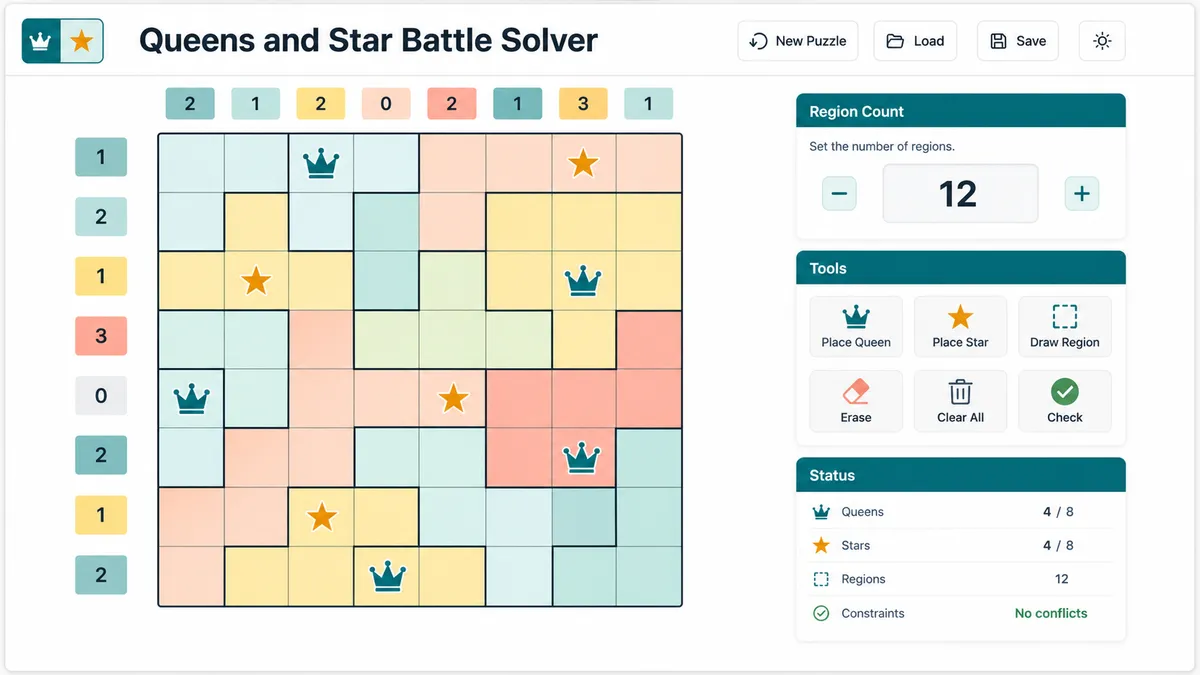
The result view reports row, column, and region remaining counts, fixed pieces, excluded cells, adjacency conflicts, no-solution warnings, and multiple-solution detection.
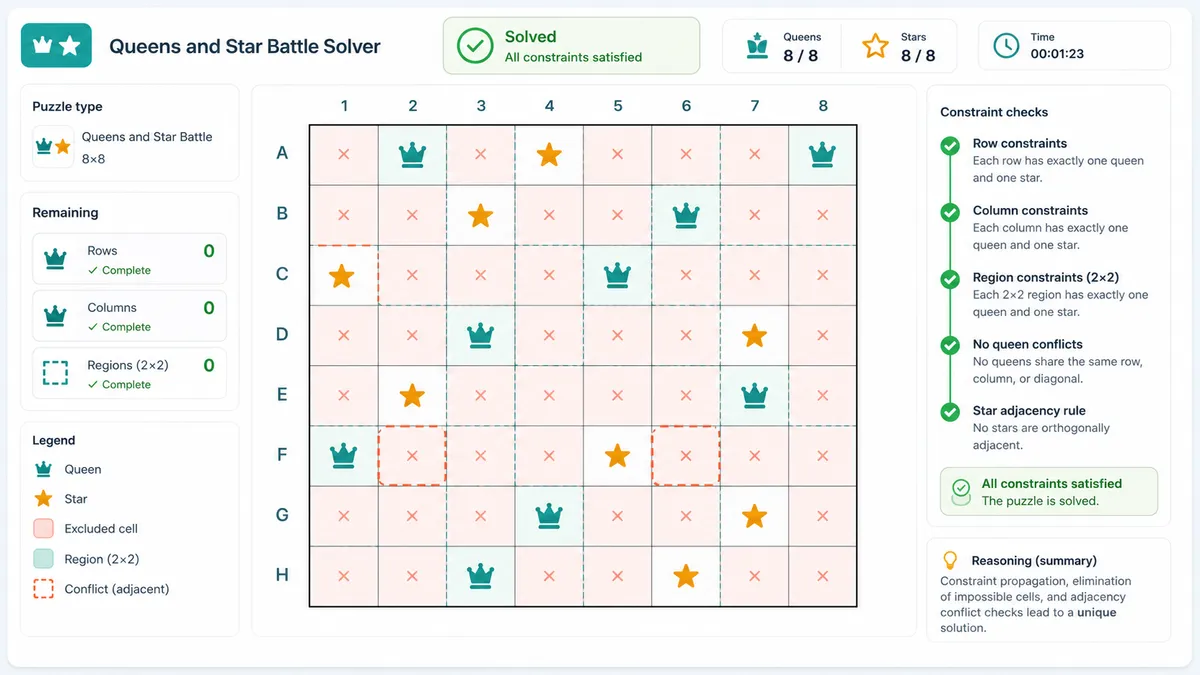
Everything runs in browser JavaScript, so region layouts and user clues stay on your device without scraping, screenshots, accounts, or external puzzle services.
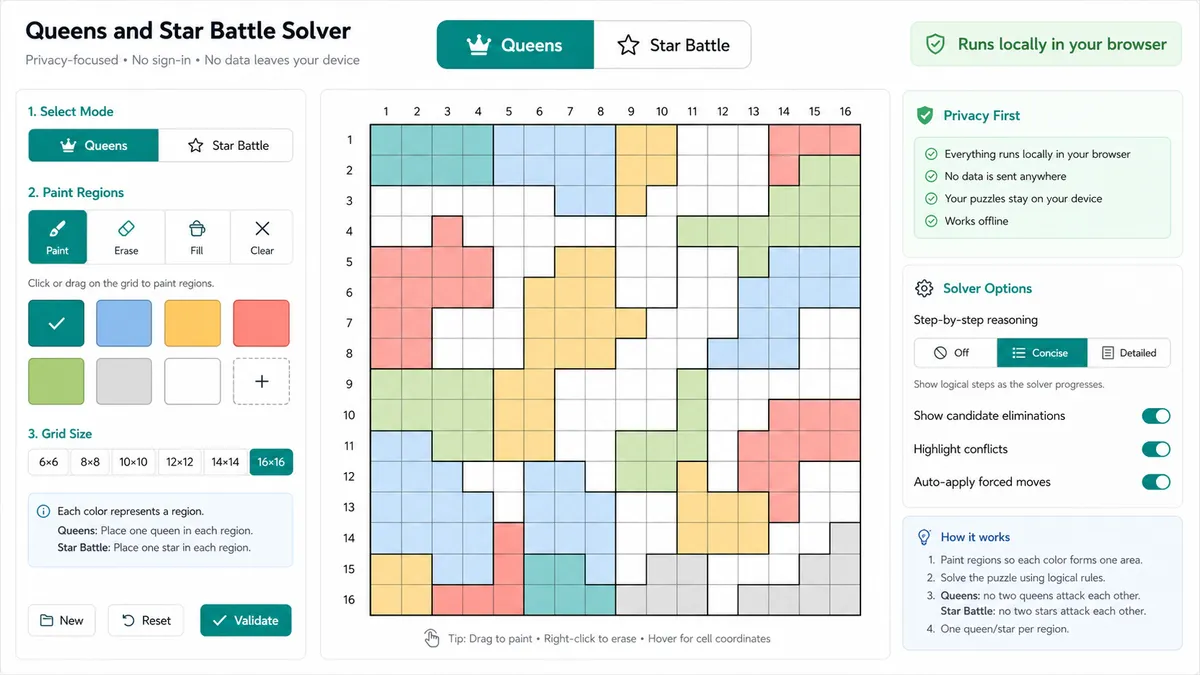
This Queens and Star Battle Solver uses one exact-search engine for Queens, LinkedIn Queens-style, Star Battle, and crown-style region puzzles.
Queens mode fixes the count at one piece per row, column, and region. Star Battle mode lets you choose the shared count, such as one or two stars per row, column, and region.
Every candidate placement removes neighboring cells in all eight directions, so pieces never touch orthogonally or diagonally.
Constraint propagation narrows forced cells, then backtracking searches the smallest unsatisfied group and stops after no solution, one unique solution, or a second solution.
Use these Queens and Star Battle Solver tips to enter region puzzles cleanly and avoid false no-solution results.
Every grid cell must be assigned to a region. Region numbers are local labels; they do not need to match colors from a printed puzzle as long as each area is represented.
Queens mode is the common one-Queen-per-row, column, and region puzzle. Star Battle mode uses the count control for one-star or two-star variants.
This page is a pure front-end solver. It does not fetch LinkedIn Queens boards, read screenshots, sync accounts, host online matches, or run a leaderboard.
For a web or app puzzle, copy the regions manually into the grid instead of expecting automatic import.
Common questions about using this Queens and Star Battle Solver for Queens, LinkedIn Queens, Star Battle, and Crown puzzles.
Yes. Queens mode places one Queen in each row, column, and region, while enforcing that Queens cannot touch horizontally, vertically, or diagonally.
Yes, when you manually enter the region layout and known information. The tool does not scrape LinkedIn, read screenshots, or connect to an account; it solves the same style of region and adjacency constraints after you enter them.
Yes. Star Battle mode lets you set the required number of Stars per row, column, and region, including common one-star and two-star puzzle variants.
Yes for crown-style puzzles that use one piece per row, column, and colored region with no touching pieces. The page combines that intent with Queens and Star Battle instead of splitting it into separate tools.
The result area shows final Queen or Star positions, remaining row counts, remaining column counts, remaining region counts, adjacent conflicts, fixed pieces, excluded cells, no-solution messages, multiple-solution warnings, uniqueness status, and optional reasoning steps.
Common causes include a missing region cell, a region too small for the selected count, known pieces that touch each other, too many fixed pieces in one row, column, or region, or excluded cells that remove every valid option.
No. The solver runs in browser JavaScript after the page loads. Region layouts, known pieces, excluded cells, and results stay on your device.
Those features need external services, content sources, login state, or image recognition. This Queens and Star Battle Solver is designed as a pure front-end website tool, so it focuses on manual input and local solving.
SolverBox keeps puzzle solvers free, browser-based, and easy to inspect.
After this Queens and Star Battle Solver, browse more logic, number, word, and game helpers.
No account required — solve directly in your browser.