Hashi Solver builds legal bridge candidates
For each island, the solver looks to the nearest visible island horizontally and vertically. Those pairs become possible bridge edges with a value of zero, one, or two bridges.
Free Online Hashi Solver
Enter the numbered islands from a Hashi, Bridges, or Hashiwokakero puzzle and the Hashi Solver searches locally for bridge layouts where every island reaches its required count, no bridge crosses another, and the whole island network stays connected.
Logic Puzzles Free Browser-based
Use this combined Hashi Solver, Bridges Puzzle Solver, and Hashiwokakero Solver for manually entered island grids. Fill island numbers in the editor or paste row, column, number lines, then inspect the bridge diagram and diagnostics.
Grid size is for manual entry only. The solver uses island positions, not picture recognition.
Type 1-8 in any cell that contains an island. Leave water cells blank.
Rows use: row, column, number
This first version is a manual, browser-local Hashi Solver. It does not do image recognition, OCR, online puzzle libraries, daily puzzles, account sync, or remote solving. Enter island positions and numbers yourself, then solve locally.
Islands
0
Bridges placed
0
Potential crossings
0
Possible regions
0
| Island | Required | Placed | Missing |
|---|
This page keeps Hashi Solver, Bridges Puzzle Solver, and Hashiwokakero Solver together because they all use the same island numbers, bridge limits, crossing rules, and connectivity test.
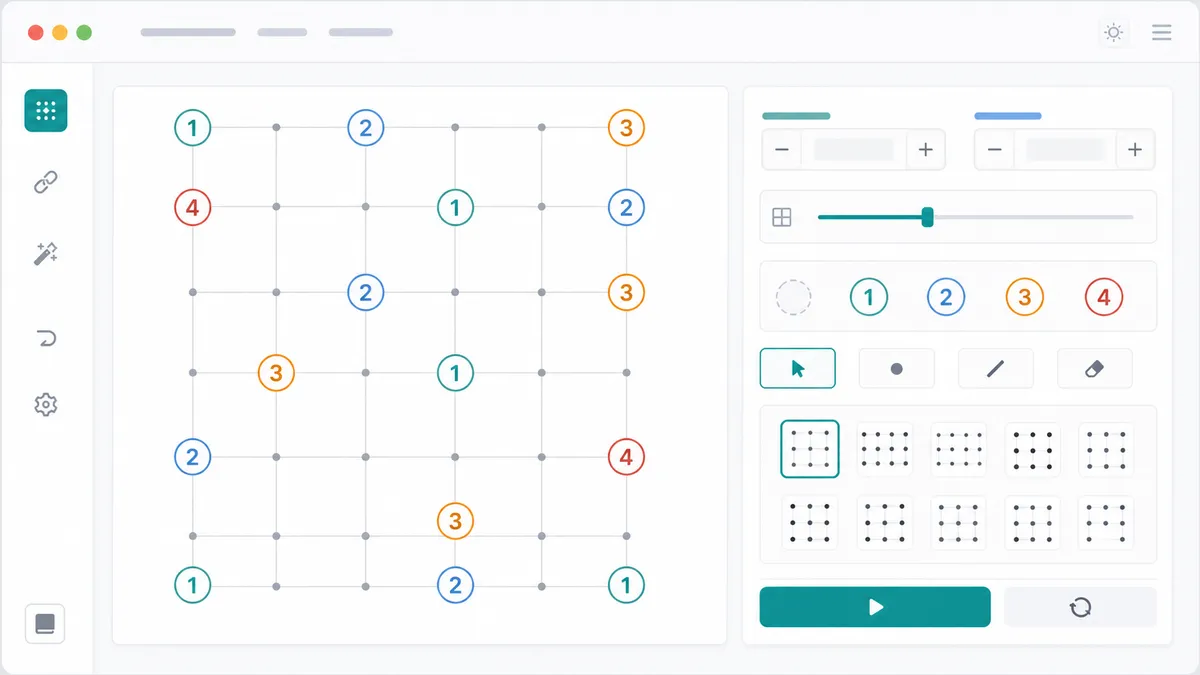
Copy the numbered islands from your puzzle into the grid or paste row, column, number lines. The Hashi Solver intentionally starts with manual input instead of image recognition.
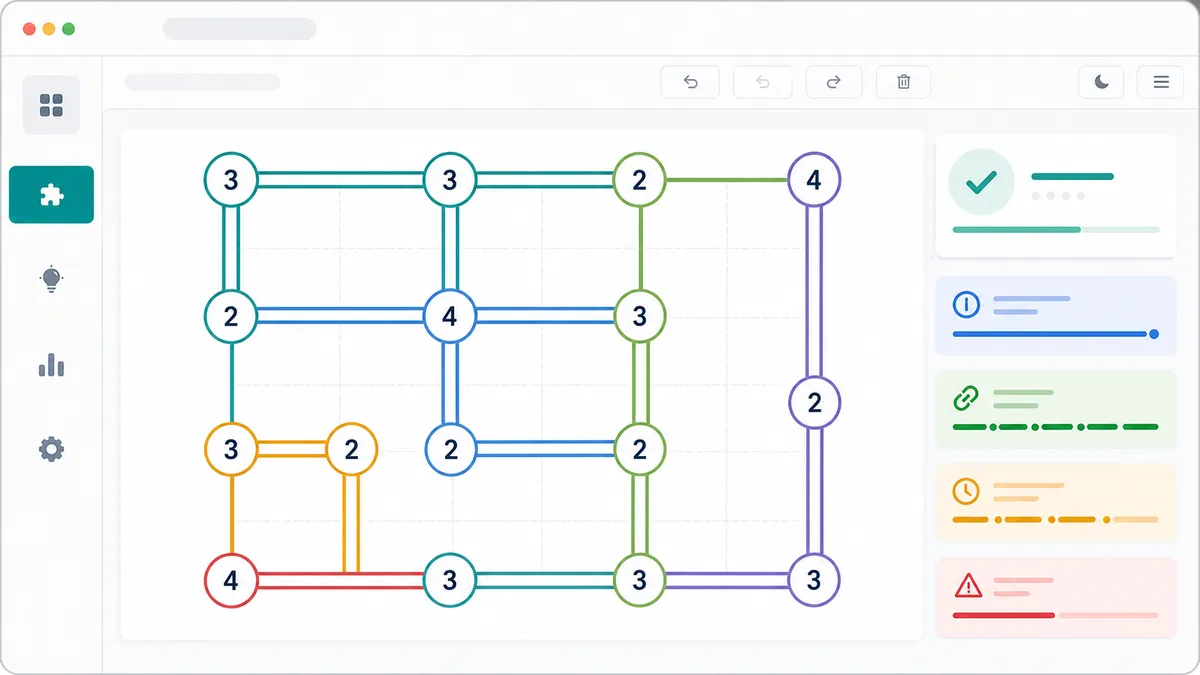
After solving, the Hashi Solver draws single and double bridges, keeps horizontal and vertical bridges from crossing, and shows whether the island network is connected.
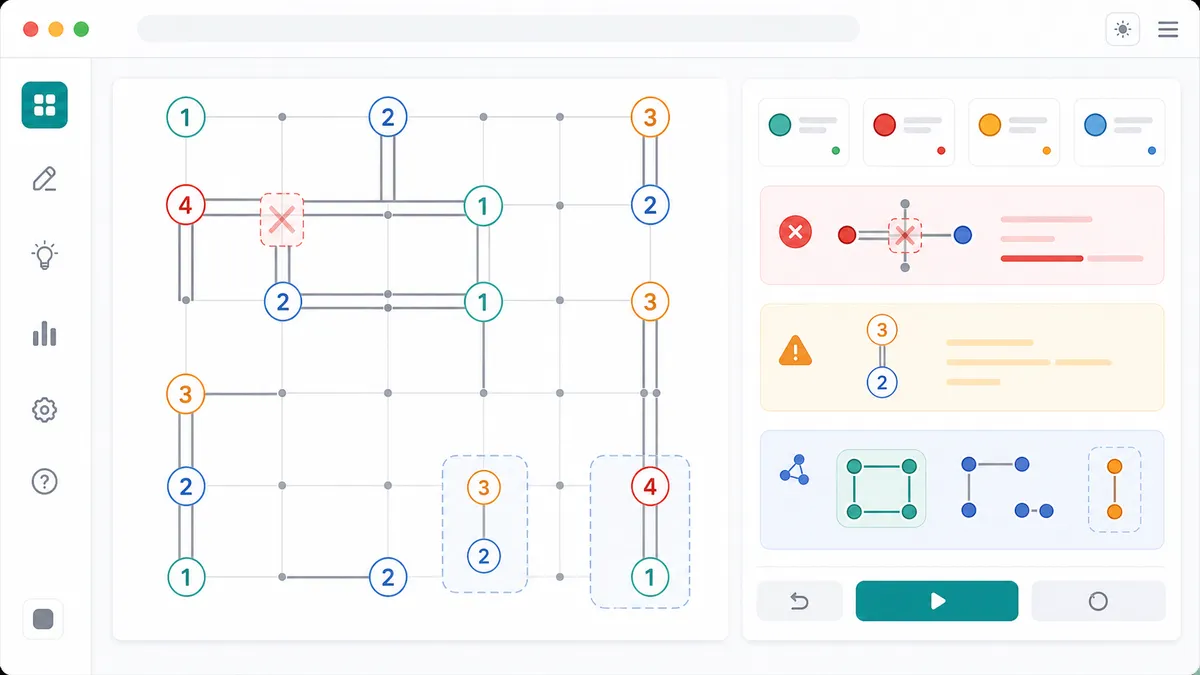
Use the result panels to inspect island deficits, potential crossing bridge pairs, isolated possible regions, no-solution states, and multi-solution warnings.
The Hashi Solver is a local constraint search for recreational Hashi, Bridges, and Hashiwokakero puzzles.
For each island, the solver looks to the nearest visible island horizontally and vertically. Those pairs become possible bridge edges with a value of zero, one, or two bridges.
Horizontal and vertical bridge candidates are compared before the search. If one bridge would pass through another, the Hashi Solver prevents both from being selected together.
A completed bridge layout is accepted only when every island reaches its number and all islands are connected into one network.
Use these tips to get accurate Hashi Solver results from a printed, app, or web Hashiwokakero puzzle.
Use one-based row and column numbers when pasting an island list. In the grid editor, simply type the island number into the matching cell.
If your original puzzle has wide spacing, keep the same relative island positions. Bridges can only run straight to the next island in the same row or column.
The island deficit table shows how many bridges are still missing for each island in the displayed bridge layout. A valid solved result should show zero missing for every island.
A no-solution message often means one clue was copied to the wrong row, column, or number.
This page is for manual local solving. It does not scan photos, fetch an online Hashi archive, publish daily puzzles, or compare your solve time with other players.
Keeping the Hashi Solver local makes it fast, private, and clear for puzzle books, classroom sheets, and app screenshots you transcribe yourself.
Common questions about using the Hashi Solver as a Bridges Puzzle Solver and Hashiwokakero Solver.
Yes. Hashi, Bridges, and Hashiwokakero refer to the same bridge-building logic puzzle family, so this single Hashi Solver handles all three search intents on one page.
The Hashi Solver supports manual island entry. Type island numbers into the grid, or paste lines in row, column, number format. It does not read images or screenshots in this version.
The Hashi Solver rejects layouts where an island has too few or too many bridges, where a bridge crosses another bridge, or where the final island graph is split into more than one connected region.
No solution means the entered islands cannot satisfy all Hashi rules at the same time. Common causes include a copied clue number, a row or column position error, or a puzzle that needs an island you have not entered.
Multiple solutions mean more than one bridge layout satisfies the island numbers, crossing rules, and connectivity rule. The displayed diagram is valid, but the puzzle input is ambiguous.
No. After the page loads, the Hashi Solver runs in browser JavaScript. Island coordinates, clue numbers, bridge diagrams, and diagnostics stay on your device.
No. The first version deliberately avoids image recognition, OCR, online puzzle databases, and daily puzzle feeds. It focuses on manual island input and local solving.
After this Hashi Solver, browse more free logic, number, word, and game puzzle solvers.
Every SolverBox tool is designed to run quickly in the browser without an account.
Hashi Solver, Bridges Puzzle Solver, and Hashiwokakero Solver stay combined on this page.