Futoshiki Solver enforces Latin-square rules
For an N×N puzzle, every row and every column must contain the numbers 1 through N without repetition. There are no 3×3 Sudoku boxes on this page.
Free Online Futoshiki Solver
Enter known numbers and greater-than or less-than signs on a 4×4, 5×5, 6×6, or 7×7 board. The Futoshiki Solver combines row and column uniqueness with inequality constraints, all in your browser.
Logic Puzzles Free Browser-based
Fill any printed givens, then choose < or > between neighboring cells. Horizontal signs compare left to right, and vertical signs compare top to bottom.
Type known numbers from 1 through the board size. Leave unknown cells blank.
Use the small sign controls between cells for inequality clues. Blank means no clue between those two cells.
Scope: this Futoshiki Solver focuses on inequality puzzles, Greater Than Sudoku, and Latin-square row/column constraints. It is not a standard 9×9 Sudoku Solver and does not use 3×3 box rules, OCR, or an online puzzle database.
Futoshiki Solver, Greater Than Sudoku Solver, and Latin Square Puzzle Solver intent belongs on one page because the same row, column, and inequality constraints drive the answer.
Choose the board size, type the known numbers, and place < or > signs between adjacent cells. The Futoshiki Solver keeps all inequality puzzle clues in one compact board.
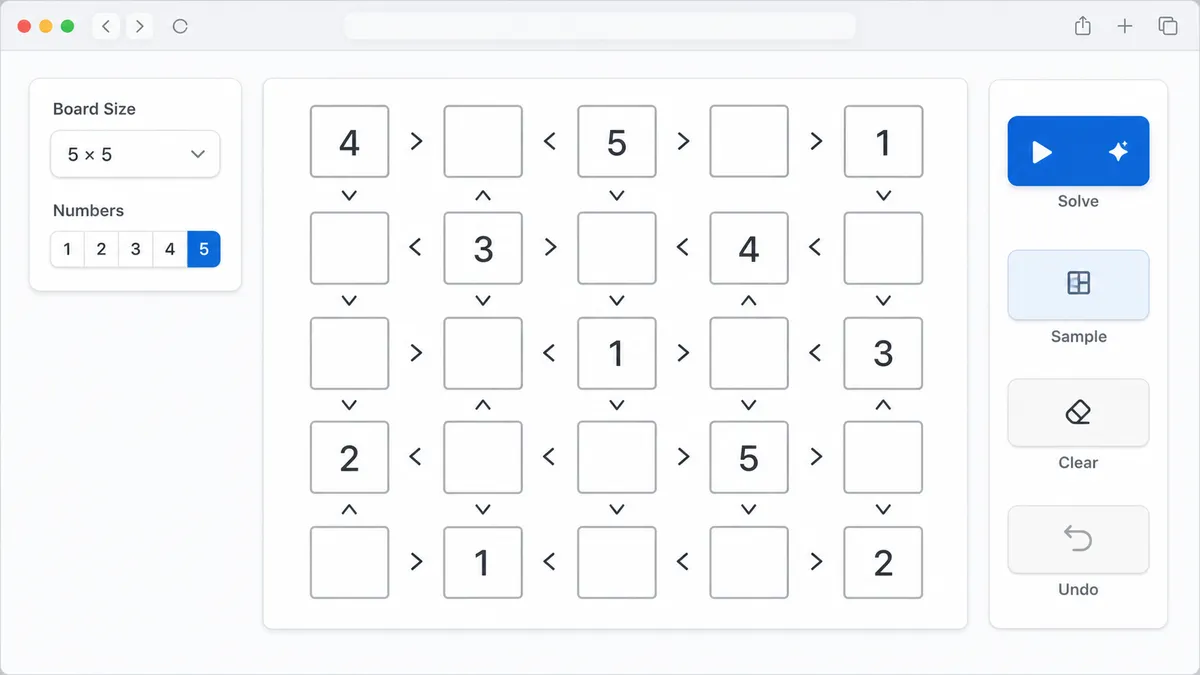
The solver removes row and column duplicates, checks every greater-than or less-than relation, and searches the smallest candidate set first for a fast local solve.
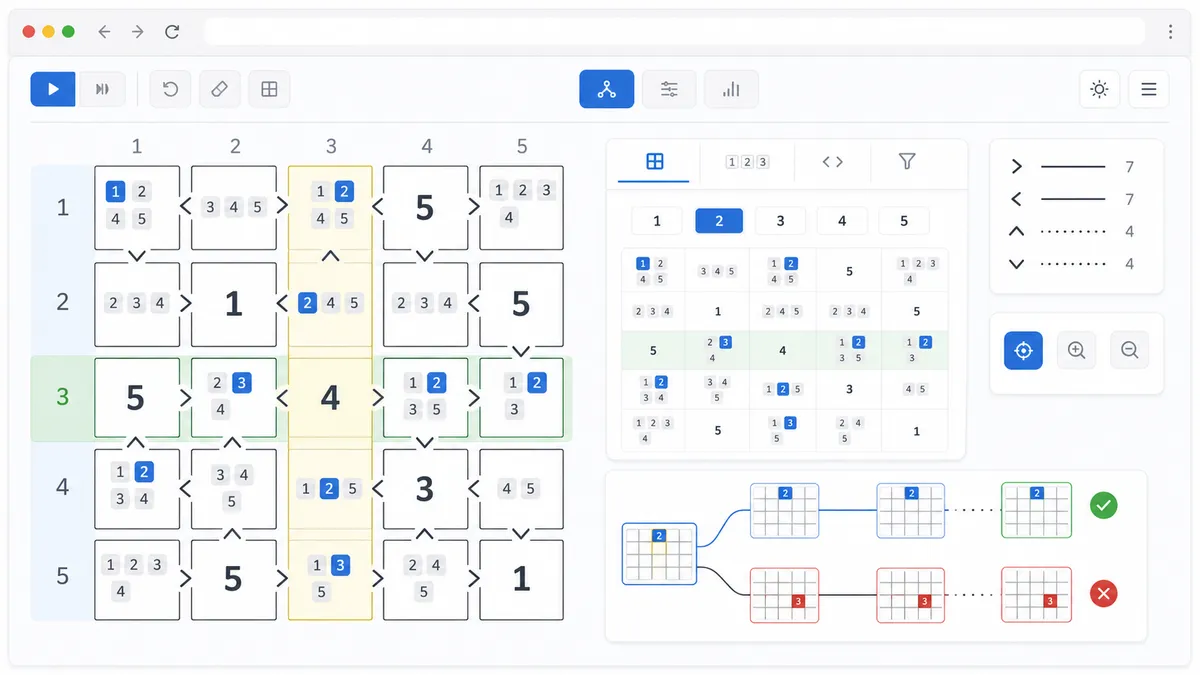
After solving, the result area shows the complete answer, each cell's candidates, inequality conflicts, row and column duplicate conflicts, no-solution warnings, multiple-solution warnings, and optional reasoning steps.
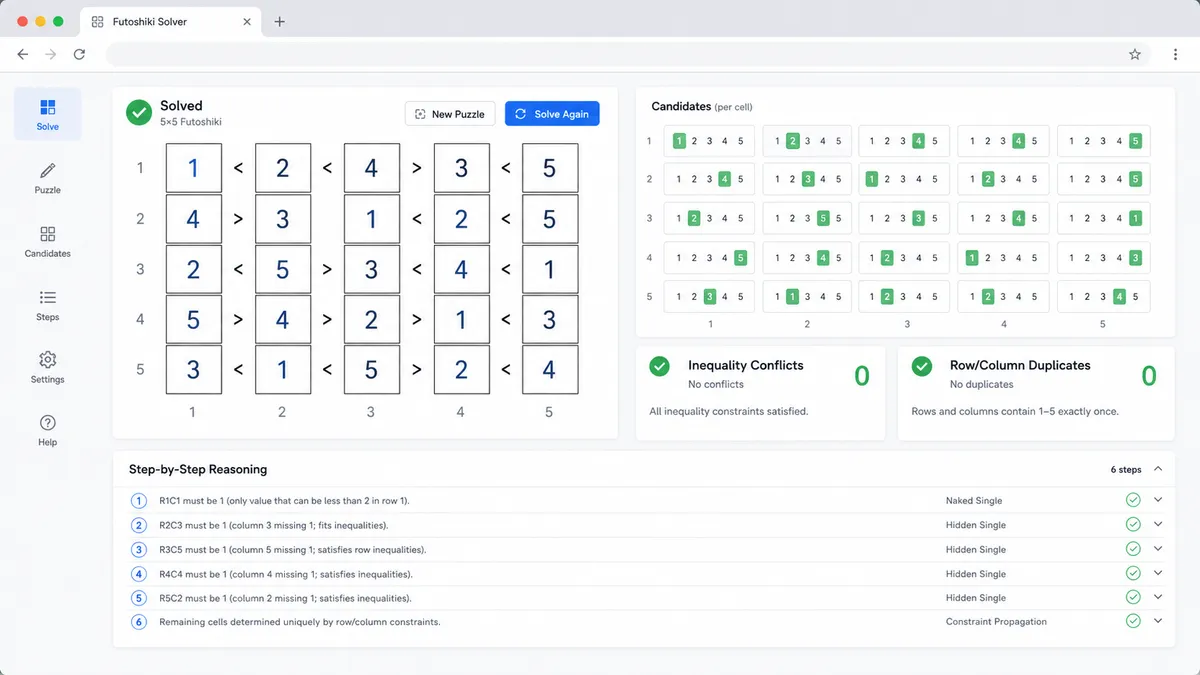
This Futoshiki Solver uses one browser-side engine for Futoshiki, Greater Than Sudoku, and Latin square inequality puzzles.
For an N×N puzzle, every row and every column must contain the numbers 1 through N without repetition. There are no 3×3 Sudoku boxes on this page.
Each < or > sign becomes a direct constraint between two neighboring cells. A candidate is rejected as soon as it breaks one of those greater-than or less-than clues.
The search stops after proving no answer, finding one unique answer, or detecting a second answer so the page can warn when the puzzle has multiple solutions.
Use these Futoshiki Solver tips to enter inequality puzzle clues cleanly and avoid common Latin-square mistakes.
Known numbers must be between 1 and the selected board size. Leave blank cells empty rather than using 0, dots, or question marks.
A horizontal < means the left cell is smaller than the right cell. A vertical < means the upper cell is smaller than the lower cell.
This page is for Futoshiki, Greater Than Sudoku, inequality puzzles, and Latin-square constraints. Standard Sudoku with 3×3 boxes belongs in the existing Sudoku Solver.
If a puzzle fails, inspect inequality conflicts and row or column repeats before treating it like an ordinary Sudoku grid.
Common questions about using this Futoshiki Solver for Greater Than Sudoku and Latin square inequality puzzles.
Yes. Many people search for Greater Than Sudoku Solver when they mean a Latin-square number grid with < and > signs between neighboring cells. This Futoshiki Solver handles that same inequality puzzle model on one page.
Yes, for Latin-square puzzles that use row and column uniqueness plus adjacent inequality clues. It is not a general Latin square research tool, but it solves the common Futoshiki-style puzzle format.
Use the sign controls between cells. For horizontal clues, < means the left cell is less than the right cell. For vertical clues, < means the upper cell is less than the lower cell.
The interactive tool supports 4×4, 5×5, 6×6, and 7×7 boards. Those sizes cover common printed Futoshiki puzzles while keeping the browser-side search responsive.
Yes. The result area lists candidate numbers that fit the original known digits, row and column uniqueness, and immediate inequality constraints. The answer grid then shows the solved value.
Yes. It reports greater-than and less-than conflicts when two known numbers already contradict a sign, and it reports duplicate conflicts when a known number repeats in a row or column.
Yes. If the clues contradict each other, the Futoshiki Solver reports no solution. If more than one valid Latin-square grid fits the clues, it warns that the puzzle is not unique.
No. A regular Sudoku Solver uses 9×9 rows, columns, and 3×3 boxes. This Futoshiki Solver ignores 3×3 boxes and focuses on inequality puzzle clues plus Latin-square row and column constraints.
No. After the page loads, the Futoshiki Solver runs in browser JavaScript. Your numbers and inequality signs stay on your device.
SolverBox keeps puzzle solvers free, browser-based, and easy to inspect.
After this Futoshiki Solver, browse more number, logic, word, and game helpers.
No account required — solve directly in your browser.