Sokoban Solver parses real board symbols
The parser separates base floor, walls, targets, player position, and box positions, including * for a box already on a target and + for the player on a target.
Free Online Sokoban Solver
This Sokoban Solver accepts standard Sokoban text levels and a manual grid editor. Enter walls, floor, player, boxes, targets, boxes on targets, and the player on a target, then search locally for a feasible push route with step-by-step boards, push counts, total movement counts, and clear search-limit status.
Game Solvers Free Browser-based
Paste a standard Sokoban character map or build one in the grid editor. The Sokoban Solver runs a browser-side worker, checks dead corners, removes repeated states, and reports whether a route was found, proven impossible within the explored state space, or simply not found within the current browser budget.
The first release supports up to 12×12 boards, 6 boxes, and a browser-side node budget. A larger budget may find harder routes but can take longer.
Use # for wall, space for floor, @ for player, $ for box, . for target, * for box on target, and + for player on target. Keep leading spaces if your level shape needs them.
Pick a tile, then tap cells. The text map updates automatically.
Scope boundary: this Sokoban Solver does not read screenshots, import Steam saves, browse online level libraries, upload or share user levels, control third-party games, or promise optimal routes for unlimited-size boards.
Performance boundary: the current browser release is intended for boards up to 12×12 with no more than 6 boxes. If the worker reaches the node or time budget, the result says no solution was found within the browser budget instead of pretending the level is unsolvable.
Not checked
Not checked
Not checked
Not checked
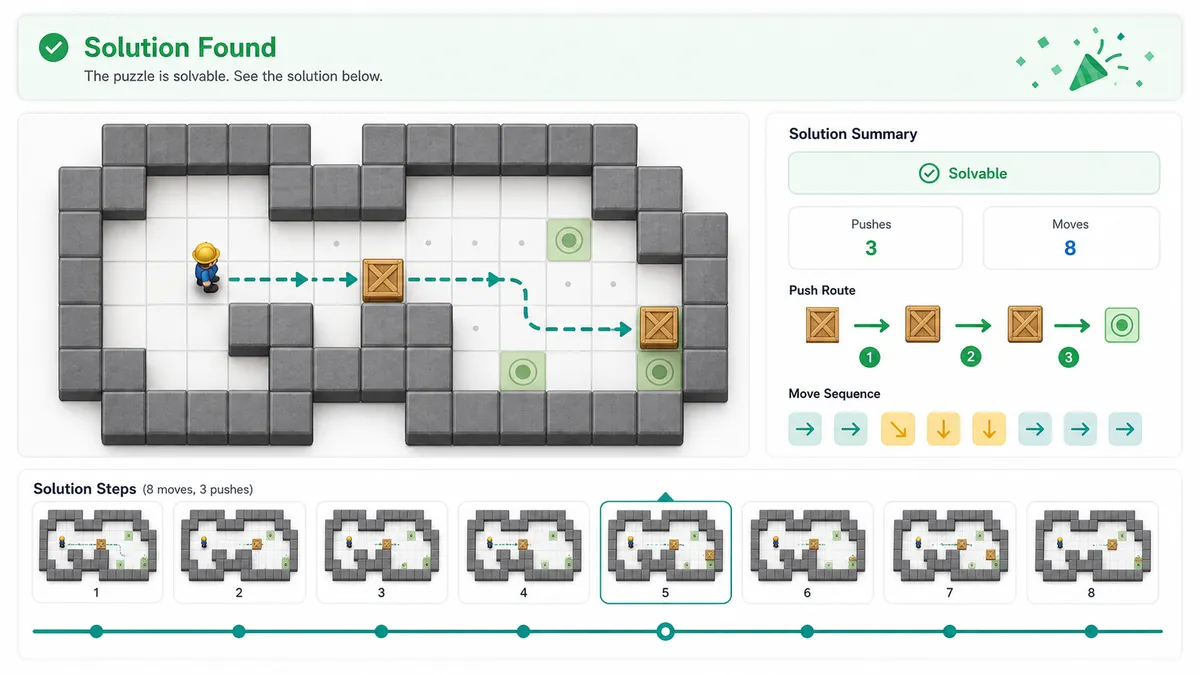
Lowercase means player walking; uppercase means a box push.
A copy-ready solution summary will appear here after solving.
The Sokoban Solver stays focused on Sokoban rules: boxes, targets, player reachability, dead squares, and push-route search.
Paste a standard Sokoban map using #, @, $, ., *, and +, or build the same board with the grid editor before searching.
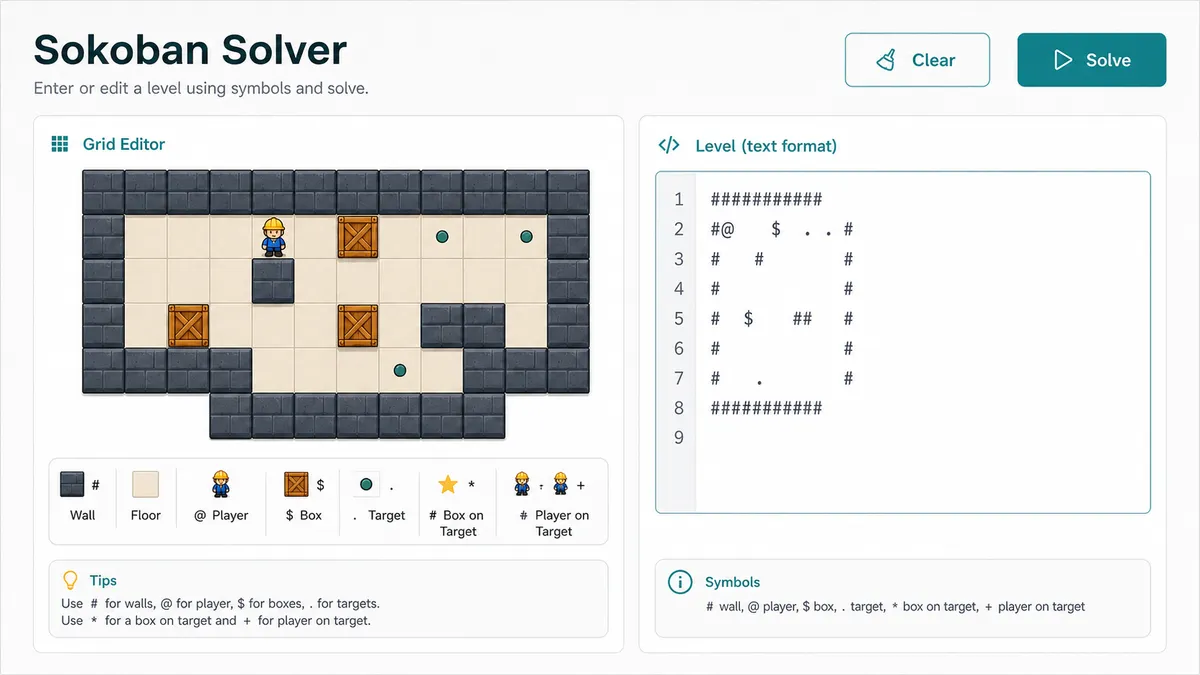
When a solution is found, the result shows push count, total movement count, direction symbols, and every board after each push.
Dead-corner checks, repeated-state pruning, and node budgets keep the browser responsive and make budget-limited results explicit.
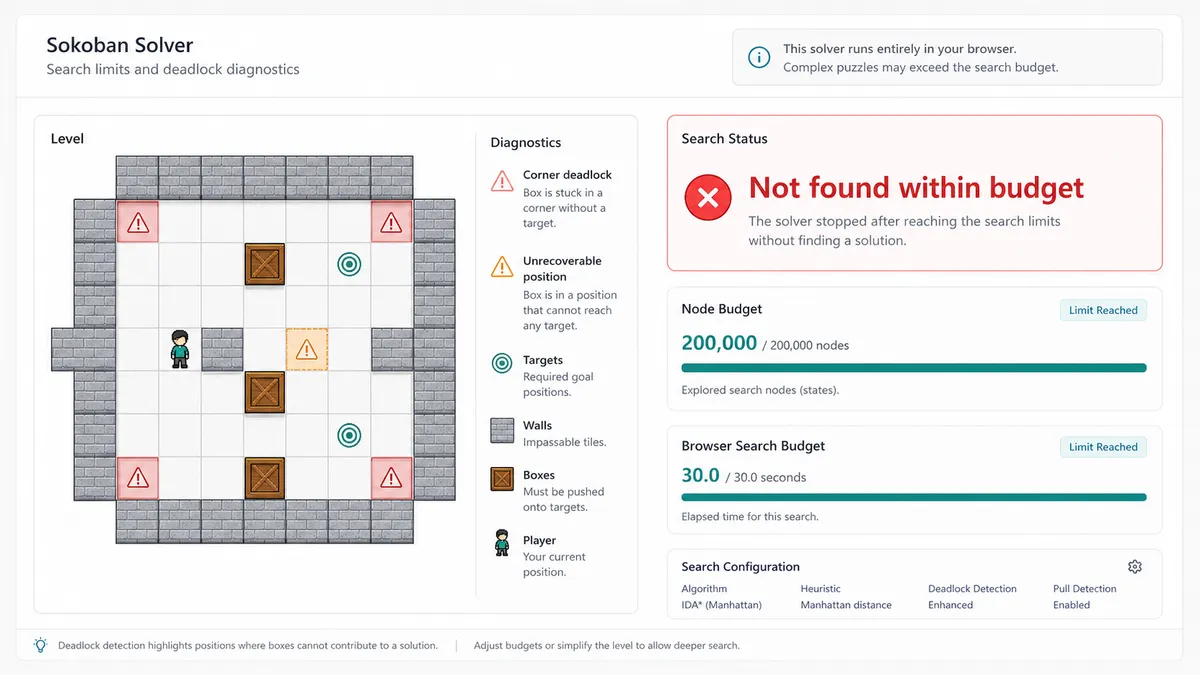
The Sokoban Solver combines Sokoban-specific validation, reachability, static dead-corner checks, and browser-side state search.
The parser separates base floor, walls, targets, player position, and box positions, including * for a box already on a target and + for the player on a target.
For each state, the worker computes where the player can walk, expands legal box pushes, stores repeated states, and keeps the exact walking moves before each push.
If the queue empties, the level is reported unsolvable in the explored rules. If node or time limits stop the worker first, the result is budget-limited, not falsely marked impossible.
Use these tips to prepare a small Sokoban Solver board before running the browser search.
Enter the level row by row. Walls are #, floor is a space, the player is @, boxes are $, targets are ., boxes on targets are *, and the player on a target is +.
Before search, review box and target counts plus dead-corner warnings. A box already stuck in a non-target corner is usually unrecoverable.
A found result includes a direction string where lowercase letters are player walks and uppercase letters are pushes, plus board frames after every push.
If the result says no route was found within the browser budget, raise the node budget carefully or simplify the level. That message is different from proven unsolvable.
Common questions about Sokoban Solver input symbols, push routes, deadlocks, browser limits, and privacy.
The Sokoban Solver supports the standard small-level character format: # wall, space floor, @ player, $ box, . target, * box on target, and + player on target.
No. The first release focuses on feasible browser-side routes for small boards. It uses a priority search with dead-corner checks and repeated-state pruning, but it does not promise globally optimal routes for unlimited Sokoban levels.
That status means the Web Worker reached the current node or time limit before finding a route. It is deliberately different from a proven no-solution result.
No. This Sokoban Solver does not do image recognition, screenshot parsing, Steam save import, online level-library browsing, level sharing, or automatic control of third-party games.
A non-target square with blocked perpendicular sides can trap a box forever. The Sokoban Solver marks those static dead corners and separately reports boxes already sitting on unrecoverable positions.
No. The Sokoban Solver parses, validates, searches, and renders results in front-end browser JavaScript. It does not need external data or a backend service.
SolverBox keeps the Sokoban Solver separate from Rush Hour, Sliding Puzzle, and Water Sort because each puzzle has different input, deadlock rules, and search intent.
After checking a push-box route, browse more free puzzle solvers for number, logic, word, and game-specific help.
No account required — enter a small Sokoban level and solve it in your browser.