Book of Answers Online draws from about 1000 built-in cards
Answers are generated from local answer directions, tone tags, length tags, scenario tags, short answer lines, and reflection prompts bundled with the page.
Browser-local Book of Answers Online
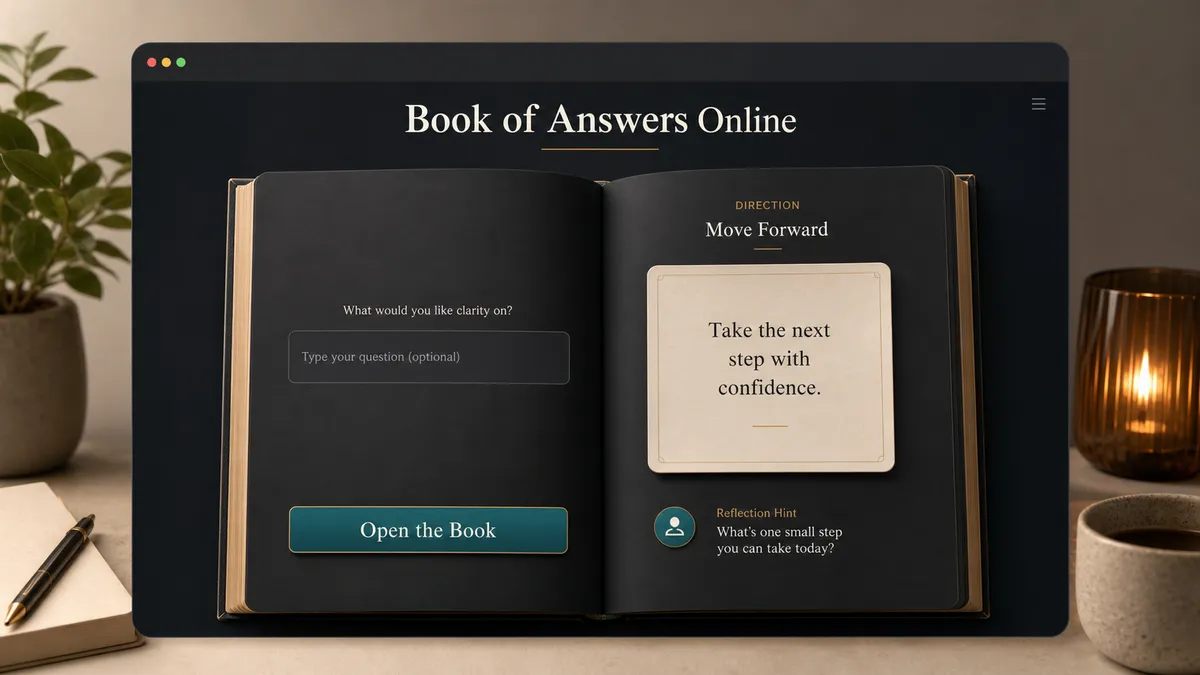
Ask silently or type one short question, then open the Book of Answers Online for a random, non-absolute answer. Your question and answer history stay in your browser. This tool is for reflection and entertainment, not professional advice.
Game Solvers Free Browser-based
Choose Ask Silently when you want to keep the question in your mind, or Ask a Question when a short line helps you focus. The Book of Answers Online does not upload, search, analyze, or personalize your question.
Question mode
Page theme
Use the page as a reflection and entertainment prompt. Do not use it for high-risk, private, or professional decisions.
Good fit
Not for
No external data
Hold a question in mind, then open the book.
Reflection prompt
A short reflection prompt will appear here after the page turns.
-
The Book of Answers Online keeps Online Answer Book, Ask the Book a Question, Random Answer Generator, Yes or No Oracle, and Decision Prompt intent together without pretending to predict the future.
Use Ask Silently when the question should stay in your head, or type a brief question when seeing it on the page helps you focus.
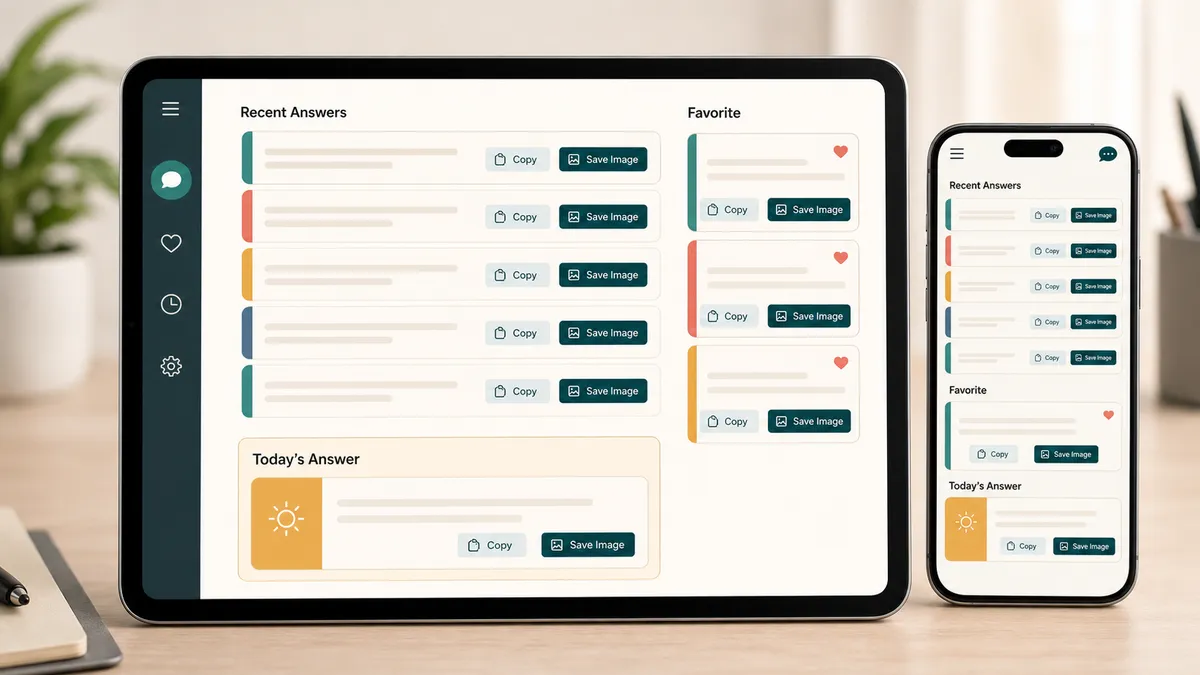
Copy an answer, save a share image, favorite useful cards, and keep the last five answers locally in the browser.
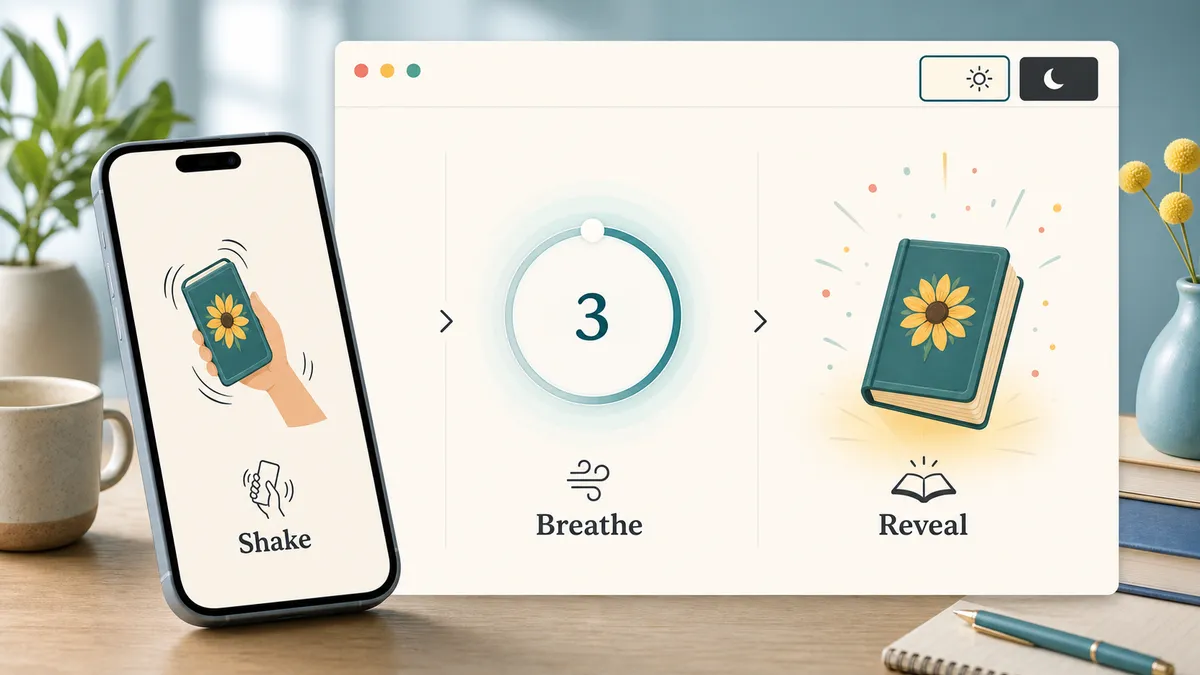
On supported phones, shake gently for an answer, or use a three-second breathing pause before the book reveals a new card.
The Book of Answers Online is a browser-local random reflection tool with a large built-in answer library. It does not inspect who you are or what will happen.
Answers are generated from local answer directions, tone tags, length tags, scenario tags, short answer lines, and reflection prompts bundled with the page.
Your optional question, recent answers, favorites, and theme preference use LocalStorage only. There is no account, upload, search, or external database.
The tool is for entertainment and reflection, not diagnosis, prediction, investing, legal choices, medical choices, betting, admissions, or guaranteed accuracy.
Use the Book of Answers Online as a gentle prompt, then bring your own judgment back into the room.
Ask about a first step, a conversation, a creative block, or a small decision. Avoid private or high-risk questions that need a qualified person or real evidence.
The direction tag gives the answer context: take action, pause, positive direction, let go, look closer, or ask again later.
History, favorites, and the visual theme stay in your browser. Clear recent answers any time, and avoid entering information you would not want on your own screen.
If an answer feels too absolute, reframe it as a question: What small detail is this asking me to notice?
Common questions about Book of Answers Online privacy, random answers, local history, saved cards, shake mode, and boundaries.
No. Book of Answers Online is a random reflection and entertainment tool. It does not predict the future, read your identity, perform divination, or guarantee accuracy.
No. If you type a question, it stays in the current browser. The page does not upload, search, analyze, personalize, or send it to an AI service.
The page builds about 1000 short answer cards from local direction, tone, length, scenario, answer-line, and reflection-prompt data. They are intentionally non-absolute so they can be reread.
You can ask a yes-or-no-style question, but the answer is not limited to mechanical yes or no. The tool gives directions such as Take Action, Pause and Reflect, Positive Direction, Let Go, Look Closer, or Ask Again Later.
Recent answers, favorites, and theme preference are saved only in browser LocalStorage on your device. Clearing browser data can remove them.
Those are high-risk decisions that need real evidence and qualified guidance. Book of Answers Online is deliberately not a professional advice, diagnosis, prediction, or decision-guarantee system.
No. Shake mode depends on browser motion-event support and permission settings. If motion is unavailable, the Open the Book, Turn a Page, and Get an Answer buttons work the same way.
Save as Image draws the visible answer, direction tag, and reflection prompt into a local canvas and downloads a PNG answer card. It does not upload the card.
SolverBox keeps tools focused, browser-based, and clear about what they can and cannot do.
After this Book of Answers Online, browse more puzzle, word, logic, number, and game tools.
No account required - the Book of Answers Online runs in your browser.