Rubik’s Cube Solver counts every sticker color
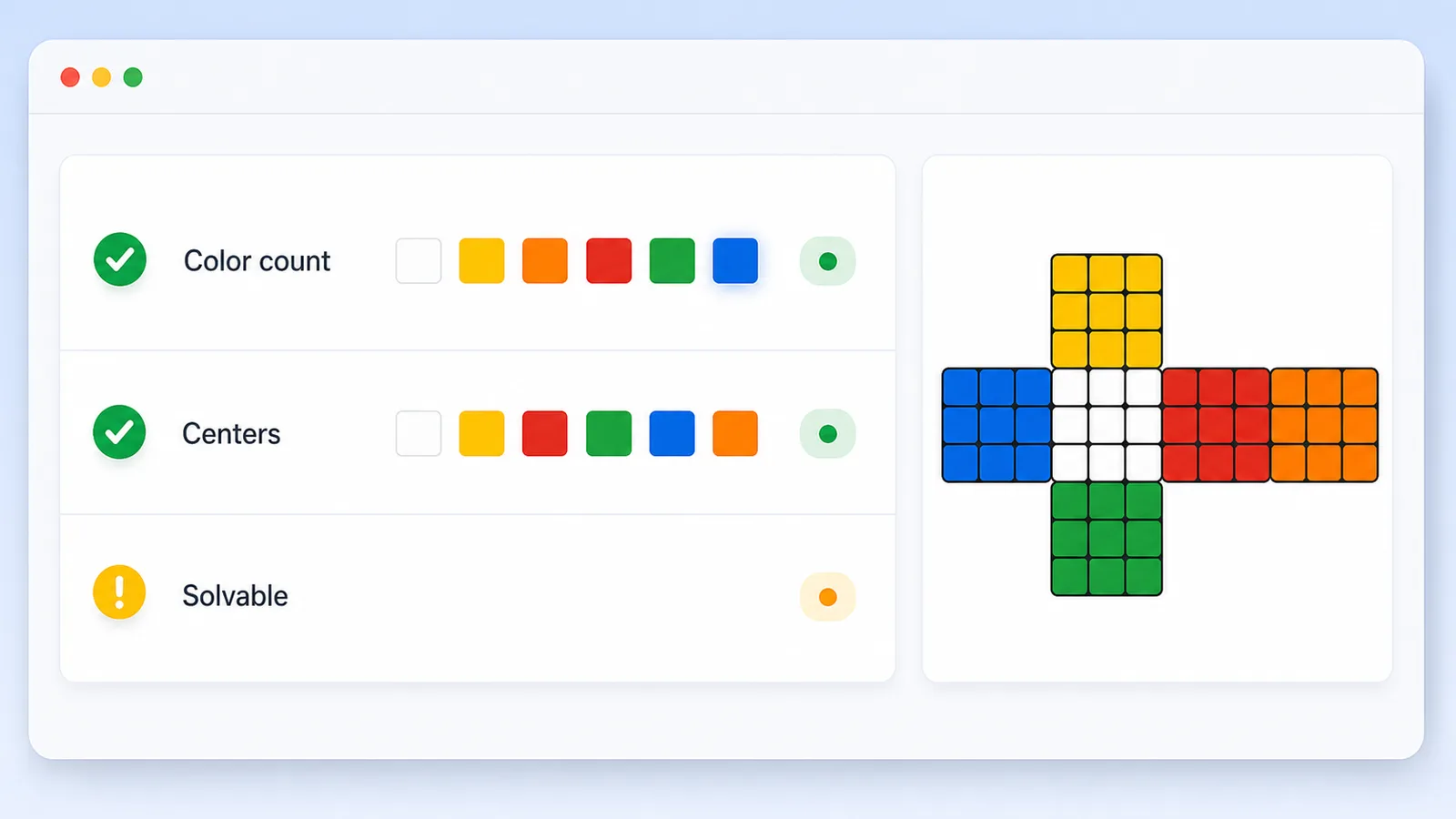
A valid standard cube has exactly nine stickers of each center color. The checker reports every count before attempting a solve.
Free Online Rubik’s Cube Solver
Your cube state is checked and solved locally in your browser. It is not uploaded. Enter all six faces on the 2D net, validate the cube, generate a practice scramble, and get a clear 3x3 recovery plan in one Rubik’s Cube Solver.
Game Solvers Free Browser-based
Pick a color, paint the stickers in the 2D cube net, then run the Rubik’s Cube Solver. Center stickers stay fixed because they define the cube orientation: U, R, F, D, L, and B.
Your cube state is checked and solved locally in your browser. It is not uploaded.
Selected color
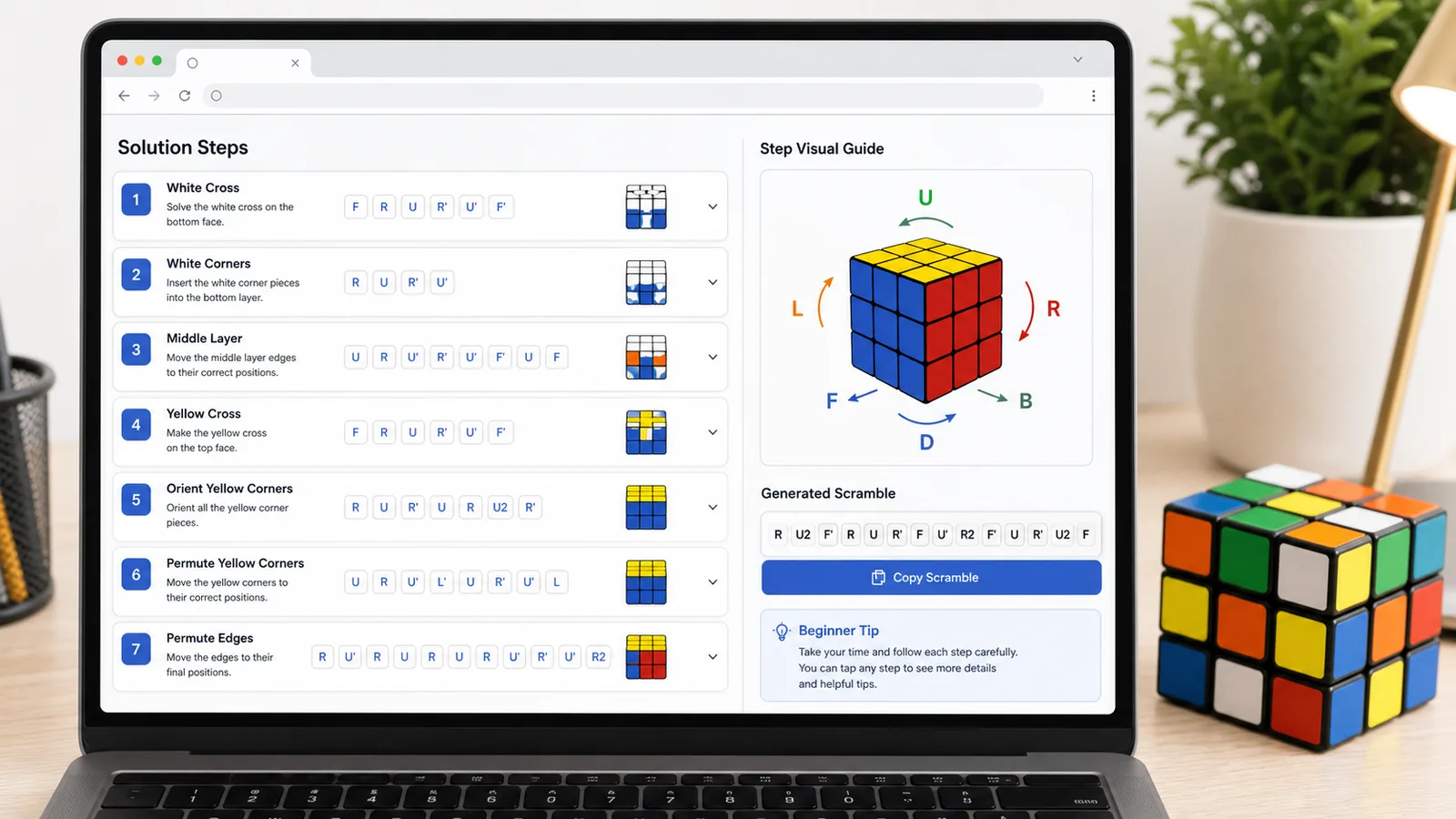
- R Turn the right layer clockwise while looking at the right face.
R’ The apostrophe means turn the right layer counterclockwise.
U Turn the top layer clockwise while looking at the up face.
U2 The 2 means turn that face 180 degrees.
F Turn the front layer clockwise while looking straight at it.
L / D / B Left, Down, and Back use the same clockwise, apostrophe, and 2 rules.
This Rubik’s Cube Solver combines 3x3 Cube Solver, Rubik’s Cube State Checker, Cube Notation Helper, Scramble Generator, and Beginner Cube Solver intent on one page.
Paint the six 3x3 faces on an unfolded cube net instead of typing a long facelet string. Fixed centers keep the cube orientation clear.
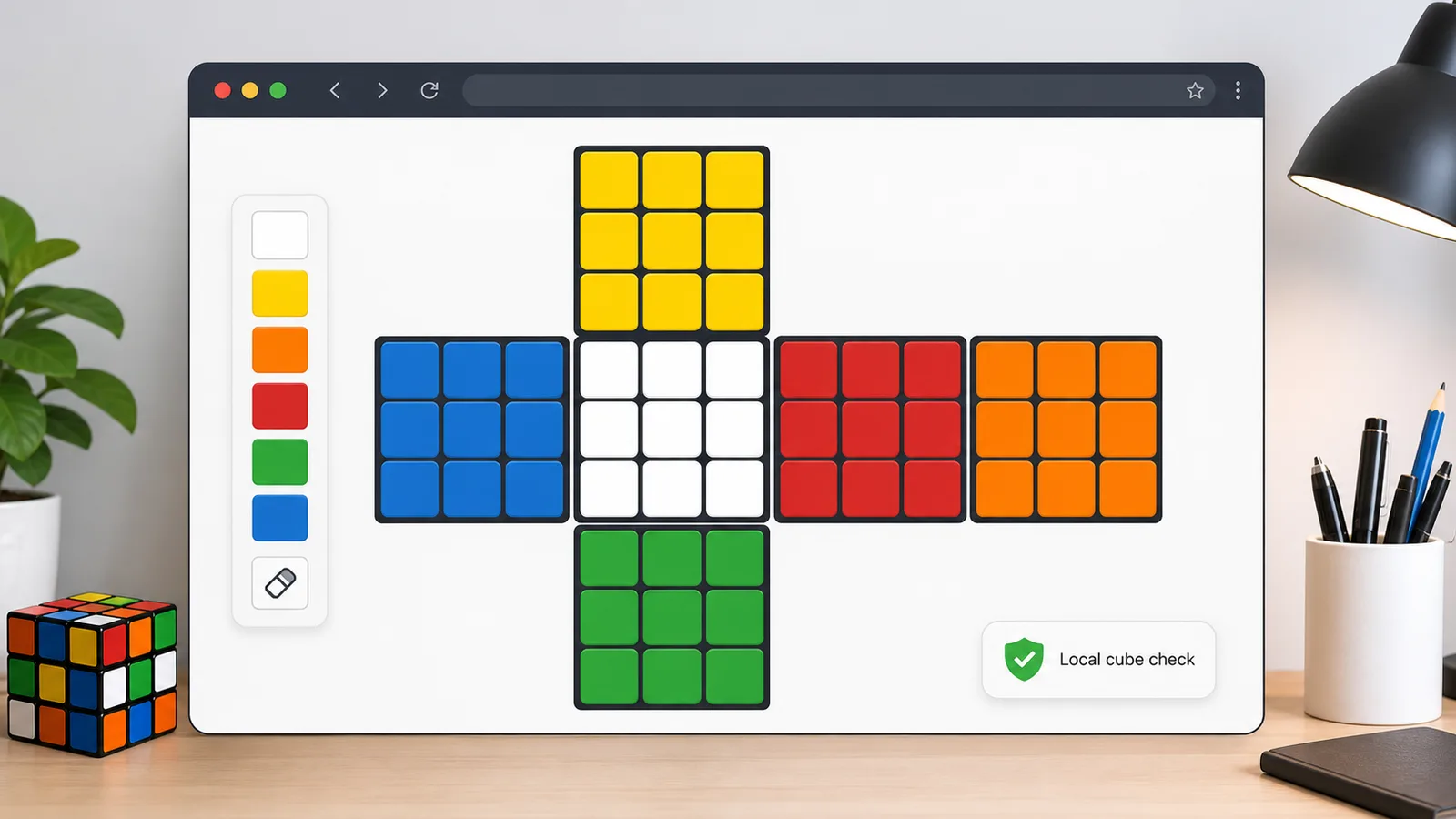
Before solving, the page checks color counts, centers, corner pieces, edge pieces, orientation sums, permutation parity, solved status, and impossible states.
Get a complete formula, per-move cards, beginner explanations, quick mode, notation help, random scramble practice, and one-click copy.
The Rubik’s Cube Solver uses local JavaScript to turn sticker colors into a cubie model, reject impossible states, and then generate legal recovery turns.
A valid standard cube has exactly nine stickers of each center color. The checker reports every count before attempting a solve.
The state checker confirms all eight corner cubies and twelve edge cubies appear once, then checks twist, flip, and parity rules.
After validation passes, the browser creates an executable solving formula. The result is meant to be useful and local, not mathematically guaranteed shortest.
Use these Rubik’s Cube Solver tips to enter physical cubes accurately and avoid false impossible-state results.
Hold the cube so the white center is Up, green center is Front, red center is Right, yellow center is Down, orange center is Left, and blue center is Back. Then copy the surrounding stickers face by face.
If the checker reports a duplicated edge, missing corner, flipped edge, twisted corner, or parity error, re-check sticker entry before trying to follow a formula.
This page focuses on standard 3x3 manual entry, local state checking, notation help, beginner-friendly explanations, quick formulas, and practice scrambles.
Camera recognition, shortest-solution guarantees, world-record data, rankings, leaderboards, cloud accounts, and bigger cube types are intentionally outside this first version.
Common questions about using this Rubik’s Cube Solver as a 3x3 state checker, notation helper, scramble generator, and beginner cube solver.
No. The Rubik’s Cube Solver runs in browser JavaScript after the page loads. Your sticker colors, validation results, scramble, and solving steps stay on your device.
Yes. The page is built for the standard 3x3 cube and combines state entry, validity checking, notation help, scramble generation, beginner mode, quick mode, and step-by-step solving in one tool.
A real 3x3 cube has strict cubie rules. Impossible-state messages usually mean a color was entered on the wrong sticker, one edge is flipped, one corner is twisted, two pieces were swapped, or the cube has been physically reassembled incorrectly.
No. The solver generates an executable recovery formula, but it does not promise the shortest possible move count. True optimal solving requires more expensive search and browser performance controls.
No. Photo recognition is not the core input because lighting, camera quality, angle, glare, sticker color, and image compression can create many wrong readings. Manual 2D entry is more reliable for this browser tool.
No. This version supports only the standard 3x3 Rubik’s Cube. Larger cubes and other twisty puzzles need different piece models, parity rules, and solving algorithms.
R, U, F, L, D, and B name the right, up, front, left, down, and back faces. An apostrophe means counterclockwise, and 2 means a 180-degree half turn.
Those features need external databases, accounts, third-party APIs, or constantly changing competition data. This Rubik’s Cube Solver is intentionally a local manual-entry solving page.
SolverBox keeps puzzle solvers free, browser-based, and easy to inspect.
After this Rubik’s Cube Solver, browse more game, logic, word, and number helpers.
No account required — solve directly in your browser.