Scientific Calculator Solver expression parsing
Numbers, parentheses, constants, Ans, functions, powers, factorials, percentages, modulo, and scientific notation are parsed in the browser before any calculation is shown.
Free Online Scientific Calculator Solver
Calculations run locally in your browser. Your expressions are not sent to a server. This Scientific Calculator Solver combines basic calculator, trig calculator, log calculator, power calculator, root calculator, percentage, factorial, and scientific notation workflows in one focused calculator.
Number Puzzles Free Browser-based
Type a math expression or tap the Scientific Calculator Solver keys. Use +, -, ×, ÷, parentheses, %, powers, roots, factorials, absolute value, mod, sin, cos, tan, inverse trig, log, ln, 10ˣ, eˣ, π, e, Ans, DEG/RAD mode, and scientific notation such as 1.25e-6.
Calculations run locally in your browser. Your expressions are not sent to a server. No login, upload, external API, remote math engine, or saved user data is needed.
sin(45)+log(100)+sqrt(16)
0
-
DEG
-
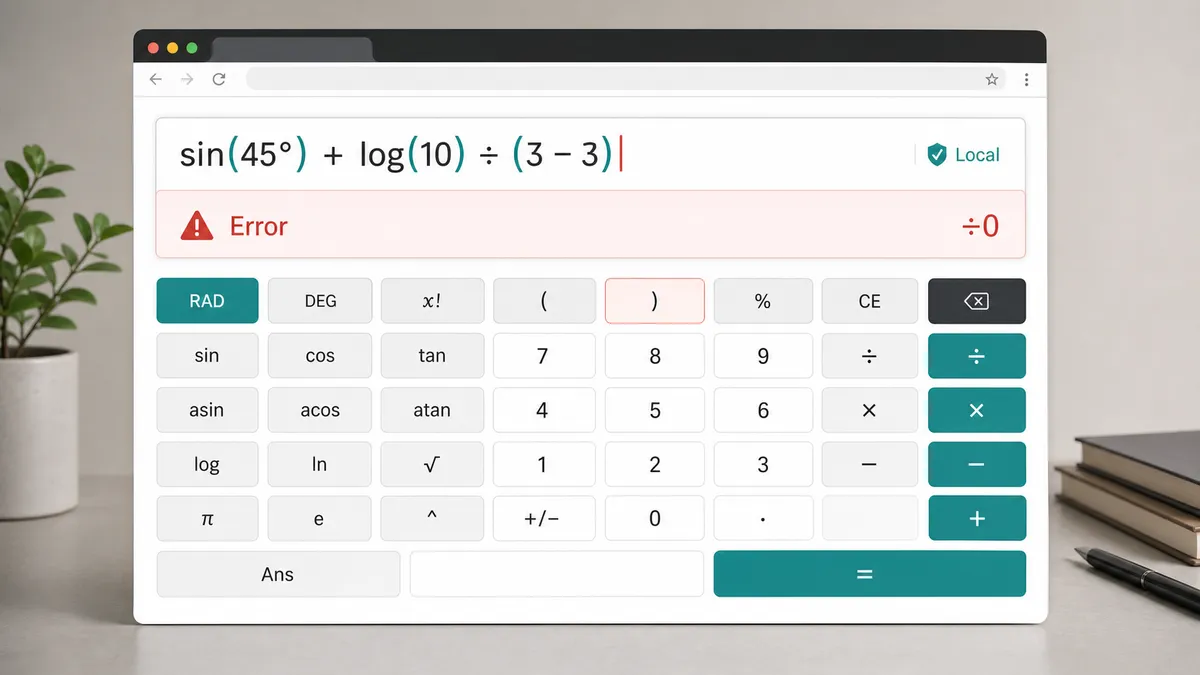
Common errors appear here, including division by zero, unclosed parentheses, invalid function domains, and factorial input problems.
The Scientific Calculator Solver keeps common calculator modes together so one expression can mix trig, logs, powers, roots, percentages, constants, Ans, and scientific notation without opening separate pages.
Tap calculator keys or type directly from the keyboard. The Scientific Calculator Solver accepts familiar expressions such as sin(45), log(100), sqrt(16), 2^8, and 1.25e-6.
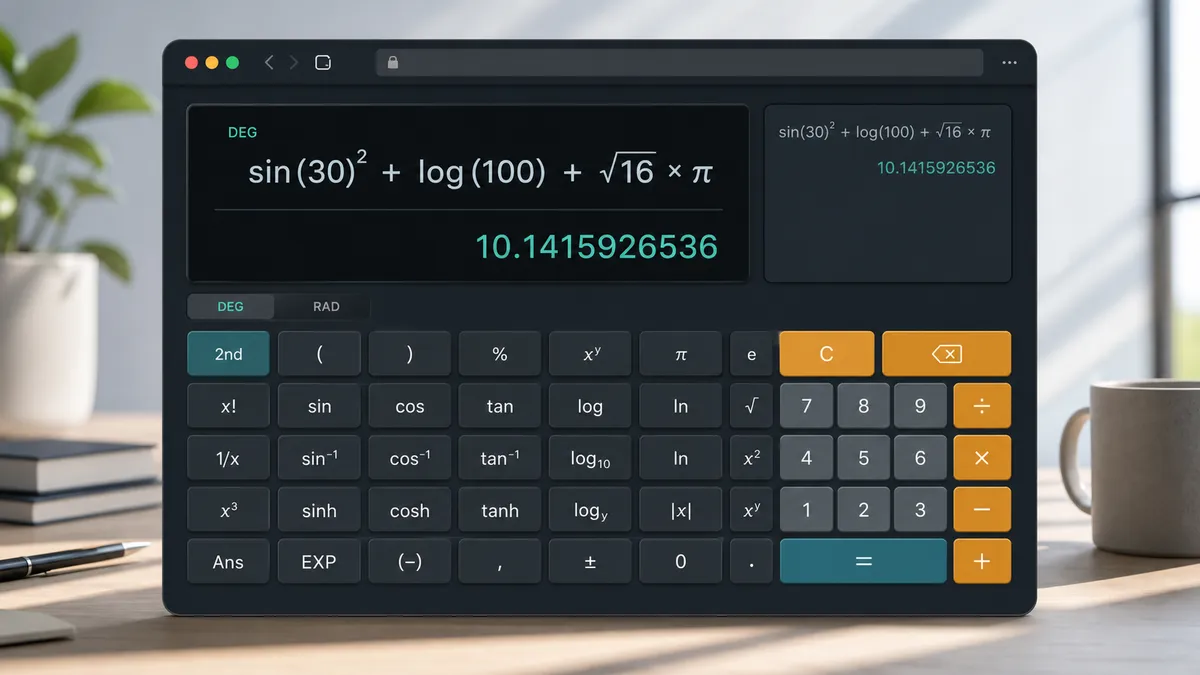
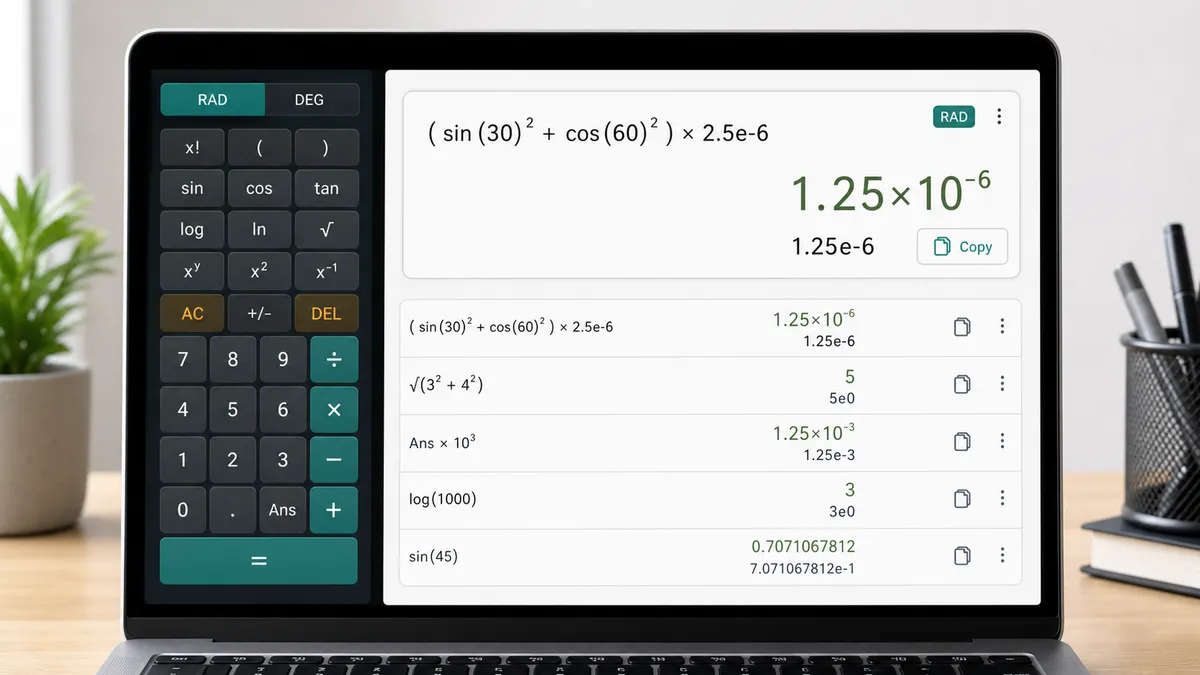
After each calculation, the Scientific Calculator Solver shows the current formula, final result, formatted expression, angle mode, scientific notation, copy button, and recent in-page history.
The Scientific Calculator Solver reports common input problems such as division by zero, unclosed parentheses, invalid log or root values, inverse trig domain errors, and bad factorial inputs.
The Scientific Calculator Solver parses and evaluates expressions in the browser with a small local expression engine, then formats the result for normal and scientific notation views.
Numbers, parentheses, constants, Ans, functions, powers, factorials, percentages, modulo, and scientific notation are parsed in the browser before any calculation is shown.
Trig functions use the current angle mode. In DEG mode, sin, cos, and tan convert degrees to radians internally, while inverse trig converts the answer back to degrees.
The result area keeps the input formula, formatted expression, final value, scientific notation, current angle mode, and recent in-page history together for quick checking.
Use the Scientific Calculator Solver when you need a direct numeric calculation, not a symbolic algebra solver or a multi-step word problem solver.
Type directly or use the keys. Good inputs include sin(45), log(100), sqrt(3^2+4^2), 5!, abs(-8), 17 mod 5, 10^(3), exp(2), and 1.25e-6.
Switch DEG/RAD before evaluating trig expressions. DEG is convenient for school angles like sin(30), while RAD is useful for calculus-style radian inputs.
The page is intentionally a scientific calculator, not a symbolic solver. For equations, algebra, fractions, geometry, systems, or coordinate geometry, use the dedicated SolverBox tools.
When a long line fails, check the error hint first: missing parentheses, division by zero, invalid function domains, and factorial inputs are the most common causes.
Common questions about Scientific Calculator Solver input formats, supported functions, DEG/RAD mode, scientific notation, privacy, and limits.
This Scientific Calculator Solver combines Basic Calculator, Trig Calculator, Log Calculator, Power Calculator, Root Calculator, Percentage Calculator, Factorial Calculator, and Scientific Notation Calculator workflows on one page.
Yes. Enter values such as 1.25e-6, 6.02e23, or 3e8. The Scientific Calculator Solver also shows a scientific notation version of every numeric result.
DEG/RAD changes trig interpretation. In DEG mode, sin(30) means 30 degrees. In RAD mode, sin(30) means 30 radians. Inverse trig answers are returned in the selected mode.
Yes. After a successful calculation, Ans stores the latest numeric result for the current page session. It is not saved after you leave or reload the page.
The most common errors are division by zero, unclosed parentheses, invalid function domains such as log(-1) or sqrt(-4), inverse trig values outside -1 to 1, and factorial inputs that are negative, decimal, or too large.
No. This Scientific Calculator Solver does not solve for variables, simplify algebra, solve systems, graph functions, compute derivatives or integrals, handle matrices, or solve word problems. It calculates numeric expressions only.
No. Calculations run locally in your browser. Your expressions are not sent to a server, no account is required, and the recent history is only kept in the current page session.
The Scientific Calculator Solver is built for fast numeric expressions with functions, powers, roots, percentages, constants, Ans, and scientific notation.
When you need equations, algebra, fractions, geometry, coordinate geometry, or puzzle solving instead, browse the dedicated SolverBox tools.
No account required — calculate expressions locally in your browser.