KenKen Solver enforces Latin-square rules
For an N×N puzzle, each row and column must contain the numbers 1 through N without repetition. The solver checks those constraints throughout the search.
Free Online KenKen Solver
Choose a 4×4, 5×5, 6×6, or 7×7 board, enter each cage target such as 11+, 2÷, or 24×, and let the KenKen Solver combine Latin-square row and column rules with cage arithmetic constraints in your browser.
Number Puzzles Free Browser-based
Mark each cell with a cage ID, then define one target and operation per cage. The KenKen Solver accepts +, -, ×, ÷, x, *, /, and blank or = for single-cell cages.
Scope: manual puzzle input only. This KenKen Solver does not do photo recognition, OCR, an online puzzle library, or a daily puzzle database.
KenKen Solver, Calcudoku Solver, and MathDoku Solver intent stay on one page because all three use the same Latin-square grid and cage arithmetic model.
Choose the board size, label each cage in the grid, and enter cage targets such as 11+, 2÷, and 24×. The KenKen Solver keeps the input manual so no photo upload or OCR is needed.
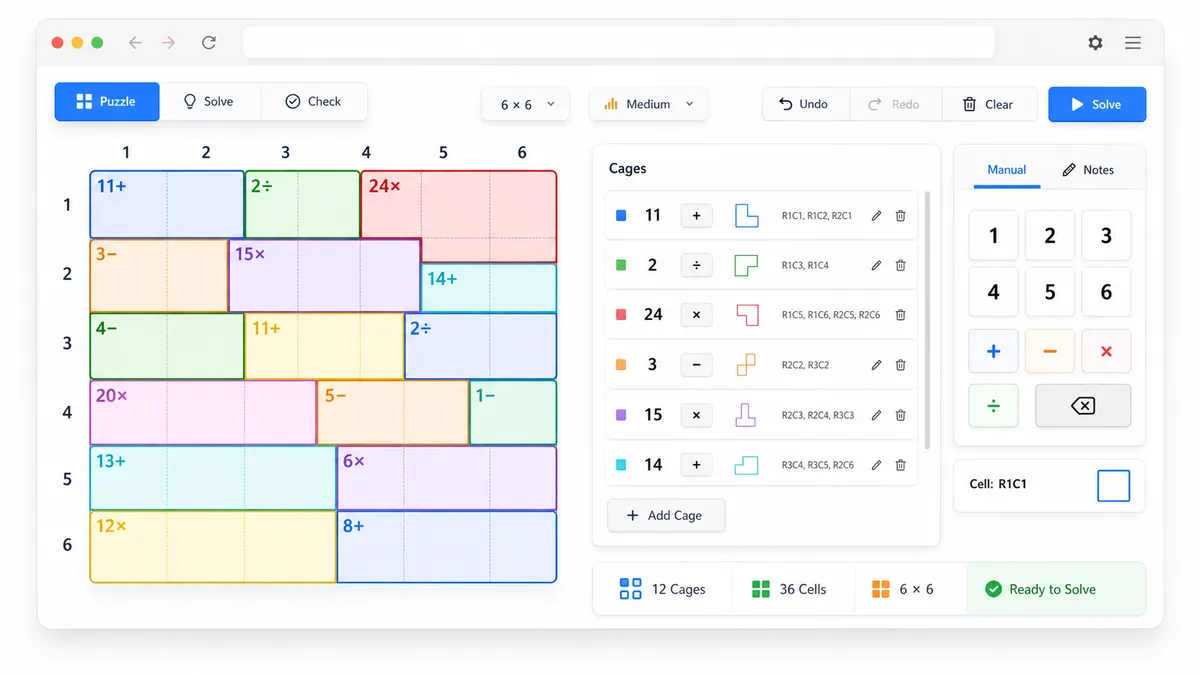
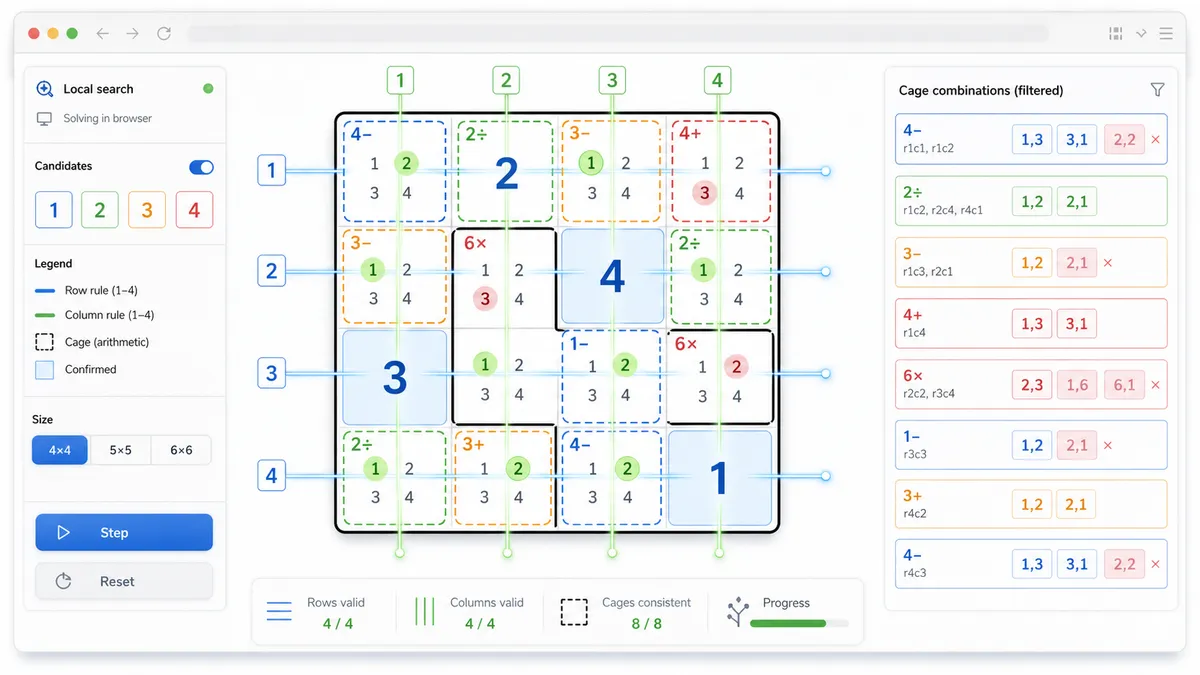
The solver builds legal cage combinations, removes row and column duplicates, and backtracks through the smallest remaining candidate sets until the math grid is consistent.
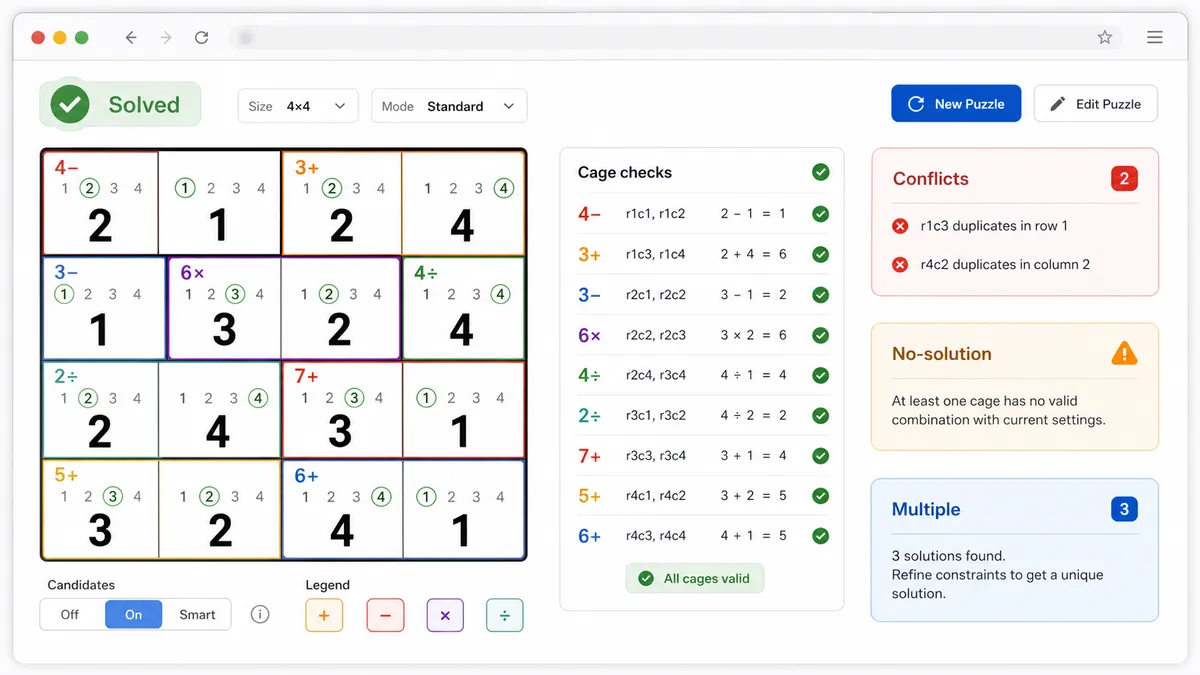
After solving, the result area shows the complete answer, per-cell candidates, cage calculation verification, conflict cage hints, no-solution messages, and multiple-solution warnings.
This KenKen Solver uses the same browser-side engine for KenKen, Calcudoku, and MathDoku puzzles.
For an N×N puzzle, each row and column must contain the numbers 1 through N without repetition. The solver checks those constraints throughout the search.
Each cage target is converted into legal value combinations for addition, subtraction, multiplication, division, or single-cell equality before the grid search begins.
The search stops after proving no answer, finding one unique answer, or detecting a second answer so the page can warn when a puzzle is ambiguous.
Use these KenKen Solver tips to enter cages accurately and avoid the most common Calcudoku and MathDoku input mistakes.
The cage layout tells the solver which cells belong together. Use the same ID for connected cells in one cage, such as A A B C for the first row.
Each target line needs the cage ID and arithmetic clue. Examples include A 11+, B 2/, C 24x, and D 4 for a single-cell cage.
This page does not provide photo recognition, online puzzle packs, or a daily KenKen puzzle library. It only solves the puzzle you manually enter, locally in your browser.
Manual input keeps the KenKen Solver private, predictable, and useful for printed puzzles, books, and screenshots you transcribe yourself.
Common questions about using this KenKen Solver for KenKen, Calcudoku, and MathDoku puzzles.
Yes. KenKen, Calcudoku, and MathDoku puzzles use the same core idea: a Latin-square number grid plus cage arithmetic clues. This KenKen Solver combines those names on one page instead of splitting them into separate tools.
Choose the board size, type a cage ID for every cell in the layout, then add one target line per cage. A line such as A 11+ means cage A must add to 11, while B 2/ means the two values in cage B divide to 2.
The interactive tool supports 4×4, 5×5, 6×6, and 7×7 boards. Those sizes keep the browser-side search responsive while covering common KenKen, Calcudoku, and MathDoku puzzles.
Yes. The result area lists the candidate numbers that fit each cell's cage and row or column context, then shows the solved value when the KenKen Solver finds an answer.
Yes. After solving, every cage is checked against its target and operation. Conflicting cages are highlighted so you can find input mistakes quickly.
Yes. If the cage clues contradict the row and column rules, the KenKen Solver reports no solution. If it finds more than one valid grid, it warns that the puzzle is not unique.
No. This tool does not read photos, screenshots, or scans, and it does not host an online puzzle library or daily puzzle database. It only solves manually entered puzzles locally.
No. After the page loads, the KenKen Solver runs in browser JavaScript. Your cage layout and targets stay in your browser and are not sent to a server or third-party API.
SolverBox keeps puzzle solvers free, browser-based, and easy to use.
After this KenKen Solver, browse more number, logic, word, and game helpers.
No account required — solve directly in your browser.