Geometry Solver reads known measurements
The tool collects side lengths, angles, radius, diameter, height, diagonals, side count, and apothem values that match the selected plane shape.
Free Online Geometry Solver
This Geometry Solver combines Triangle Solver, Right Triangle Solver, Pythagorean Theorem Solver, Circle Solver, Rectangle Solver, Square Solver, and Polygon Area Solver workflows in one browser tool.
Number Puzzles Free Browser-based
Geometry values are calculated locally in your browser. No image upload, AI solving, or external data is required. Choose a common plane shape, enter the known measurements, and the Geometry Solver reports valid values, missing sides, missing angles, area, perimeter, formulas, and step-by-step calculation notes.
Geometry values are calculated locally in your browser. No image upload, AI solving, or external data is required.
The Geometry Solver keeps triangle, circle, rectangle, square, and regular polygon calculations on one page so related measurements stay easy to compare.
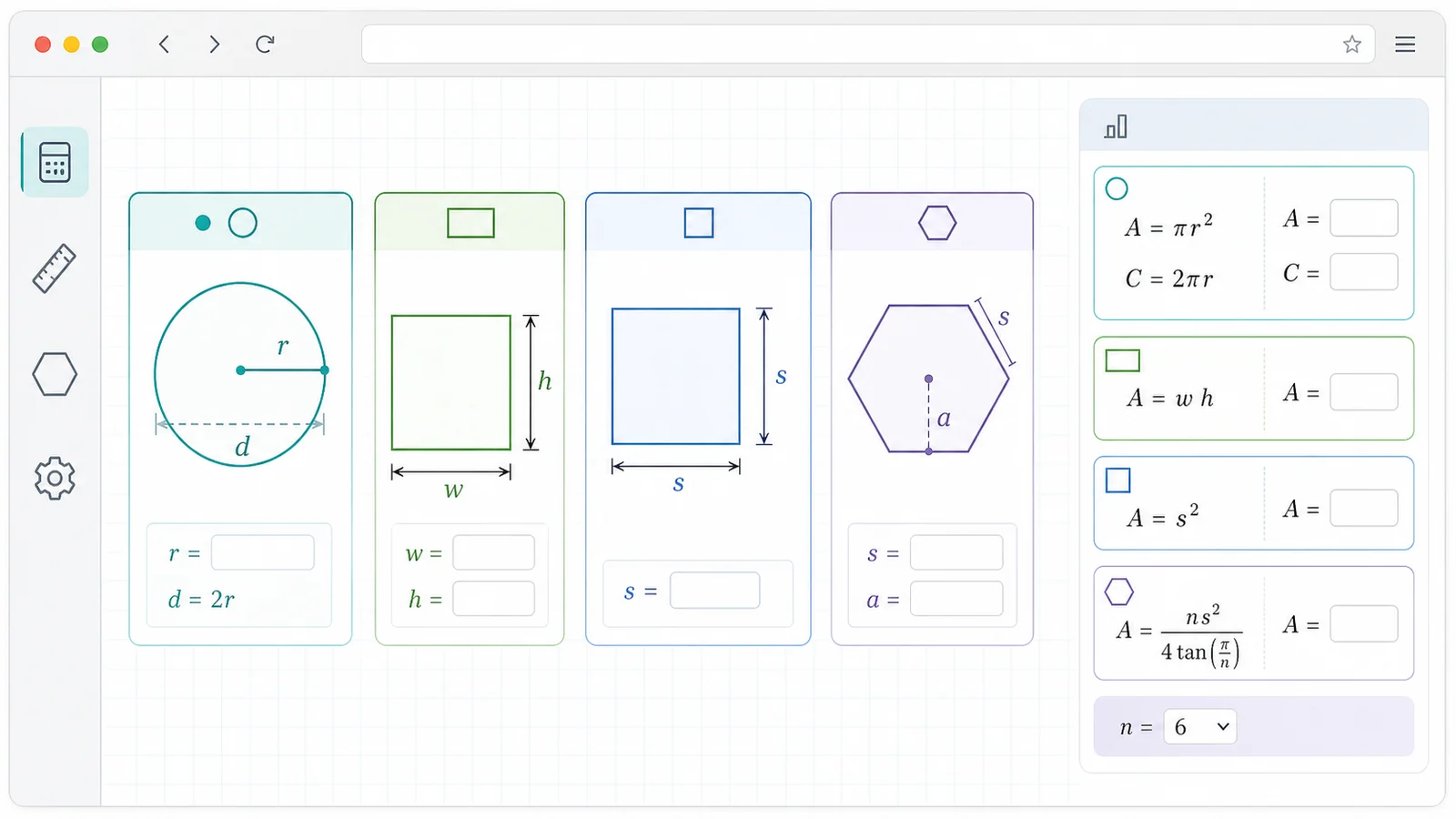
Pick a common plane figure and enter only the measurements you know. The Geometry Solver adapts the visible inputs and examples to the selected shape.
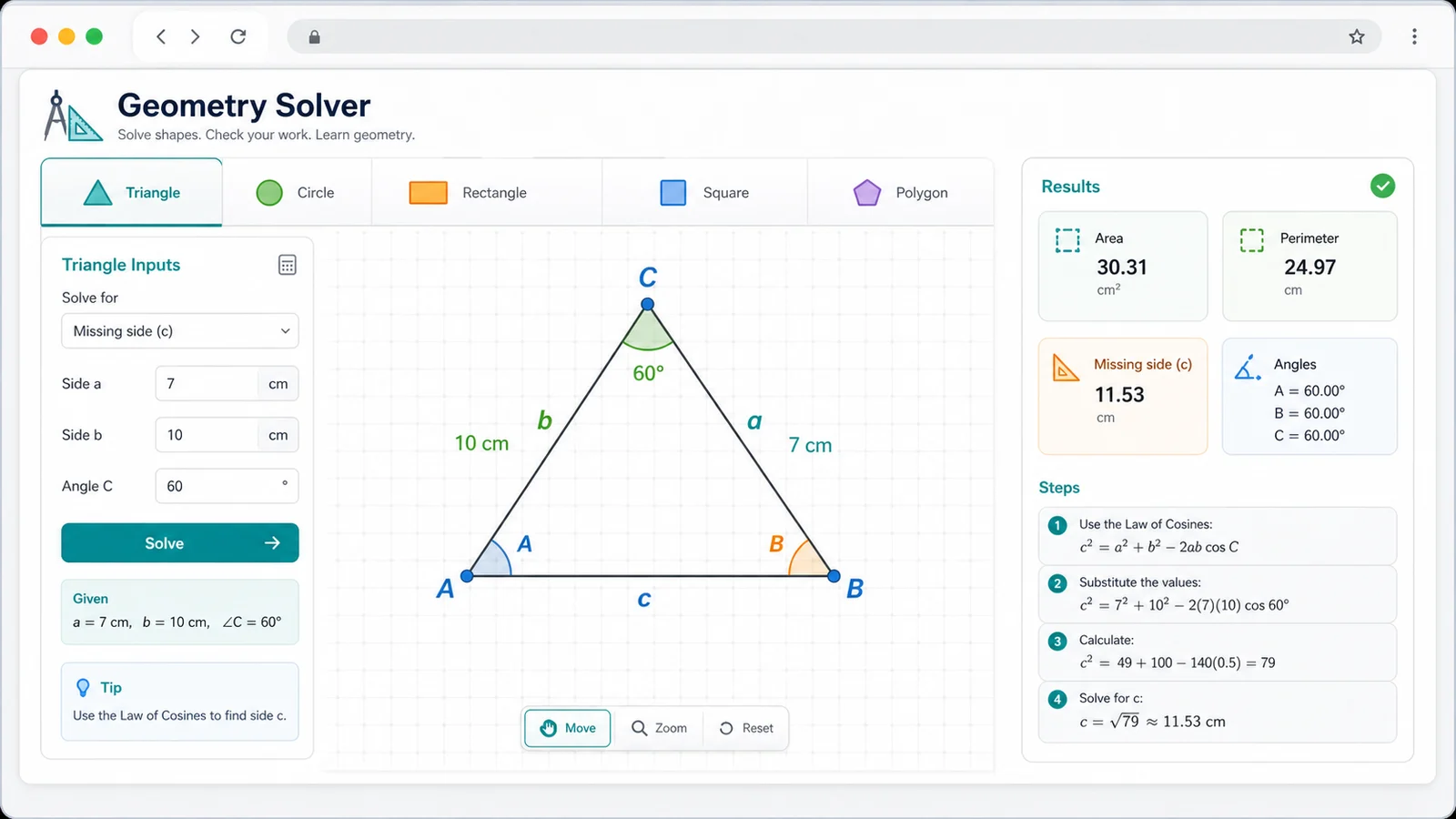
The Geometry Solver uses standard numeric formulas for area, perimeter, circumference, diagonal, apothem, and Pythagorean theorem cases.
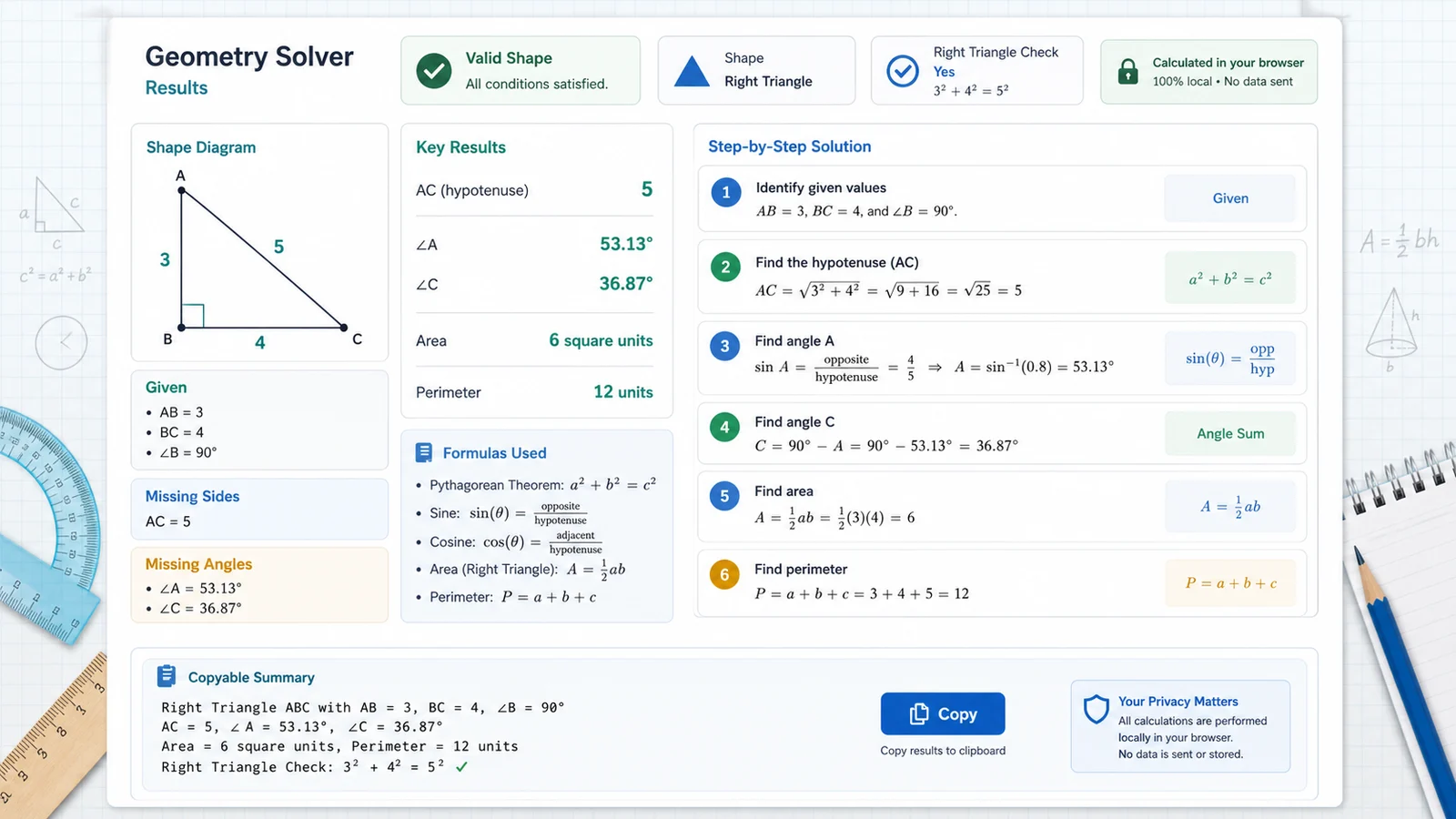
Review the known conditions, missing values, validity check, formulas used, and step-by-step calculation before copying the Geometry Solver result.
The Geometry Solver performs deterministic browser-side arithmetic for common plane shapes instead of using image recognition, AI solving, CAD, or external geometry services.
The tool collects side lengths, angles, radius, diameter, height, diagonals, side count, and apothem values that match the selected plane shape.
Triangle inequality, angle sums, positive measurements, circle dimensions, square relationships, and regular polygon limits are checked before reporting results.
The result panel shows formulas and plain calculation steps for missing sides, missing angles, area, perimeter, right triangle status, and copyable summaries.
Use the Geometry Solver for focused plane geometry calculation when you already know the numeric measurements you want to combine.
Select triangle, right triangle, circle, rectangle, square, or regular polygon. Each mode keeps only the useful fields visible.
Type the side lengths, angle measures, radius, diameter, height, diagonal, number of sides, or apothem that the problem gives you.
Check the validity line, formulas used, and step-by-step calculation before using the copied answer in notes or homework.
For shapes with too little information, the Geometry Solver reports the values that are determined and marks the rest as not determined.
Common questions about Geometry Solver inputs, triangle solving, Pythagorean theorem checks, supported shapes, privacy, and limits.
This Geometry Solver combines Triangle Solver, Right Triangle Solver, Pythagorean Theorem Solver, Circle Solver, Rectangle Solver, Square Solver, and Polygon Area Solver workflows on one page.
Yes. The Geometry Solver supports common numeric triangle cases such as three sides, two sides plus the included angle, two angles plus one side, and base plus height for area.
Yes. In triangle and right triangle modes, the Geometry Solver checks whether side lengths satisfy the Pythagorean theorem within a small rounding tolerance.
Yes. The Geometry Solver calculates circle area and circumference, rectangle area and perimeter, square side or diagonal relationships, and regular polygon area and perimeter.
No. Geometry values are calculated locally in your browser after the page loads. No image upload, AI solving, account, or external data call is required.
No. The Geometry Solver is intentionally limited to common plane shapes and basic numeric values. It does not do CAD, 3D modeling, GIS, map distance, complex proofs, photo recognition, or complex curve area calculation.
Some shapes need more information for a unique answer. For example, a general triangle side cannot be found from only one side and one angle, so the Geometry Solver marks unsupported values clearly instead of guessing.
SolverBox keeps the Geometry Solver focused on common plane shapes, local calculations, clear formulas, and copy-ready step-by-step results.
After checking a geometry value, browse more free solvers for number puzzles, word games, logic puzzles, and study-friendly math helpers.
No account required — choose a shape and calculate geometry values locally in your browser.