Pigpen Cipher Solver maps the classic alphabet
The chart uses the common A-I grid, J-R dotted grid, S-V X symbols, and W-Z dotted X symbols. Each clicked symbol is stored as a letter and copyable notation.
Free Online Pigpen Cipher Solver
This Pigpen Cipher Solver runs in your browser. No image upload, OCR, account login, or external database is required. Click the symbol grid to decode escape-room clues, paper puzzles, Masonic cipher notes, and Freemason cipher-style symbol messages, or type English to generate Pigpen Cipher symbols.
Word Games Free Browser-based
Click Pigpen Cipher symbols in the alphabet chart to build a clue, paste copyable Pigpen notation from this tool, or type plain English to encode. The Pigpen Cipher Solver shows decoded text, generated symbols, the alphabet chart, symbol-by-symbol explanations, unrecognized symbol warnings, and copy buttons.
This Pigpen Cipher Solver is a pure front-end tool. It does not do image OCR, handwritten symbol recognition, historical Freemason record lookup, camera scanning, or complex symbol image analysis. It only processes symbols you click or type as Pigpen notation and text you enter.
| Symbol | Letter | Notation | Source | Meaning |
|---|
Click any Pigpen alphabet chart symbol to add it to the decoder input.
This Pigpen Cipher Solver combines Pigpen Cipher Decoder, Pigpen Cipher Encoder, Masonic Cipher Solver, Freemason Cipher Solver, and Pigpen Alphabet Chart intent on one page.
Use the alphabet chart like a keypad: click each symbol from a lock clue, note, worksheet, or escape-room prop and read the decoded English text immediately.
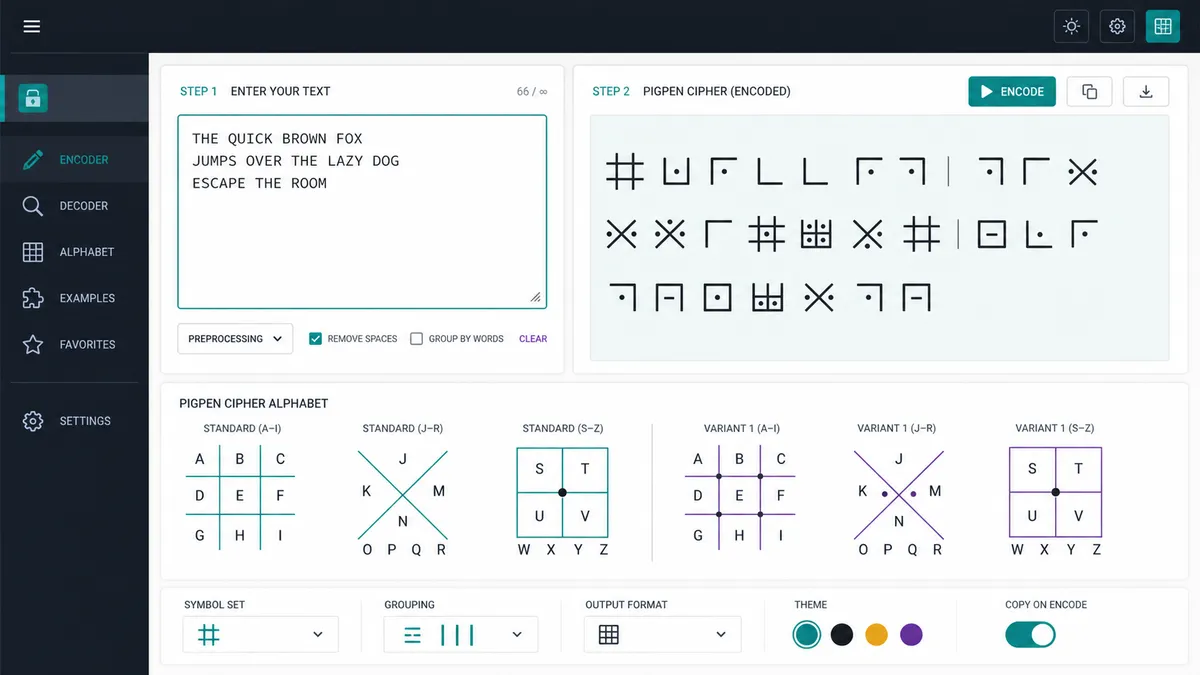
Type ordinary English and the Pigpen Cipher Solver generates the matching symbol sequence, so you can make a paper puzzle clue or compare a suspected decoding.
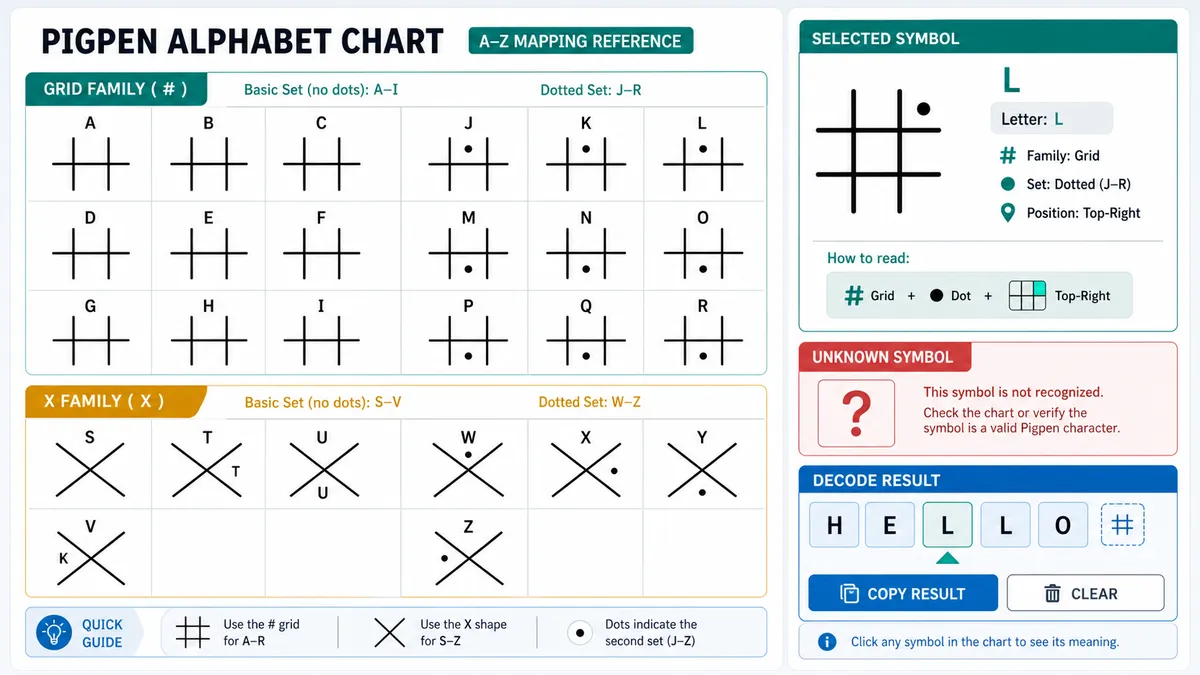
Inspect the A-Z Pigpen alphabet chart, dotted variants, symbol notation, per-symbol meaning, unsupported text warnings, and copy-ready text or symbol results.
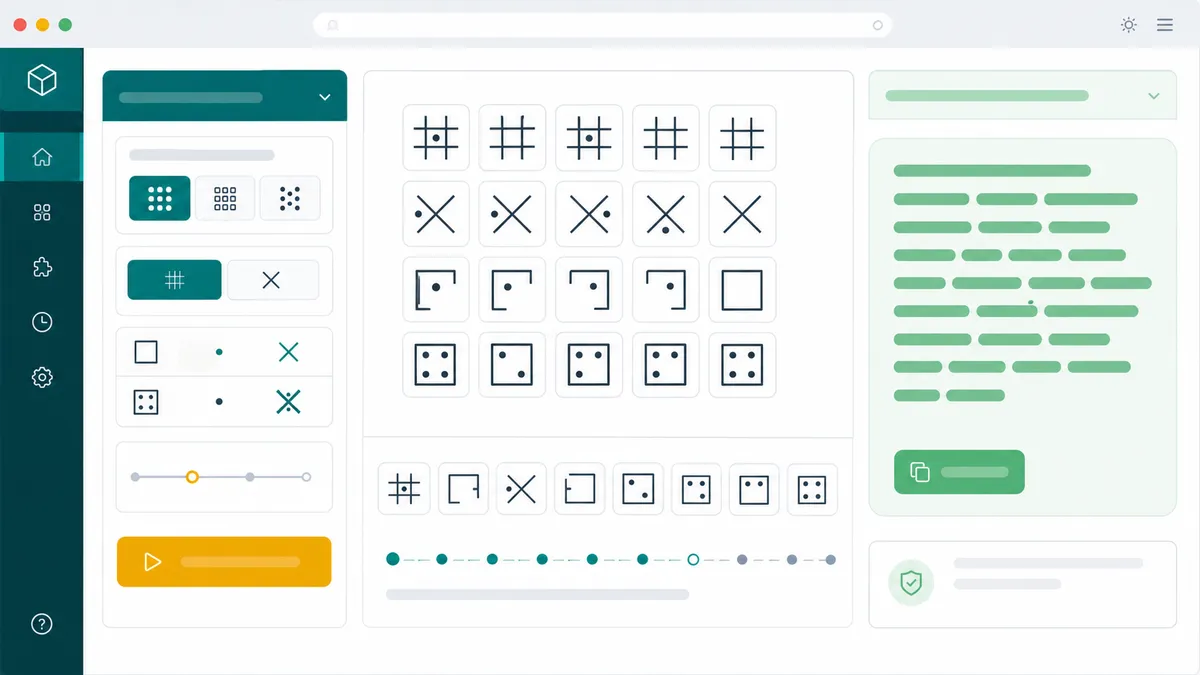
The Pigpen Cipher Solver is a browser-side puzzle helper for manually entered symbols and text, not an OCR, handwriting, or historical archive system.
The chart uses the common A-I grid, J-R dotted grid, S-V X symbols, and W-Z dotted X symbols. Each clicked symbol is stored as a letter and copyable notation.
Clicked or pasted Pigpen notation decodes to English, while supported English letters encode back into visual Pigpen Cipher symbols and a copyable notation string.
Unknown pasted notation and unsupported text characters are listed clearly. Images, handwriting, historical records, and visual symbol analysis are outside this tool.
Use these Pigpen Cipher Solver tips for escape rooms, paper puzzle clues, Masonic cipher references, Freemason cipher-style notes, and symbol worksheets.
Match the symbol in your clue to the Pigpen alphabet chart and click it. Use the space button when the paper clue has a word gap.
Enter normal English letters to generate a visual Pigpen Cipher sequence. The copy button exports the tool's notation so you can paste it back later.
This page does not read symbols from uploaded images, detect handwriting, scan camera input, or search historical Freemason material. It only handles clicked symbols, pasted notation, and typed text.
If a printed symbol looks ambiguous, compare its position in the Pigpen alphabet chart instead of expecting OCR-style recognition.
Common questions about using the Pigpen Cipher Solver as a decoder, encoder, Masonic cipher helper, Freemason cipher helper, and Pigpen alphabet chart.
Yes. Click symbols in the Pigpen alphabet chart or paste notation copied from this page, and the Pigpen Cipher Solver decodes the sequence into English letters and word spaces.
Yes. Type plain English letters and the Pigpen Cipher Solver generates matching Pigpen Cipher symbols, copyable notation, and a symbol-by-symbol explanation.
For common puzzle use, yes. Pigpen Cipher is often called a Masonic cipher or Freemason cipher, so this page keeps those decoder and encoder workflows together instead of splitting them into separate tools.
Yes. The chart shows A-Z symbols, dotted variants, X-family symbols, notation, and clickable buttons so you can decode a clue without memorizing the alphabet.
No. This tool does not do image upload, OCR, handwriting recognition, camera scanning, or complex visual symbol analysis. It only handles symbols you click, notation you paste, and text you type.
No. After the page loads, decoding, encoding, chart lookup, warnings, and copying run in local browser JavaScript. No account login or external database is required.
SolverBox keeps cipher and puzzle helpers practical, browser-based, and focused on real clues.
After this Pigpen Cipher Solver, explore more word, logic, number, and game puzzle tools.
No account required — solve Pigpen Cipher clues directly in your browser.