Braille Code Solver detects clue type
The tool checks for Unicode braille cells in the U+2800-U+28FF range, then marks the input as braille, plain English, mixed, or empty.
Free Online Braille Code Solver
This Braille Code Solver runs in your browser. It is designed for text-based braille puzzle clues, not image OCR or professional braille publishing. Paste Unicode braille from a note, classroom exercise, escape-room clue, game secret, or ARG trail, or type plain English or Chinese text to generate braille text.
Word Games Free Browser-based
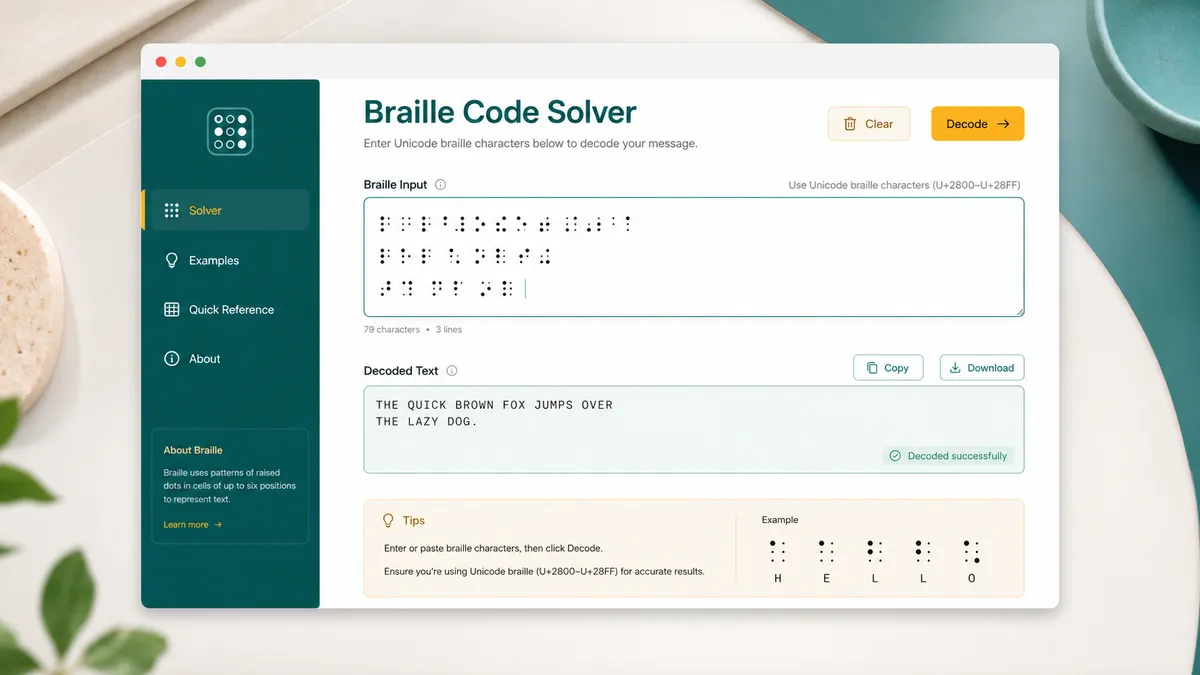
Enter Unicode braille characters, ordinary English text, or Chinese text in Chinese mode. The Braille Code Solver decodes braille to English, converts English to Unicode braille, converts Chinese characters to numbered pinyin before braille output, displays six-dot cells, explains number mode and capital signs, and keeps copying local.
This Braille Code Solver runs fully in your browser. It is a lightweight text puzzle helper for Unicode braille, not a camera reader or publishing system.
| Letter | Braille | Dots |
|---|
This Braille Code Solver combines Braille Translator, Braille Decoder, Braille Puzzle Solver, Text to Braille, Braille Alphabet Translator, and Braille Alphabet Chart intent on one focused page.
Paste Unicode braille from a classroom sheet, escape-room lock hint, ARG trail, game hidden message, or paper clue and get a readable English result without uploading the clue.
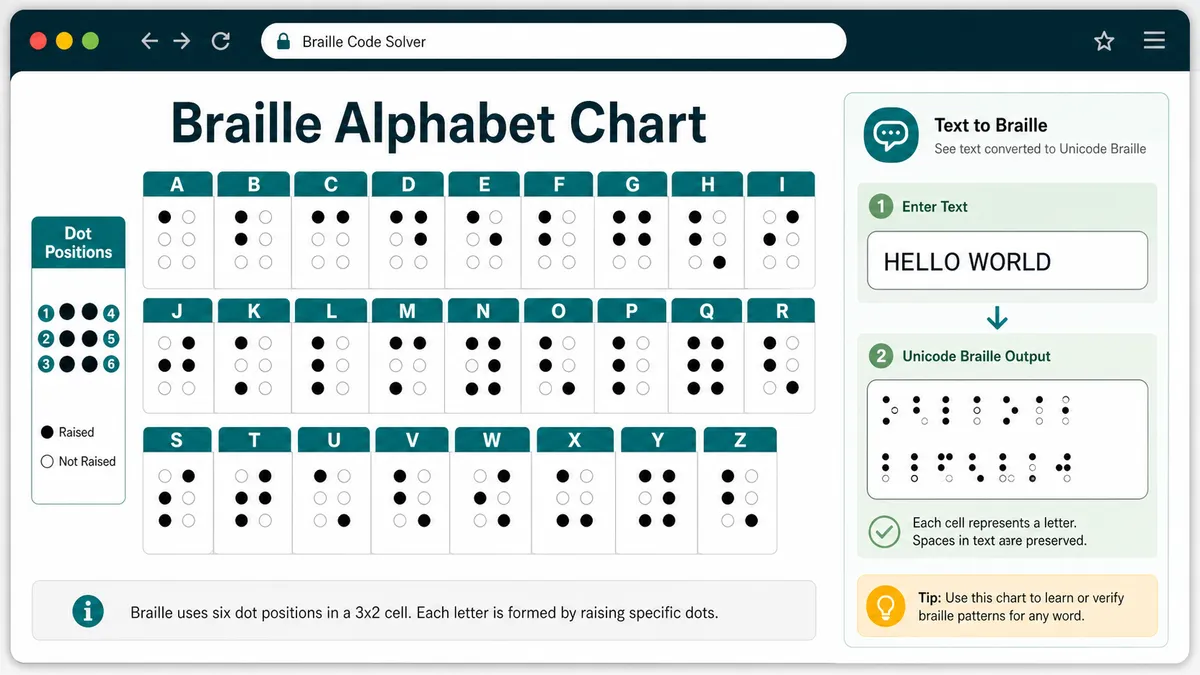
Compare each A-Z letter with its six-dot pattern, then use the chart to verify a clue, learn the alphabet, or check that a text-to-braille result matches the expected cells.
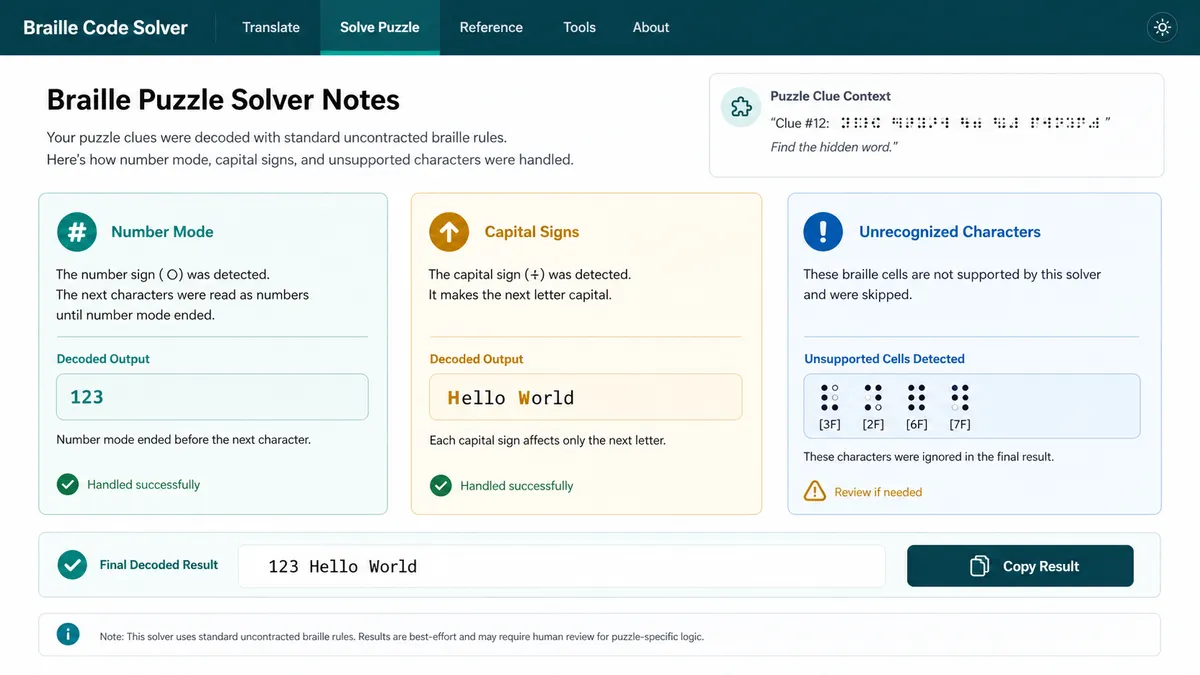
Puzzle clues often include number signs, capital signs, or odd cells. The Braille Code Solver explains those markers and lists unsupported cells instead of silently guessing.
The Braille Code Solver is a browser-side translator for text-based puzzle clues, with clear limits around OCR, publishing, and contracted braille.
The tool checks for Unicode braille cells in the U+2800-U+28FF range, then marks the input as braille, plain English, mixed, or empty.
Supported braille letters are decoded to English, while English letters, digits, spaces, and common punctuation are converted to Unicode braille cells.
Number mode, capital signs, dot patterns, unsupported text, and unrecognized braille cells are displayed as diagnostics so you can review puzzle-specific edge cases.
Use these Braille Code Solver tips for escape-room clues, game secrets, paper notes, classroom exercises, and text-only braille puzzles.
Use actual Unicode braille characters such as ⠓⠑⠇⠇⠕, not a photo of raised dots. The Braille Code Solver reads text characters already present in your input.
The number sign turns a-j cells into 1-0. The capital sign affects the next supported letter. Puzzle notes sometimes omit context, so these diagnostics help you review the result.
This page intentionally stays lightweight and front-end only. It does not inspect images, typeset braille books, validate embossing standards, replace assistive technology, or perform full Grade 2 contracted translation.
For puzzle clues, compare the decoded text with nearby hints when the input contains unsupported cells or advanced contractions.
Common questions about using the Braille Code Solver as a translator, decoder, puzzle helper, text-to-braille converter, and braille alphabet chart.
Yes. Paste Unicode braille characters such as ⠓⠑⠇⠇⠕, and the Braille Code Solver decodes supported uncontracted letters, numbers, spaces, line breaks, and common punctuation to English text.
Yes. Type English letters, digits, spaces, and supported punctuation, and the Braille Code Solver creates a Unicode text-to-braille result that you can copy.
Yes. Choose Chinese mode, enter Chinese text, and the Braille Code Solver converts Han characters to numbered pinyin before creating braille cells from that pinyin. It is a lightweight puzzle mode, not an official Chinese Braille publishing translator.
Yes. The result area includes an A-Z braille alphabet chart with each letter, Unicode braille cell, and dot-number pattern so you can verify puzzle clues by hand.
The Braille Code Solver recognizes the braille number sign and maps following a-j cells to 1-0 until number mode ends. It also recognizes the capital sign and capitalizes the next supported letter.
No. This is a text-only Unicode braille tool. It does not do image braille OCR, camera recognition, real embossed-dot detection, or scanned worksheet reading.
No. It is designed for lightweight puzzle clues and classroom-style practice. It does not perform professional book layout, printer specification checks, accessibility-reader replacement, or a complete Grade 2 contracted braille translation.
No. After the page loads, the Braille Code Solver runs with local browser JavaScript. Decoding, encoding, dot displays, chart lookup, diagnostics, and copy buttons run on your device.
SolverBox keeps puzzle helpers practical, browser-based, and focused on real clue-solving workflows.
After this Braille Code Solver, explore more word, cipher, logic, number, and game puzzle tools.
No account required — decode text-based braille clues directly in your browser.