Cryptogram Solver analyzes letter frequency
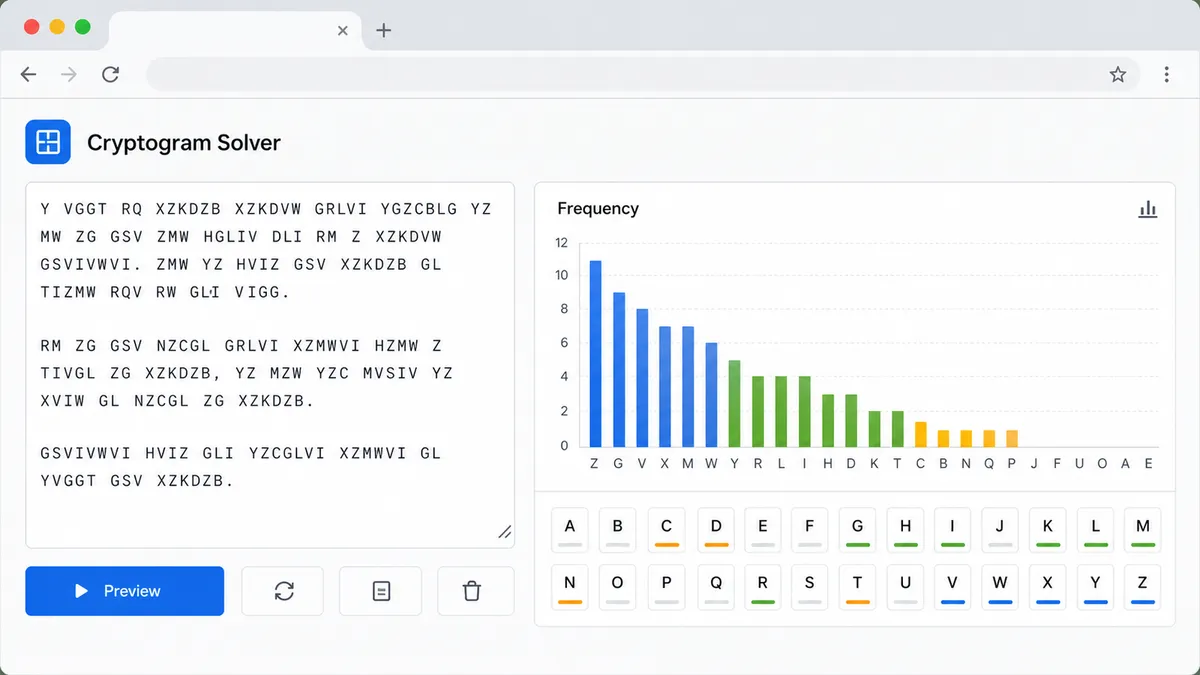
The tool counts each A-Z character, compares the order with common English frequency, and suggests likely plain letters for substitution puzzles.
Free Online Cryptogram Solver
Paste a cryptogram, substitution cipher, Caesar cipher, ROT13, or Atbash puzzle and use the Cryptogram Solver to compare frequency clues, edit letter mappings, preview decoded text, and test classic puzzle transformations locally.
Word Games Free Browser-based
Enter an alphabetic puzzle, then use quick transforms, frequency guesses, Caesar candidates, common word patterns, and manual substitution edits to work toward the solution.
Scope boundary: this Cryptogram Solver is for puzzle text only. It does not crack real encryption, recover passwords, break accounts, decrypt files, solve AES/RSA, or perform hash cracking.
| Letter | Count | Share | Frequency guess |
|---|
| Puzzle word | Pattern | Common candidates |
|---|
This page keeps Cryptogram Solver, Substitution Cipher Solver, Caesar Cipher Solver, ROT13 Decoder, and Atbash Cipher Solver intent together because these classic puzzle tools share the same letter-focused workflow.
Paste the puzzle text and the Cryptogram Solver counts letters, ranks frequency, and gives practical ETAOIN-style guesses without uploading the text anywhere.
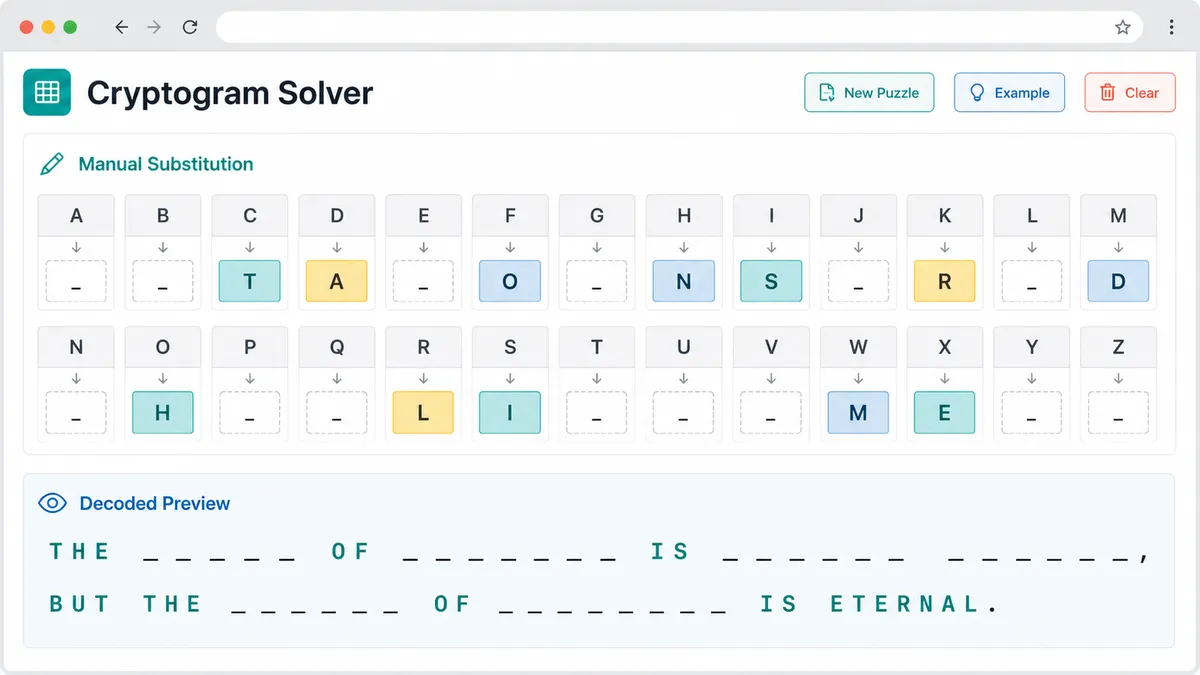
Edit cipher-to-plain letters one at a time. The live preview keeps punctuation and spacing intact while unresolved letters remain easy to spot.
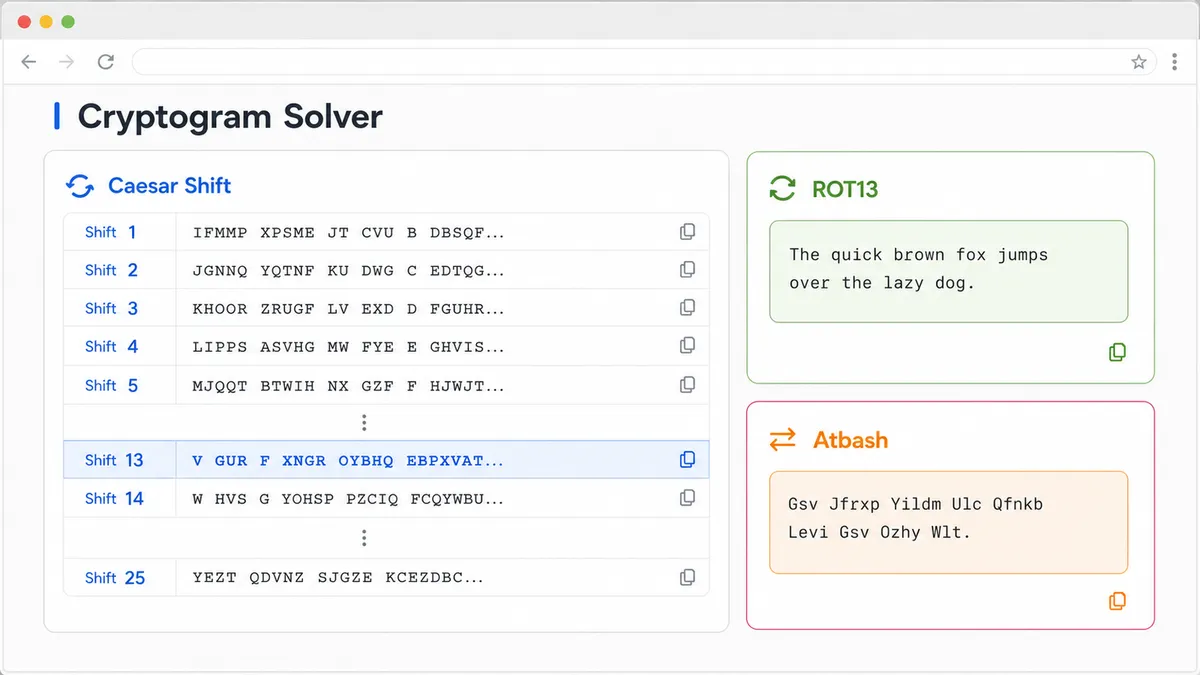
Review every Caesar shift candidate, apply ROT13 instantly, or switch to Atbash when the puzzle uses a reversed alphabet substitution.
The Cryptogram Solver is a browser-side puzzle helper for classic alphabet substitution, not a modern cryptography attack tool.
The tool counts each A-Z character, compares the order with common English frequency, and suggests likely plain letters for substitution puzzles.
Manual replacements update only letters. Spaces, punctuation, numbers, capitalization, and line breaks stay visible so the decoded preview remains easy to inspect.
Caesar shift candidates, ROT13, Atbash, frequency guesses, and word-pattern hints appear together so you can test the common puzzle routes from one page.
Use these tips to get useful Cryptogram Solver output while staying inside the intended puzzle-solving scope.
Cryptograms, newspaper substitution ciphers, Caesar cipher clues, ROT13 messages, and Atbash alphabet puzzles all work as plain text input.
Start with Caesar candidates, ROT13, Atbash, and frequency order. Then use common word patterns to decide which manual replacements are worth trying.
This tool is intentionally limited to recreational letter puzzles. It does not attack real systems, recover passwords, decrypt modern files, or handle AES, RSA, hashes, or account access.
Keeping the Cryptogram Solver client-side and puzzle-only makes it fast, private, and clear for classroom, newspaper, game, and escape-room style challenges.
Common questions about using the Cryptogram Solver for substitution ciphers, Caesar shifts, ROT13, and Atbash puzzle text.
Yes. A classic cryptogram is usually a simple substitution puzzle, so the Cryptogram Solver includes a manual cipher-to-plain replacement table, frequency statistics, unresolved letters, and live preview on the same page.
Yes. The result area lists Caesar shift candidates from 0 through 25 and includes a quick apply control so you can use any shift as the active decoding preview.
Yes. ROT13 and Atbash are built in as quick puzzle transforms. Apply either one to fill the replacement table and immediately inspect the decoded preview.
No. Frequency analysis and pattern hints are useful clues, but many substitution puzzles still need human judgment. The Cryptogram Solver helps you test letters quickly instead of promising a perfect automatic answer.
No. After the page loads, the Cryptogram Solver runs in browser JavaScript. Your puzzle text, substitutions, and preview are processed locally without an external API.
No. This is a puzzle solver only. It does not crack real encryption, recover account passwords, decrypt files, break AES or RSA, reverse hashes, or bypass security systems.
Reset the replacements, compare the Caesar candidates, try ROT13 or Atbash, then add manual letters gradually. Duplicate plain-letter warnings usually mean one of the current substitutions needs to be changed.
SolverBox keeps puzzle helpers free, browser-based, and easy to use.
After this Cryptogram Solver, browse the tools page for more word, number, game, and logic puzzle solvers.
No account required — solve puzzle text directly in your browser.