Puzzle Solver Guide
How to Use a Sudoku Solver When You Are Stuck
Stuck on a Sudoku, or sure you made a mistake? Learn to check your grid, find a wrong number, and fix "No solution" errors with a free Sudoku solver.
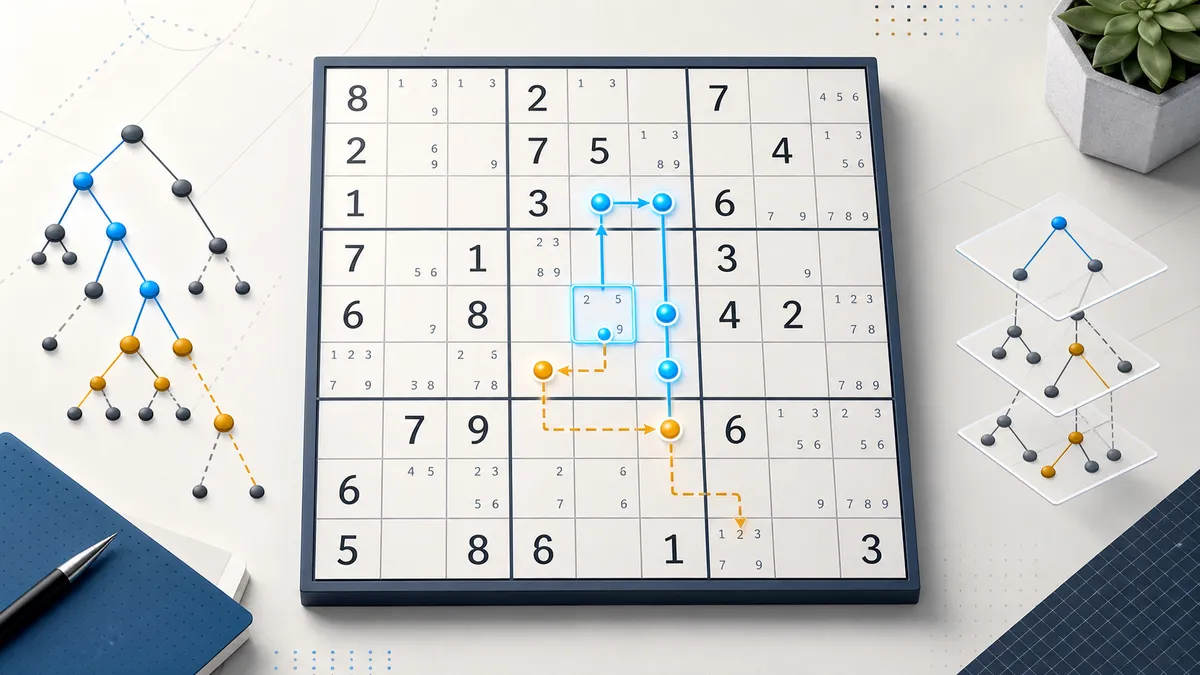
Most people don’t open a Sudoku solver because they want a computer to play the game for them. Look at what people actually type into Google around this topic and three situations keep coming up:
- “How to solve Sudoku when stuck”: you’ve filled half the grid and every cell seems to have two or three options.
- “Why is my Sudoku wrong?” or “how to fix a mistake in Sudoku”: two 7s just appeared in the same row and you don’t know which earlier move caused it.
- “Solve my Sudoku” or “Sudoku solver with answer”: you want to check the answer to a newspaper, book or app puzzle.
This guide shows how to handle each one with the free SolverBox Sudoku solver. It covers what the solver’s messages mean, how to find a wrong number without starting over, why a solver’s answer can differ from the one in the back of your book, and whether you should paste the puzzle into ChatGPT instead.
Enter a puzzle in under a minute
The solver is a 9×9 grid that works on a phone or a computer. There is nothing to install and no account.
- Tap or click the top-left cell and type the first given number (clue). Typing a digit moves you to the next cell automatically, so you can type a row of clues quickly.
- Skip blank cells with the right arrow key (on a computer), or just tap the next cell you need (on a phone). The arrow keys move in all four directions.
- Fix a typo with Backspace, Delete or 0. All three clear the cell.
- Press “Solve Sudoku” (or Enter on a keyboard). Your clues stay in bold black and every cell the solver filled appears in blue italics. A small panel shows how many given clues it read, how many cells it filled and how long it took.
Two things to know before you press Solve:
- You can paste instead of typing. If the puzzle is already text somewhere (a website, a forum post, a file), copy it, click any cell and paste. 81 characters fill the whole grid. Use 0 or a dot for empty cells; spaces, line breaks and grid lines like
|,-and+are ignored, so both530070000…and a nicely formatted 9-line grid work. A shorter string fills from the selected cell onward. - After a successful solve, the cells lock. To change anything you need “Clear grid”, which wipes the whole board. Check your clues row by row against the original before you press Solve. It takes ten seconds and saves retyping 25 or more numbers.
Not sure how it works? Press “Load a sample puzzle”. Each press loads the next of three samples (easy, medium, hard), so you can see what a solved grid looks like.
What the solver messages mean
| Message | What it means | What to do |
|---|---|---|
| Solved! | The solver found the one and only grid that fits every number you entered. | Compare it with your own work. |
| This puzzle has more than one solution, so the grid shows just one of them… | Your numbers fit at least two different finished grids. The one shown may not match your answer key. | Look for a missing or misplaced clue. See “The solver’s answer doesn’t match my book” below. |
| Invalid puzzle — check that no row, column, or 3×3 box has duplicate numbers. | Two of the numbers you entered break a rule right away, such as two 5s in one row. | The clashing cells are highlighted in red. It’s almost always a typo. |
| No solution exists for this puzzle. Please check your input. | There are no visible duplicates, but the numbers can’t all be right at once. | One of the entered numbers is wrong. See the next section. |
The difference between the last two matters. “Invalid” means the solver can point straight at the error: the clashing cells turn red. “No solution” means the error is hidden: every row, column and box still looks legal, but somewhere a number blocks a cell from having any valid digit.
Why is my Sudoku wrong? Use the solver to find the mistake
This is the most useful thing a solver can do for someone who is solving by hand, and few people know about it. The solver doesn’t only accept the original clues. You can also enter your own progress.
- Enter the puzzle’s original clues.
- Add the numbers you’ve filled in yourself.
- Press “Solve Sudoku”.
Then read the result:
- “Solved!” Everything you’ve filled so far fits the puzzle’s only solution, so your numbers are correct. You’re stuck because of a missing technique, not because of a mistake.
- The “more than one solution” warning: your numbers are consistent, but the clues you entered don’t pin down a single answer. Check the original clues first (see below).
- “No solution” or “Invalid puzzle”: at least one of your own numbers is wrong. We tested this on the easy sample: we put a 2 in a cell whose answer is 4. The 2 broke no row, column or box rule, and the solver still reported “No solution”.
Narrowing down a wrong number
If you’ve filled 30 cells and one of them is wrong, you don’t have to check them one by one. Halve the problem each time:
- After a “No solution” result the grid stays editable. Delete half of your own numbers (leave the original clues alone), for example everything you added in the bottom five rows.
- Press Solve again. If it still says “No solution”, the mistake is among the numbers you kept, so delete half of those and repeat.
- If it says “Solved!”, the mistake was among the numbers you just deleted. The grid locks after a successful solve, so press “Clear grid”, re-enter the clues plus that deleted group, and continue halving from there.
With about 30 of your own numbers, five rounds or so are enough to isolate the bad one. That is far faster than erasing your paper puzzle back to the start.
One honest caveat: when the solver reports “Solved!”, it shows the whole finished grid. If you want to keep solving on your own, read only the status message (beside the board on a computer, below it on a phone) and don’t study the blue numbers. If you only want a nudge, press Next hint instead of Solve: it gives you one explained step at a time.
”The solver’s answer doesn’t match my book”: unique and multiple solutions
“Can Sudoku have multiple solutions?” and “Sudoku solver multiple solutions” are common searches, usually typed right after a solver gives an answer different from the official one.
A properly published Sudoku has exactly one solution. In 2012 the mathematicians Gary McGuire, Bastian Tugemann and Gilles Civario used an exhaustive computer search to show that no 16-clue Sudoku has a unique solution. So a 9×9 puzzle needs at least 17 clues to have only one answer. Having 17 clues doesn’t guarantee a single solution; having fewer guarantees more than one.
The SolverBox Sudoku solver checks this for you. After finding one solution it keeps searching for a second. If one exists, you get a warning instead of “Solved!”: the grid shows one valid answer, but it may not be the one in your book. Enter a single 5 in an empty grid and you’ll see this warning straight away.
When you get that warning, or the solver and your answer key disagree, check these causes in this order:
- A missing clue. This is the most common reason. Count the given numbers in the original and compare that with the “Given clues” figure the solver shows after solving; they should match exactly.
- A clue typed into the wrong cell. This often happens one column to the left or right, especially when skipping blank cells with the arrow keys.
- A misread digit in a small or blurry print (6 vs 8, 1 vs 7).
- A flawed puzzle. It’s rare in established newspapers and apps but does happen in low-quality printed collections. If your clues match the original exactly and the solver still warns about more than one solution, the puzzle itself isn’t unique.
Stuck? You probably don’t need to guess
Searches like “how to solve Sudoku without guessing” and “Sudoku stuck with pairs” come from the same moment: you’ve run out of obvious moves. A puzzle with a unique solution can always be finished by reasoning. Some very hard puzzles need advanced techniques, but none needs a coin flip.
Before reaching for the solver, try these in order. They’re the standard moves taught in most Sudoku guides:
- Scan for hidden singles. Pick one digit, say 7, and look at a single 3×3 box. If the other 7s on the board block every cell in that box except one, the 7 goes there. Repeat for each digit and each box.
- Look for naked singles. For a cell that already has many neighbours filled, list which of 1–9 are missing from its row, column and box. If only one digit is left, that’s the answer.
- Write candidates (pencil marks). Note every possible digit in the small corners of each empty cell. Many “stuck” positions are only stuck because the information isn’t written down.
- Use pairs. If two cells in the same row each allow only {3, 8}, those two cells will take the 3 and the 8 between them. Remove 3 and 8 from every other cell in that row.
If you’re still stuck after that, enter the puzzle (plus your own progress, if you like) and press Next hint. It makes exactly one move and explains it in words, for example “In box 2, R1C6 is the only cell where 8 can still go, so it must be 8.” The cells involved are highlighted and every empty cell shows its candidates as small grey digits. Press it again for the next move.
Show all steps lists the whole solution path. Click any step, or use Previous and Next, to see the board as it was at that moment, with removed candidates struck through in red. “Back to my grid” returns you to where you were.
The hints use the techniques above plus a few more: locked candidates (pointing and claiming) and hidden pairs and triples. That’s enough for most newspaper and app puzzles. When a puzzle needs something harder, such as X-Wing or chains, the hint says so plainly and reveals one cell instead of making up a reason.
How the solver finds the answer
The Solve button doesn’t reason like a person: it guesses and backtracks, which is why its answer comes without an explanation. The hint buttons use the separate, human-style method described above.
It uses backtracking, a systematic trial-and-error search, but it chooses where to guess carefully:
- Look at the whole grid and find the tightest spot. That is either the empty cell with the fewest possible digits, or a digit that has the fewest places left in some row, column or box. Often there’s only one option, which is the computer’s version of a naked or hidden single.
- Try one of those options and update what is still possible everywhere else.
- If any cell, or any digit in a row, column or box, is left with no option at all, that guess was wrong. Undo it and try the next option.
- After the first complete solution, keep going until a second one turns up or every option has been ruled out. That’s how it knows whether the answer is unique.
Everything runs in your browser; the puzzle is never sent to a server.
Why does the order matter? The simplest backtracking solvers just take the first empty cell and try 1 to 9 in order. A puzzle can be built to punish that. Our “hard” sample is one: 17 clues, an empty top row, and a first row whose answer is 9 8 7 6 5 4 3 2 1, the exact reverse of the order such a solver tries. The Wikipedia article on Sudoku solving algorithms uses the same kind of puzzle as its example. An earlier version of our own solver worked that way and needed about 69 million placements and roughly 10 seconds in Chrome on this puzzle. Picking the tightest spot first removes the problem.
These are the solving times shown in the result panel in Chrome, rounded:
| Puzzle | Clues | Result | Time |
|---|---|---|---|
| Medium sample | 36 | Solved! | about 0.1 ms |
| Easy sample | 30 | Solved! | about 0.2 ms |
| Hard sample | 17 | Solved! | about 1–2 ms |
| A completely empty grid | 0 | more than one solution | about 5 ms |
The slowest case we found is a sparse puzzle with no solution at all, for example a 17-clue grid with one wrong clue. The solver has to rule out every possibility before it can say “No solution”, and that took about 50 milliseconds.
Can ChatGPT solve Sudoku?
“Can ChatGPT solve Sudoku”, “ChatGPT can’t solve Sudoku” and “AI Sudoku solver” are all common searches. The short answer: a chatbot isn’t a reliable Sudoku solver.
A 2025 University of Colorado Boulder study, published in Findings of the Association for Computational Linguistics, tested AI models on nearly 2,300 Sudoku puzzles. They were simpler 6×6 grids, not the usual 9×9. The best model, an OpenAI o1 preview, solved about 65% correctly. The explanations were worse: models made up facts, such as claiming a 2 couldn’t go in a cell “because there’s already a two in the same row” when there wasn’t one.
A dedicated solver behaves differently. It either returns a grid that satisfies every rule or tells you no such grid exists.
If you use a chatbot anyway, use the two together:
- Ask the AI to explain a technique, such as “what is a hidden single” or “explain X-Wing with an example”. That’s the kind of question chatbots handle well.
- Check any grid the AI gives you. Copy the AI’s completed grid, paste it into the solver and press Solve. A correct grid returns “Solved!”; a grid with a duplicate returns “Invalid puzzle”. Also check that the AI kept your original clues in their original cells. Chatbots sometimes change them quietly.
What this Sudoku solver doesn’t do (yet)
You should know before you start:
- No photo or camera input. Searches like “Sudoku solver from image” are popular, but this tool needs the clues typed in or pasted as text.
- Hints only cover common techniques. Next hint and Show all steps explain singles, locked candidates, and pairs and triples. A step that needs X-Wing, Swordfish or chains is shown as a revealed answer, not explained.
- Classic 9×9 only. For cages with sums, use the Killer Sudoku solver. Related number-logic grids have their own tools, such as the KenKen solver, Kakuro solver and Futoshiki solver.
Quick answers
Is it free, and does it need an account? It’s free and needs no account. The solving happens entirely in your browser, so your puzzle isn’t uploaded anywhere.
Will it work on my phone? Yes. Tap a cell to bring up the number keyboard. Typing a digit jumps to the next cell. You can also long-press a cell and paste a puzzle you’ve copied.
Why does it say “No solution” when I can’t see any duplicates? At least one entered number is wrong even though it breaks no rule on its own. Re-check the clues against the original, then use the halving method above if you also entered your own numbers.
Can it show the steps? Yes. Next hint explains one move at a time, and Show all steps lists the full solution. Hints need a puzzle with exactly one solution.
Can it solve the hardest Sudoku? Yes. Any 9×9 puzzle that has a solution will be solved, usually in a few milliseconds, including puzzles built to defeat simple backtracking solvers.
Ready to try it? Open the free Sudoku solver, type or paste in the puzzle you’re stuck on, and check your progress before you erase anything.